
Thermalright TA120 Manual
PDF manual · 2 Pages
English



Quick check
Incorrect answer, please try again.
Chat with your Thermalright TA120 manual using AI
Get instant AI answers from your Thermalright TA120 manual
Ask anything about the Thermalright TA120. Answers come from this manual, with the pages they are based on.
Ask a Question
Do you recommend TA120?
Yes NoFrequently Asked Questions
It supports Intel LGA 775, 115x, 1366, 2011, 2066 and AMD AM4 platforms. The hardware kit includes specific screws for each socket type to ensure compatibility across generations.
Is this answer helpful?
You must turn off system power and unplug the cord before starting. Do not modify the product casing. Keep the product away from children and use only in PC environments to prevent electrical shocks.
Is this answer helpful?
Apply a thin layer of thermal paste. Using too much paste creates air gaps that reduce heat conductivity and lower cooling performance. A moderate amount is the best practice.
Is this answer helpful?
The package contains nylon tubes, anchoring mounts, various M3L6 screws, back plate caps, fan clips, anti-vibration pads, and metal back plates. Hardware is included for most mounting scenarios.
Is this answer helpful?
No. You should never modify or disassemble this product yourself. Doing so may damage the unit and void any support options. Follow the installation guide without altering the hardware.
Is this answer helpful?
Advantages and Disadvantages
Advantages

- Supports wide range of Intel and AMD processor sockets
- Includes comprehensive mounting hardware in the box
- Anti-vibration pads reduce operational noise effectively
Disadvantages

- Installation requires specific alignment and torque care
- Manual must be followed strictly to avoid electrical risks
- Thermal paste amount must be precise to maintain performance
Product Specification
Type
Tower Cooler
Dimensions with Fan
4.72x6.22x1.65 in (WxDxH)
Fan
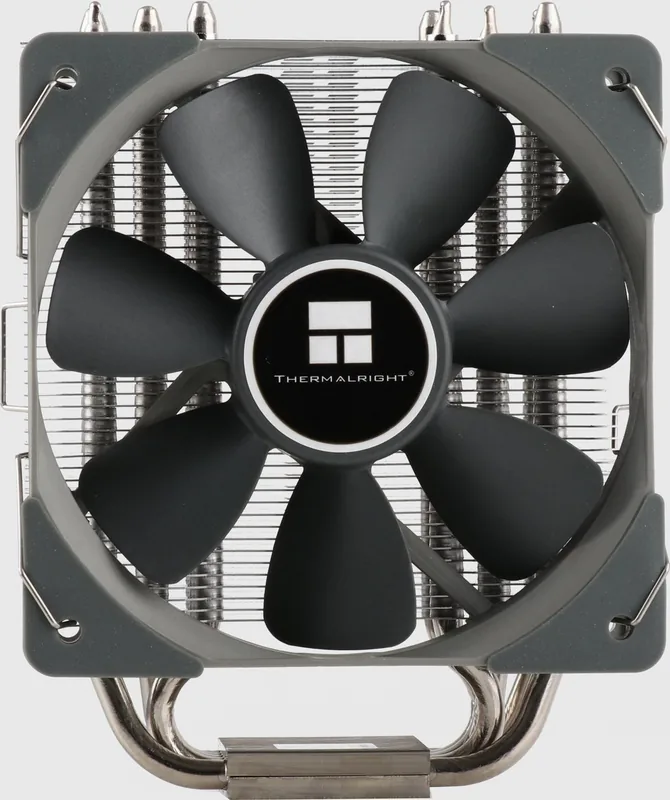
1x 4.72x4.72x1 in, 600-1800 rpm, 25.78-77.1 CFM, 19-25 dB(A)
Weight with Fan
1.26 lbs
Connector
4-Pin PWM
AMD Socket
AM4
Intel Socket
2011-0/2011-1/2011-3/2066, 1356/1366, 1150/1151/1155/1156/1200, 775
TDP Rating
200W
Features
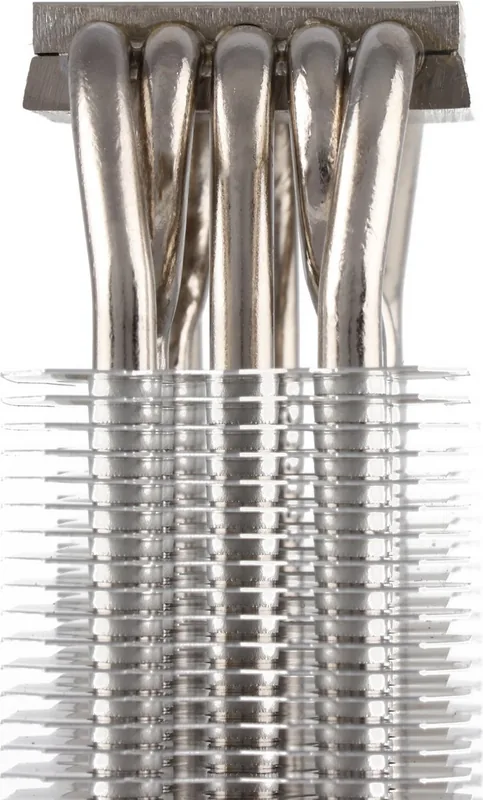
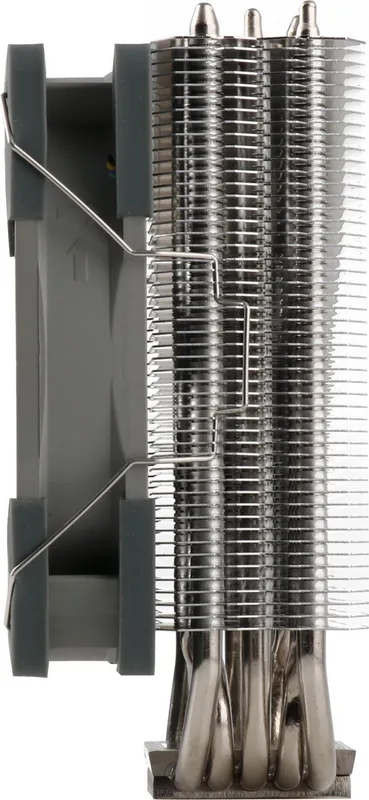
5 Heatpipes
Product Description
Thermalright TA 120 Cooling System Guide
The Thermalright TA 120 is a highly regarded cooling component for desktop PCs. It is engineered to maintain safe temperatures under load. When you unpack the device, you encounter a well-organized kit designed for versatility. The kit includes nylon tubes for cable management or tube securing. Anchoring mounts are provided to secure the unit to the chassis effectively. You will also see a TF4 thermal pad and various screws sized M3L6. These include specific screws for LGA 2011 double heads. The packaging includes a mounting plate measuring 43 by 2.6 millimeters multiple times. There are #32 screws and 775 back plate caps included in the box as well. Fan clips are necessary to hold the blower in place securely. TY-121 components are part of the assembly. Anti-vibration pads are plentiful, ensuring a quiet operation during heavy workloads. A metal back plate adds rigidity to the setup. Mylar insulation helps protect sensitive surfaces. This ensures that the hardware fits perfectly.
Hardware Compatibility
Regarding compatibility, the support list is extensive. Intel users benefit from support for LGA 775, 115x, 1366, 2011, and newer 2066 sockets. The board layout diagrams show mounting hole positions clearly. AMD AM4 users are also covered fully. Proper alignment ensures the cooler sits flush on the processor. If you are upgrading an older system, the LGA 775 support is valuable. The manufacturer, Thermalright, provides resources for European customers via PC-Cooling GmbH. Their contact details are available online for assistance. This global distribution network ensures parts are accessible. It is important to follow the guide before starting any installation work.
Safety and Installation
Safety is the most critical aspect of this setup. Turn off system power and unplug the power cord completely. This prevents electrical shocks from occurring during the procedure. Do not modify the product casing or internal structure. It is a consumer product for PC environments only. Do not place it in non-PC areas. Thermal paste application requires care. Too much paste creates air gaps that lower conductivity. It will result in worse cooling performance if applied incorrectly. Always use a small amount. If you experience issues, contact the email support team listed. They are ready to help with technical queries regarding the hardware.
Final Considerations
Notes indicate that keeping this away from children is mandatory. Ensure the product is not used in a vacuum sealed environment without airflow. Review the diagrams for motherboard front and rear connections. The screws provided in the kit must match the socket pillar requirements exactly. Proper torque is essential for longevity. Do not force any components if they do not fit naturally. Always verify the screw type before tightening. This prevents damage to the motherboard traces. The system should be cool before beginning any work. Patience during installation leads to better overall system stability. Enjoy the improved cooling performance this unit provides.
Search for 67,732 Manuals online


Type-in Brand or Model