
Thermalright TA120 EX TR4 Manual
PDF manual · 1 Pages
English


Quick check
Incorrect answer, please try again.
Chat with your Thermalright TA120 EX TR4 manual using AI
Get instant AI answers from your Thermalright TA120 EX TR4 manual
Ask anything about the Thermalright TA120 EX TR4. Answers come from this manual, with the pages they are based on.
Ask a Question
Do you recommend TA120 EX TR4?
Yes NoFrequently Asked Questions
It is designed to cool TR4 socket CPUs efficiently using high-performance air cooling technology.
Is this answer helpful?
Yes, the package comes with one tube of thermal grease for immediate application.
Is this answer helpful?
Secure the fan to the heatsink using the provided cable clips after fixing the heatsink to the board.
Is this answer helpful?
Steel mounting brackets are provided for securing the heatsink to the motherboard safely.
Is this answer helpful?
Always clean surfaces first and do not mix old grease with new for best results.
Is this answer helpful?
It integrates well into most modern chassis designs available today.
Is this answer helpful?
The TR4 designation indicates it is for specific workstation platforms, verify compatibility first.
Is this answer helpful?
Advantages and Disadvantages
Advantages

- High performance cooling for demanding workloads
- Includes thermal grease for easier setup
- Stable clip system prevents vibration noise
- Designed for low temperature operation
- All components included in box
Disadvantages

- Requires careful manual installation steps
- Specifically designed for TR4 sockets only
- Bulky size may not fit small cases
- Dust accumulation requires regular cleaning
- Fan clips may wear over time
Product Specification
Type
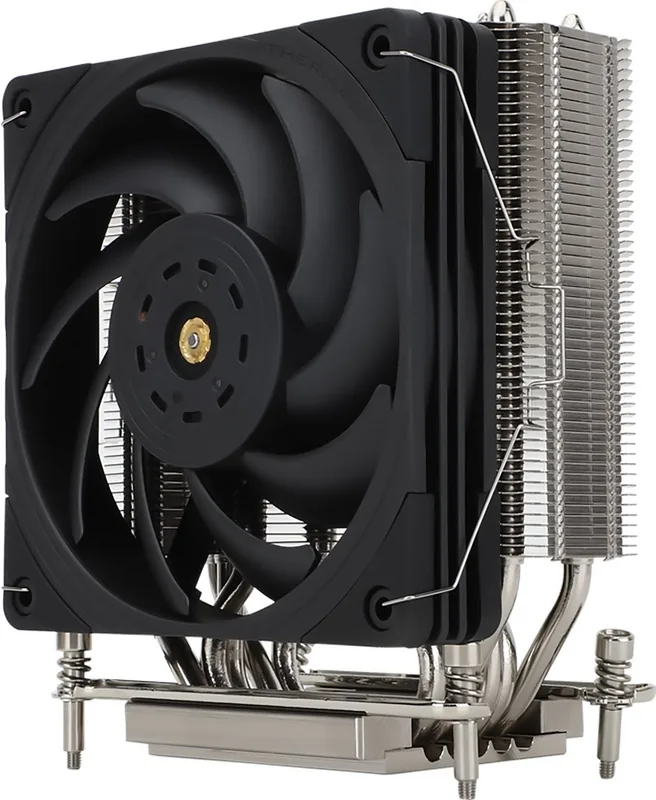
Tower Cooler
Dimensions with Fan
4.88x6.08x2.78 inches (WxHxD)
Dimensions without Fan
4.88x6.08x1.77 inches (WxHxD)
Fan
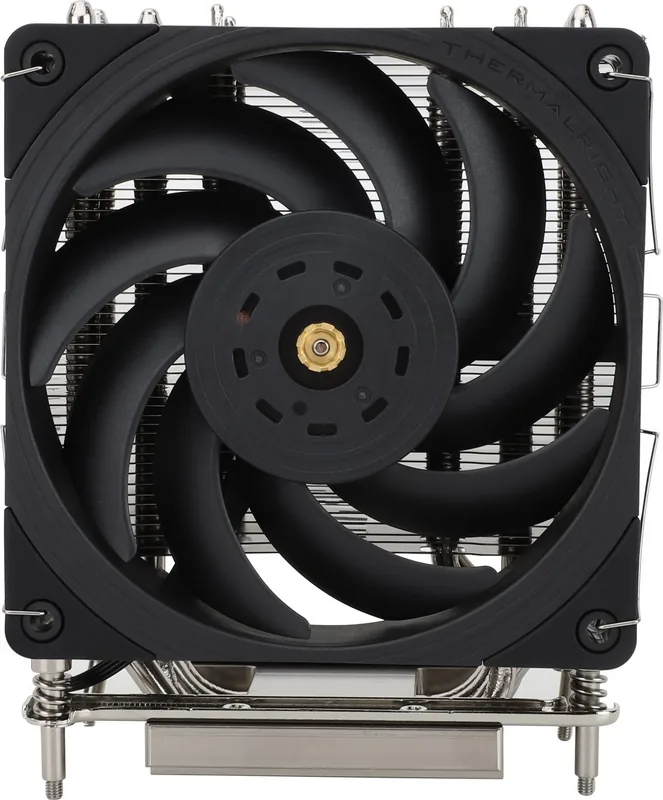
1x 4.72x4.72x1.01 inches, 3150rpm, 112 CFM, 40.5dB(A), 0.20 inH2O (TL-B12, Left)
Weight with Fan
1.91 lbs
Weight without Fan
1.43 lbs
Connector
4-Pin PWM
Socket AMD
TR4/sTRX4/sWRX8/SP3
Features
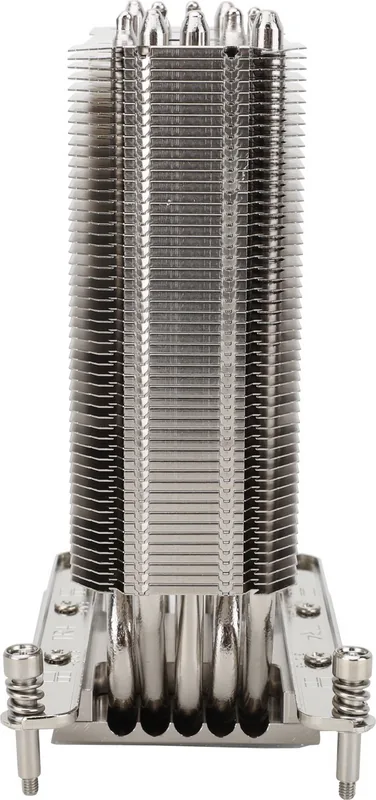
5 Heatpipes (0.24 inches)
Product Description
Introduction to Advanced Cooling Solutions
When constructing a high-performance personal computer, selecting the appropriate cooling mechanism is critical for success. The Thermalright TA120 EX TR4 presents an exceptional value proposition for users who seek absolute reliability and power. This unit promises remarkably low temperatures combined with extremely high performance within a single package. Serious enthusiasts often rely on comprehensive technical documentation like the Thermalright TA120 EX TR4 Manual to fully understand the capabilities hidden within their hardware components. Adhering to maintenance schedules ensures operational stability throughout many years. The included accessory kit houses a robust heatsink engineered for maximum efficient heat dissipation rates. A high-quality fan works directly alongside the solid base core to push ambient air effectively through dense copper fins. Correct installation begins by peeling away the bottom protective film from the raw heatsink interface base completely. This step is vital for achieving direct thermal conductivity. Without removing this layer air gaps may form which reduce transfer efficiency. Next apply thermal conductive grease in a thin layer across the top CPU surface. Small thicknesses generally transfer heat better than thick globules of compound material. Securely fasten the main aluminum radiator body onto the motherboard chassis using the provided steel mounting brackets. Finally attach the cooling fan using the cable ties and metal clips supplied inside the box. Four clips hold every connection point firmly in position. These secure all moving parts to prevent vibrations that might cause annoying noise issues over extended time periods.
Operational Guidelines and Maintenance Protocols
Regular cleaning care extends the lifespan of your electronic equipment. Dust particle accumulation reduces available airflow volume quickly over weeks. Clean spinning fans periodically with compressed air cans gently. Ensure power supply cables do not physically obstruct required airflow paths inside the case interior. Monitor operating system logs constantly for sudden temperature spikes. If the central processing unit runs dangerously hot recheck all physical connections again. The structural design actively supports demanding multi-core workloads effectively. Professionals benefit greatly from consistent sustained cooling solutions daily. Users report smooth operation under extreme computational loads safely. The TR4 designation indicates suitability for specific workstation platforms. Always verify exact socket compatibility before purchasing replacement hardware units. Effective internal airflow management improves overall system health scores. This cooler integrates well into most modern chassis designs. Decibel noise levels remain acceptable during typical operations indoors. Total electrical power consumption stays low compared to complex water liquid cooling loop alternatives. Built-in safety mechanisms prevent catastrophic overheating damage events. Enjoy peace of mind knowing your financial investment is protected. Potential future hardware upgrades remain viable due to industry mounting patterns. Invest in quality mechanical components today for reliability outcomes.
Critical Installation Notes
Note that improper installation voids warranty terms. Handle the heatsink fins gently to avoid bending. Do not touch the base surface with hands. Oils from skin degrade thermal transfer properties. Read all warnings before starting work. If unsure seek assistance. Do not mix old grease with new. Always clean surfaces first. Store spare parts safely.
Search for 67,732 Manuals online


Type-in Brand or Model