
Thermalright Macho Direct Manual
PDF manual · 19 Pages
English



Quick check
Incorrect answer, please try again.
Chat with your Thermalright Macho Direct manual using AI
Get instant AI answers from your Thermalright Macho Direct manual
Ask anything about the Thermalright Macho Direct. Answers come from this manual, with the pages they are based on.
Ask a Question
Do you recommend Macho Direct?
Yes No
maria_k
9 months ago
Is the Thermalright Macho Direct too large for a mid-tower, and can it interfere with RAM or case clearance?

Manual.ly
9 months ago
It is a large tower cooler, so you must verify case and motherboard clearance before buying. Several users note it can block the side panel or leave very little room for a second 120/140mm fan, so check the cooler dimensions and available height/width in your specific case. Also note that the cooler design can have a slight offset: on some boards it may not fully cover over tall RAM. If your DIMMs are tall, low-profile RAM is often needed. In many cases you can rotate the cooler 90 or 180 degrees to improve RAM clearance. Bottom line: measure your case space and RAM height, do not rely only on general compatibility claims.
Frequently Asked Questions
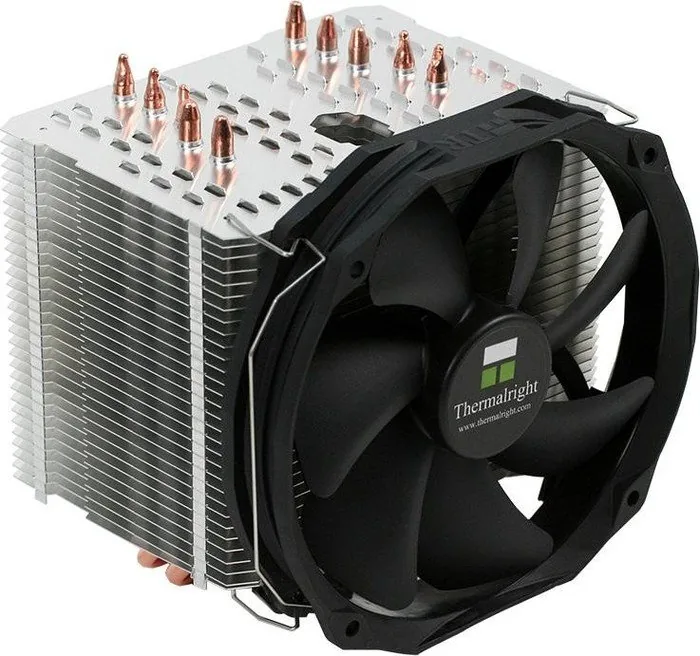
It is a large tower-style air cooler designed for CPUs. The design uses a copper base, multiple heatpipes, and a 140 mm PWM fan to move heat away from the processor efficiently.
Is this answer helpful?
It supports several Intel and AMD sockets, including Intel 1150/1151/1155/1156, 2011/2011-3 Type B, and AMD AM2/AM2+/AM3/AM3+/FM1. Always check your exact board and mounting type first.
Is this answer helpful?
Yes. The package includes a TY-140 Black fan with a 4-pin PWM connector. It is designed to provide adjustable speed control and keep noise levels manageable under different workloads.
Is this answer helpful?
The package includes thermal paste, a screwdriver, backplates, screws, nuts, fan clips, anti-vibration pads, and mounting parts. This helps simplify installation and avoids needing extra hardware.
Is this answer helpful?
The fan is rated around 15 to 21 dBA, depending on speed and load. That makes it a good fit for users who want cooling with relatively low acoustic impact.
Is this answer helpful?
The heatsink height is 158 mm. Before buying, make sure your case has enough CPU cooler clearance, especially if you use a smaller mid-tower or compact enclosure.
Is this answer helpful?
Advantages and Disadvantages
Advantages

- Wide socket support for many Intel and AMD platforms, making it versatile for upgrades and fresh builds.
- Includes a complete accessory kit with thermal paste, screwdriver, fan clips, backplates, and mounting hardware.
- PWM TY-140 Black fan supports low-noise operation and speed control from 300 to 1300 RPM.
- Anti-vibration pads and push/pull fan positioning help refine airflow and reduce unwanted noise.
Disadvantages

- At 158 mm tall, the cooler may not fit in compact cases with limited CPU clearance.
- Installation has multiple steps and requires careful alignment of brackets, screws, and pads.
- The large tower design may be more than some users need for very modest cooling demands.
- Best results depend on correct thermal paste application and proper fan orientation, so setup matters.
Product Specification
Design Type
Tower Cooler
Dimensions with fan
5.98x6.22x5.08in (WxHxD)
Fan
1x 5.51x5.98x1.04in, 300-1300rpm, 73.57 CFM, 73.56 CFM
Weight with fan
1.81 lb
Connector
4-Pin PWM
AMD Socket
AM4, AM2/AM2+/AM3/AM3+, FM1/FM2/FM2+
Intel Socket
2011-0/2011-1/2011-3/2066, 1150/1151/1155/1156/1200
AMD Socket Note
Socket AM4 mounting kit available in retail
TDP Classification
200W
Special Features
5 Heatpipes, Heatpipe Direct Touch
Product Description
Thermalright Macho Direct: A Practical Air Cooler for Serious Builds
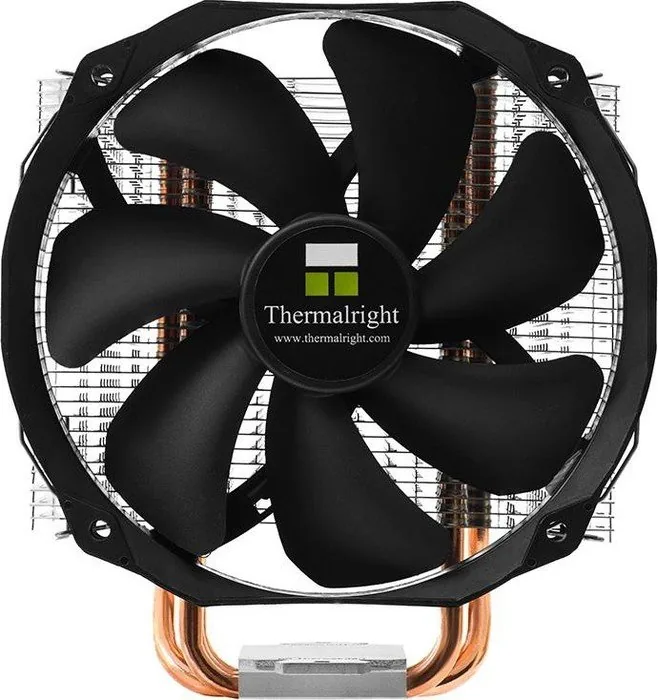
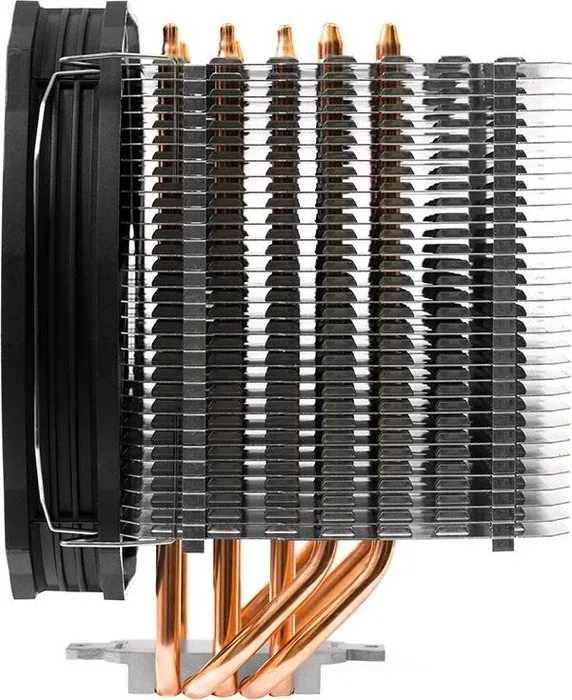
The Thermalright Macho Direct is a classic-style tower cooler designed for users who want efficient CPU cooling without moving to a noisy, complicated setup. Built around a substantial heatsink body, five 6 mm heatpipes, and a pure copper base, it focuses on steady heat transfer and reliable everyday performance. Paired with the included TY-140 Black PWM fan, it balances airflow, acoustics, and ease of use in a way that appeals to system builders and upgrade-minded users alike.
What makes it interesting
One of the strongest points of the Thermalright Macho Direct Manual is how clearly it guides installation across multiple platforms. The cooler supports a wide range of Intel and AMD sockets, including Intel 1150/1151/1155/1156, 2011/2011-3, and AMD AM2 through FM1 families. That broad compatibility makes it a flexible choice for both newer and older systems.
The bundle is also generous. Along with the heatsink and fan, you get thermal paste, a screwdriver, mounting hardware, anti-vibration pads, clips, screws, nuts, and backplates. This means most users can complete the install without hunting for extra parts. The central access hole in the heatsink is a smart touch, making it easier to tighten mounting screws even in a tight case.
Cooling and usability
In practice, the Macho Direct is built to make airflow work smoothly. The TY-140 Black fan runs from 300 to 1300 RPM through a 4-pin PWM connector, so the cooler can stay quiet during light loads and ramp up when temperatures rise. The included anti-vibration pads help reduce resonance, which is a useful detail for users who value a quieter desktop experience.
Another advantage is the ability to configure airflow in push or pull modes. That gives builders more control over case layout and tuning. The included thermal paste and the clear step-by-step mounting approach also make the cooler approachable, even if the installation process still calls for patience and careful alignment.
Notes
- Check case clearance before buying, since the cooler stands 158 mm tall.
- Apply thermal paste evenly for the best contact and thermal transfer.
- Follow the airflow pad orientation carefully for the fan setup you choose.
Overall, the Thermalright Macho Direct is a well-rounded air cooler that emphasizes compatibility, thoughtful accessories, and dependable cooling. It is especially appealing to users who want a sturdy, low-noise solution with a manual that supports careful installation and a polished final result.
Search for 67,732 Manuals online


Type-in Brand or Model
possimus93
10 months ago
This cooler seems very large. Will it fit in a typical PC case, and can it cause RAM clearance issues? Do I need low-profile RAM or can the cooler interfere with the motherboard parts?
Manual.ly
10 months ago
Yes, the Macho Direct is a big tower cooler, so you must verify clearance before buying. Multiple reviews note it may not fit well in smaller or midi ITX cases and can even require ensuring enough rear space for the backplate and power-cable routing. For RAM, some users report interference depending on board layout; low-profile RAM is often the safest choice. Also, if your RAM banks are blocked, you can usually rotate the cooler (90 or 180 degrees) to improve clearance. In general, check case cooler height, motherboard socket position, RAM height, and whether a 140 mm fan area is available.