
Thermalright AXP90-X53 Manual
PDF manual · 1 Pages
English


Quick check
Incorrect answer, please try again.
Chat with your Thermalright AXP90-X53 manual using AI
Get instant AI answers from your Thermalright AXP90-X53 manual
Ask anything about the Thermalright AXP90-X53. Answers come from this manual, with the pages they are based on.
Ask a Question
Do you recommend AXP90-X53?
Yes NoFrequently Asked Questions
This cooler supports Intel LGA115X, LGA1700, and AMD AM4 platforms. You need to adjust the brackets and screws according to your specific motherboard socket type during installation.
Is this answer helpful?
If the backplate interferes with power phases, reverse the installation of the B1 long screws. This creates extra clearance between the bracket and the sensitive electronic components on the rear of the board.
Is this answer helpful?
No. You must remove the pre-lock LGA115X bracket and backplate if you plan to install an LGA1700 configuration. Replace the double head screws with the provided ones for the new socket type.
Is this answer helpful?
Ensure the flat side faces the board surface for both AM4 and LGA sockets. Use the provided nuts and tools to secure it tightly, and always apply insulating tape to protected areas.
Is this answer helpful?
Apply a pea-sized amount directly to the center of the CPU. Spread it slightly or rely on pressure from the cooler spreader evenly without creating air bubbles.
Is this answer helpful?
Yes, although it is a low-profile unit designed for small cases. It fits comfortably in most standard ATX towers but is ideal for SFF builds where height is restricted below 60mm.
Is this answer helpful?
Advantages and Disadvantages
Advantages

- Ultra-compact low-profile design perfect for Mini-ITX builds
- Supports multiple sockets including LGA1700 and AM4 platforms
- Includes necessary hardware for easy and safe mounting installation
- Quiet operation suitable for office or home media center environments
- Black finish matches modern RGB and dark theme PC setups nicely
Disadvantages

- Complex installation process requiring specific bracket swapping steps
- Limited cooling headroom compared to tower coolers for overclocking
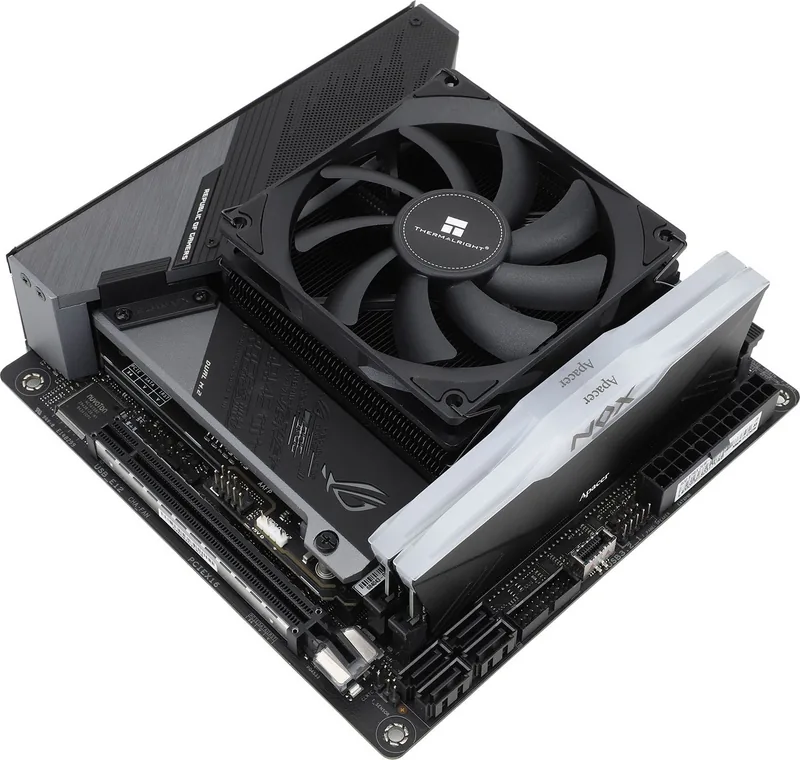
- Might interfere with tall RAM sticks due to low height clearance
- Backplate alignment requires careful adherence to prevent shorts
- Does not include premium liquid metal thermal paste in box
Product Specification
Type
Top-Blow Cooler
Dimensions with Fan
3.74x2.09x3.72in (WxHxD)
Dimensions without Fan
3.74x1.50x3.72in (WxHxD)
Fan
1x 3.62x3.62x0.59in, 2700rpm, 42.58 CFM, 22.4dB(A), 0.05inH2O (TL-9015B, Left)
Weight with Fan
0.73lb
Connector
4-Pin PWM
AMD Socket
AM5, AM4
Intel Socket
1700, 1150/1151/1155/1156/1200
Features
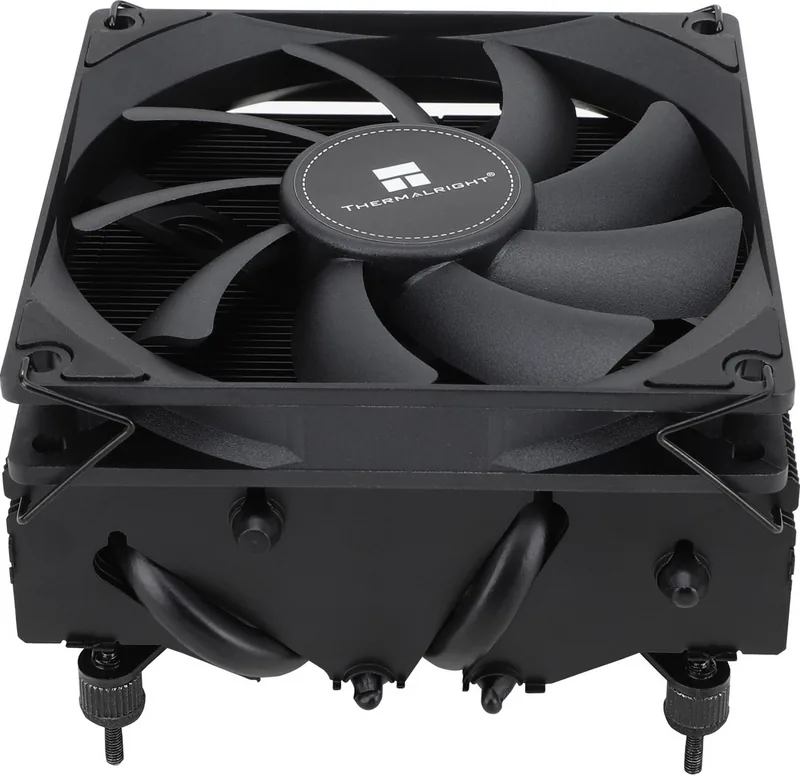
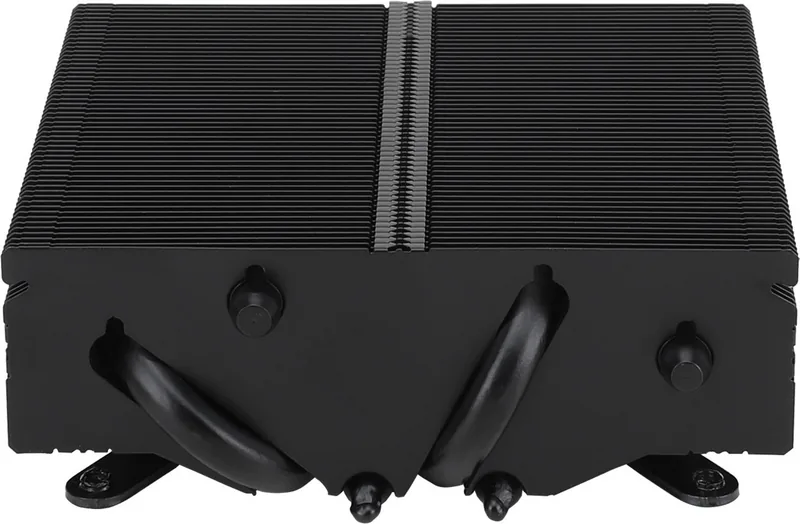
4 Heatpipes (0.24in), black heatsink
Product Description
Thermalright AXP90-X53 Black Manual Guide
Building a custom personal computer requires careful planning and attention to detail, especially when selecting cooling solutions for compact chassis. The Thermalright AXP90-X53 Black Manual serves as an essential resource for enthusiasts who prioritize silence and efficiency in their setups. This ultra-slim air cooler is specifically designed for small form factor cases where space is extremely limited yet performance cannot be compromised. Its sleek black finish blends seamlessly with most modern hardware aesthetics, ensuring your system looks professional inside the case.
Installation Precision Requirements
Proper installation is absolutely critical for achieving optimal thermal performance. The packaging includes necessary mounting hardware for various processor socket families, including LGA115X, LGA1700, and AM4 configurations. Users must handle specific components like the pre-installed LGA115X bracket with extreme care during the initial disassembly phase. Before installing the unit, you must remove the pre-locked LGA115X bracket to prepare the area for new socket support.
For Intel LGA1700 systems, replacing the double head screws with the designated set found in the kit is mandatory. Failure to swap these specific hardware pieces could lead to unstable mounting pressure or complete failure of the thermal connection. The manual details how to attach the two included brackets securely to the mainframe before proceeding.
Backplate Safety and Alignment
Aligning the mounting backplate correctly prevents accidental short circuits on sensitive circuitry. Directionality matters significantly depending on whether your motherboard utilizes the AM4 platform or Intel sockets. For AMD AM4 platforms, the flat surface of the backplate must contact the PCB board directly against the substrate. Protective insulating sheets must be applied strictly to areas near voltage regulators to avoid dangerous electrical shorts. If obstruction occurs near power delivery phases, reverse the long screw placement to gain necessary physical clearance between heavy duty components.
Thermal Paste and Assembly
Applying high-quality thermal compound correctly ensures maximum heat transfer efficiency from the processor die. Users should coat the center of the CPU evenly before seating the heavy-duty heatsink assembly. Once placed, tighten the nuts gradually using the provided specialized tool to ensure even distribution of clamping force across the base material. The Z-shaped folding mechanism mentioned in the technical notes assists in managing wire routing around dense motherboard layouts.
Overall, this guide transforms a potentially confusing mechanical task into a manageable project. It highlights the necessity of reading every instruction thoroughly before tightening any fastener permanently. Silent operation remains a key selling point for this specific unit category and allows for peaceful computing environments. Whether working on video editing projects or casual browsing sessions, following the Thermalright AXP90-X53 Black Manual guidelines yields consistent stability results.
Search for 67,732 Manuals online


Type-in Brand or Model