
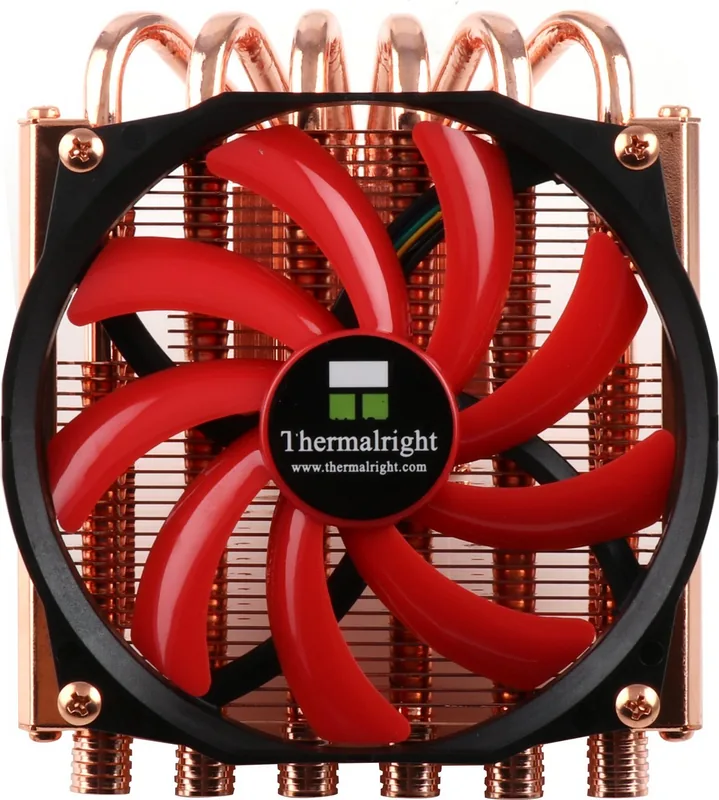
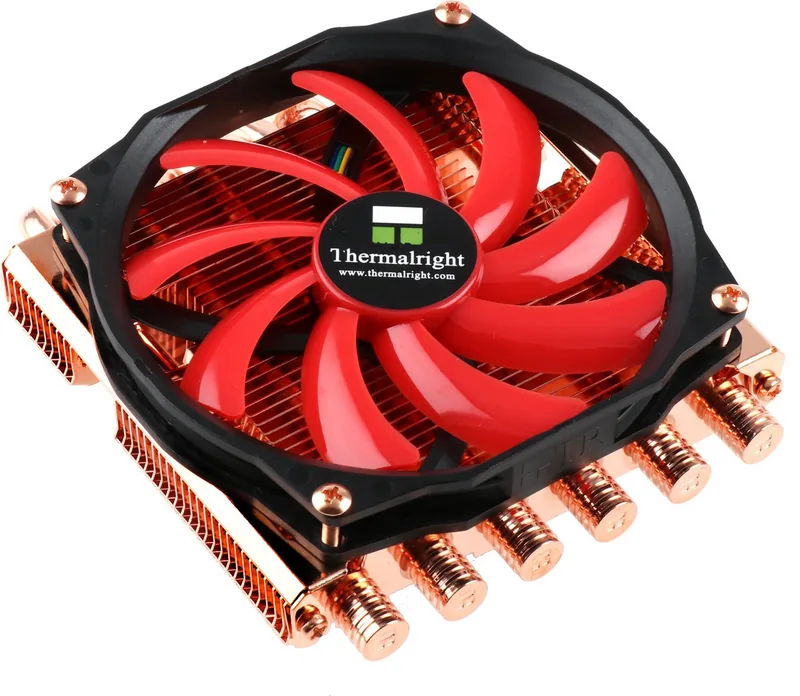
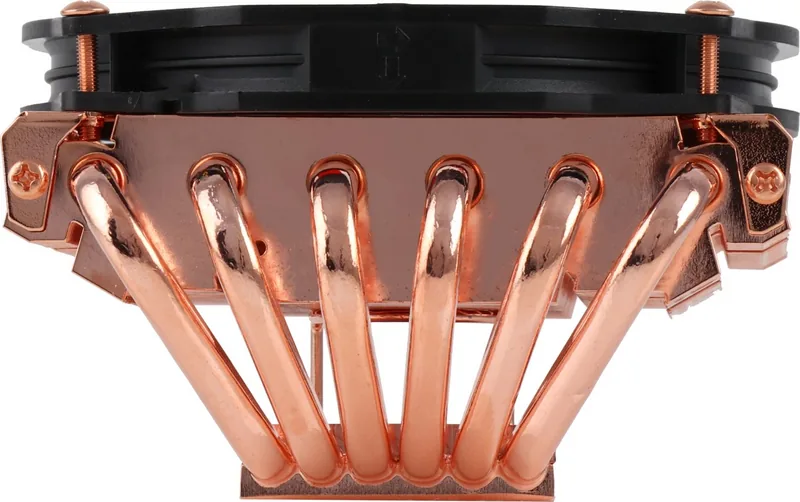
Thermalright AXP-100 C65 Manual
PDF manual · 2 Pages
English



Quick check
Incorrect answer, please try again.
Chat with your Thermalright AXP-100 C65 manual using AI
Get instant AI answers from your Thermalright AXP-100 C65 manual
Ask anything about the Thermalright AXP-100 C65. Answers come from this manual, with the pages they are based on.
Ask a Question
Do you recommend AXP-100 C65?
Yes NoFrequently Asked Questions
The cooler supports LGA2011, LGA115x, LGA775, and AMD AM4 platforms.
Is this answer helpful?
Always turn off system power and unplug the power cord before starting installation.
Is this answer helpful?
No, please do not modify or disassemble this product to ensure reliability and safety.
Is this answer helpful?
Applying too much thermal paste will lower heat conductivity and cooling performance.
Is this answer helpful?
Please keep this product away from children during and after installation.
Is this answer helpful?
The metal back plate provides necessary structural integrity to the motherboard during mounting.
Is this answer helpful?
Please do not use this product for the non-PC environment.
Is this answer helpful?
Advantages and Disadvantages
Advantages

- Supports multiple CPU socket types including LGA115x and LGA2011 for versatility.
- Includes metal back plate and enhanced fan mount for stability and airflow.
- Low profile design fits easily within small form factor computer cases.
- Nylon tubes included to manage vibrations and reduce noise during operation.
- Effective thermal conductivity through direct contact with processor heat spreader.
Disadvantages

- Improper thermal paste application can significantly lower cooling performance.
- Requires system power off before installation to prevent electrical shocks.
- Do not modify or disassemble the product as it voids guarantees.
- Must avoid using the product in non-PC environments like industrial settings.
- Installation needs care to avoid damaging motherboard backplate or components.
Product Specification
Design
Top-Blow Cooler
Dimensions with Fan
4.76x2.68x4.25 inches (WxHxD)
Dimensions without Fan
4.76x2.13x4.25 inches (WxHxD)
Fan
1x 4.25x3.98x0.55 inches, 900-2500 RPM, 16.01-44.50 CFM, 22-30 dB(A)
Optional Fan
1x 4.72x0.98x4.72 inches
Weight with Fan
1.46 lbs
Connector
4-Pin PWM
AMD Socket
AM5 (Note), AM4
Intel Socket
2011-0/2011-1/2011-3/2066, 1700 (Note), 1356/1366, 1150/1151/1155/1156/1200, 775
AMD Socket Note
AM5 Socket Mounting Kit possibly not yet included
Intel Socket Note
Socket 1700 Mounting Kit possibly not yet included
TDP Class
180W
Features
6 Heatpipes (0.24 inches), Full Copper
Product Description
Unlocking Maximum Performance with the Thermalright AXP-100 C65
The Thermalright AXP-100 C65 stands out in the crowded world of CPU cooling solutions. It is designed specifically for users who demand efficient heat dissipation without sacrificing physical space. This compact cooler integrates well into Small Form Factor builds where internal airflow is often restricted by case dimensions. Many enthusiasts build powerful systems within tight chassis, and finding a solution that fits without overheating the processor is a common challenge. The design prioritizes low profile architecture while maintaining robust thermal conductivity through direct contact with the processor heat spreader.
Proper installation is the cornerstone of success with this hardware. The product kit includes a wide array of mounting accessories to support many different processor platforms. You will find screws tailored for Intel LGA 2011 and LGA 115x series sockets. There are also specific provisions for AMD AM4 platforms and even legacy LGA775 systems. This versatility makes it a strong candidate for diverse build requirements and upgrade paths. The metal back plate adds structural integrity to the motherboard when heavy pressure is applied during installation. Security is paramount, and the kit includes nylon tubes to manage any loose cables or vibrations effectively within the system.
Users are strongly advised to prepare thoroughly before beginning the assembly process. Safety protocols strictly dictate that system power must be turned off and unplugged to prevent electrical shocks entirely. Thermal paste application requires real precision. Applying too much paste will lower heat conductivity and cooling performance significantly inside the cooler base. This is a crucial step often overlooked by beginners and hobbyists alike. The goal is thin, even coverage to facilitate heat transfer without trapping air pockets. The enhanced fan mount allows for optimal alignment to direct airflow across the cooling fins efficiently.
Maintenance and longevity are greatly enhanced by these thoughtful design choices. The manufacturer encourages keeping the product away from children and ensuring it is used only within a PC environment to avoid damage. Modifying or disassembling the unit may void reliability guarantees or cause permanent failure. For detailed technical guidance, owners often refer to the Thermalright AXP-100 C65 Manual for specific torque settings and compatibility charts. Support channels are available if unique issues arise during the final setup phase. Regular cleaning of the fins prevents dust accumulation from stifling airflow. This ensures sustained performance over time. Whether for a office workstation or a compact gaming rig, this cooler offers a reliable balance of silence and thermal management.
Search for 67,732 Manuals online


Type-in Brand or Model