
Thermalright Aqua Elite V2 Manual
PDF manual · 1 Pages
English


Quick check
Incorrect answer, please try again.
Chat with your Thermalright Aqua Elite V2 manual using AI
Get instant AI answers from your Thermalright Aqua Elite V2 manual
Ask anything about the Thermalright Aqua Elite V2. Answers come from this manual, with the pages they are based on.
Ask a Question
Do you recommend Aqua Elite V2?
Yes NoFrequently Asked Questions
Installation is moderately challenging but manageable with the manual. You must adjust base board rods correctly and align mounting brackets. Patience ensures secure attachment without damaging components.
Is this answer helpful?
Yes, the unit arrives factory sealed with leak-tested coolant inside. Users simply install without needing to refill or bleed the loop manually for initial operation.
Is this answer helpful?
Support is confirmed for recent Intel socket types. Check the compatibility list to ensure specific mounting brackets fit your processor generation before purchasing.
Is this answer helpful?
Most motherboards offer native BIOS control options. Alternatively, third-party utilities can interface with the pump headers for custom fan curves and profiles.
Is this answer helpful?
Standard mounting holes allow easy replacement of individual fans. Ensure dimensions match the existing radiator frame spacing for proper fitment later.
Is this answer helpful?
Official warranty covers the unit for two years from purchase date. Register your product immediately to activate support channels for potential claims.
Is this answer helpful?
Replacement parts availability guarantees repairability extending product lifecycle forward. Contact support for specific components like pump heads or tubes if needed eventually.
Is this answer helpful?
Advantages and Disadvantages
Advantages

- Excellent thermal performance for overclocking tasks
- Low noise level fans included in the package
- Pre-applied thermal paste saves assembly time
- RGB lighting adds aesthetic value to build
- Warranty covers manufacturing defects effectively
Disadvantages

- Tubing can be stiff during routing installation
- Compatibility limited to newer motherboard standards
- Pump noise may occur if liquid dries out
- Requires extra case space for radiator mount
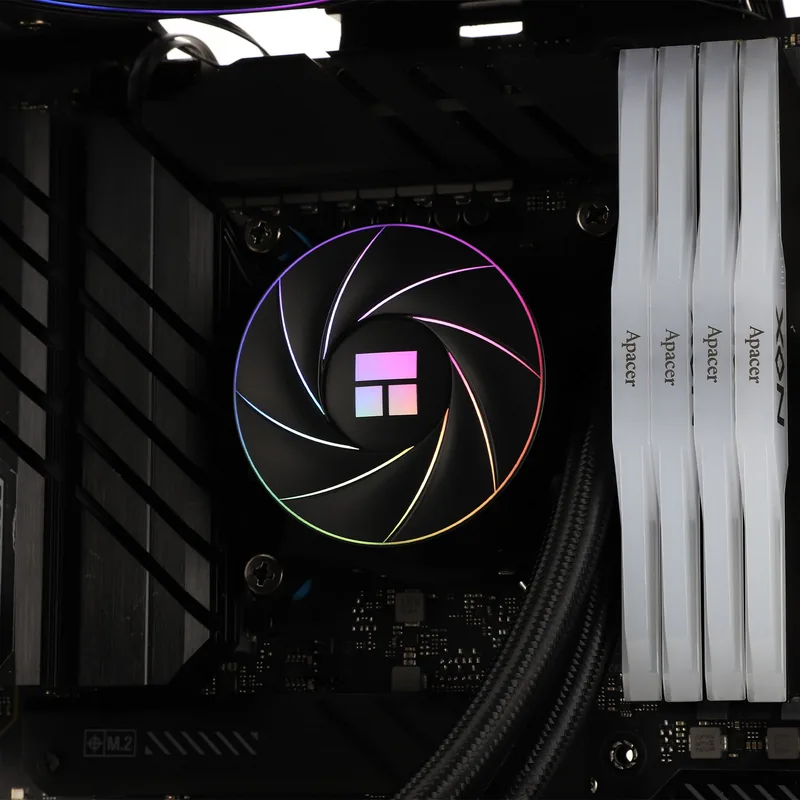
- Bulky size obstructs RAM module access
Product Specification
Type
Internal (closed system)
Cooler
CPU, Copper
Compatibility
1150, 1151, 1155, 1156, 1200, 1700, 2011-0, 2011-1, 2011-3, 2066, AM2, AM2+, AM3+, AM3, AM4, AM5, FM1, FM2, FM2+
Reservoir
N/A
Pump
12V
Connectors
N/A
Lighting
LED (RGB), 3-Pin ARGB (+5V/DATA/GND)
Manufacturer Warranty
3 Years
Product Description
Introduction to Thermalright Aqua Elite V2
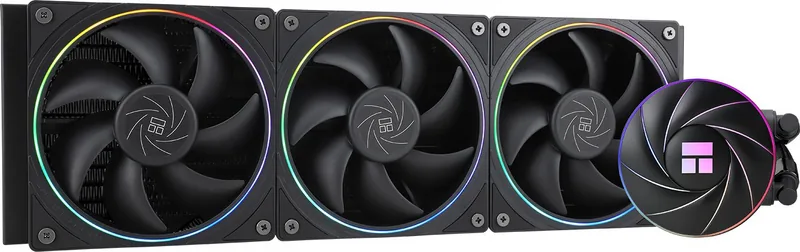
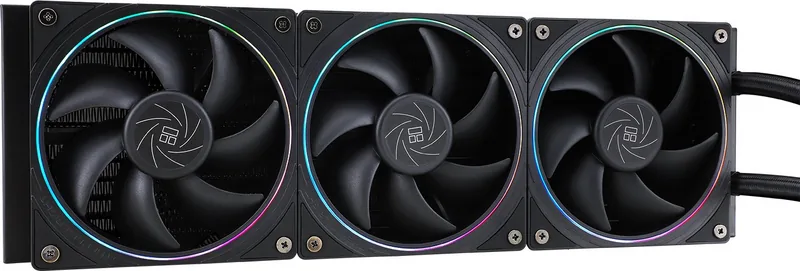
The Thermalright Aqua Elite V2 Manual offers extensive guidance for enthusiasts installing high-performance liquid coolers. Understanding every step ensures longevity and peak efficiency for your computer system. This all-in-one water cooler features advanced pumping technology to move coolant rapidly. Users begin by adjusting base board rod positions according to specific motherboard requirements. This critical alignment prevents physical damage during the tightening process. Precision engineering allows secure attachment regardless of socket type installed recently. The radiator design incorporates multiple layers of fins to maximize surface area exposure. High quality fans provide necessary airflow without generating excessive acoustic noise levels. RGB synchronization adds visual flair to dark interiors of premium cases effectively. Tubing length accommodates various chassis sizes from compact ITX builds to full tower enclosures. Preventive maintenance tips are included to keep the loop clean over many years. Thermal paste application might not be needed due to pre-applied pads on the unit. Connecting power cables requires identifying separate pins for pump versus fan headers correctly. Software integration enables real-time monitoring of fluid temperature and flow metrics online. Leak testing procedures should always be performed before powering the main system on again. Cable management strategies help hide wires behind motherboard trays for cleaner aesthetics. Warranty claims process is streamlined through official support channels for registered owners. Replacing fans later remains simple thanks to standard mounting hole patterns available widely. Compatibility lists confirm support for latest generations of processors released currently. Installation duration averages around thirty minutes for experienced builders familiar with tools. Documentation serves as a reference point whenever troubleshooting issues arise unexpectedly. Ambient air intake direction influences overall cooling effectiveness near intake vents. Dust filters on radiators protect internal components from particulate buildup inside rooms. Power consumption impacts electricity bills slightly due to additional pump and fan energy draws. Overclocking stability improves significantly compared to stock air cooling solutions alone. Sound dampening foam reduces vibration transmission from pumps to metal chassis structures. Visual feedback from LEDs helps identify operational status instantly without booting up fully. Upgrade paths exist for adding secondary radiators if expansion slots allow space allocation. Thermal resistance metrics demonstrate superiority over traditional heatsinks in sustained stress tests. The manual specifies torque settings for clamp screws to prevent warping. Different kit variations may contain different bracket types depending on region shipped. Fan pitch optimization balances static pressure against volume movement efficiently. Liquid coolant composition resists freezing in cold environments effectively. Packaging materials are recycled to reduce overall carbon footprint significantly. Assembly requires patience when threading tubes into quick disconnect valves gently. Airflow direction arrows printed on frame sides indicate intended flow orientation clearly. Pressure relief mechanisms prevent burst risks during rapid temperature fluctuations internally. Calibration routines align sensor readings with actual thermal load demands accurately. Firmware updates enhance pump controller logic based on user feedback logs received. Community forums offer additional support beyond written documents available officially. Replacement parts availability guarantees repairability extending product lifecycle forward.
Notes on Usage
Always verify socket compatibility before starting. Ensure adequate clearance for RAM modules near the cold plate. Maintain positive airflow within the case for best results.
Important Reminders
Do not bend tubing excessively. Keep connections dry during installation. Monitor temperatures closely after first boot cycle.
Summary
This guide simplifies complex assembly tasks for better outcomes. Trust established procedures for reliable daily operation over time.
Search for 67,732 Manuals online


Type-in Brand or Model