
Tenda TX3 Manual
PDF manual · 52 Pages
English



Quick check
Incorrect answer, please try again.
Chat with your Tenda TX3 manual using AI
Get instant AI answers from your Tenda TX3 manual
Ask anything about the Tenda TX3. Answers come from this manual, with the pages they are based on.
Ask a Question
Do you recommend TX3?
Yes NoFrequently Asked Questions
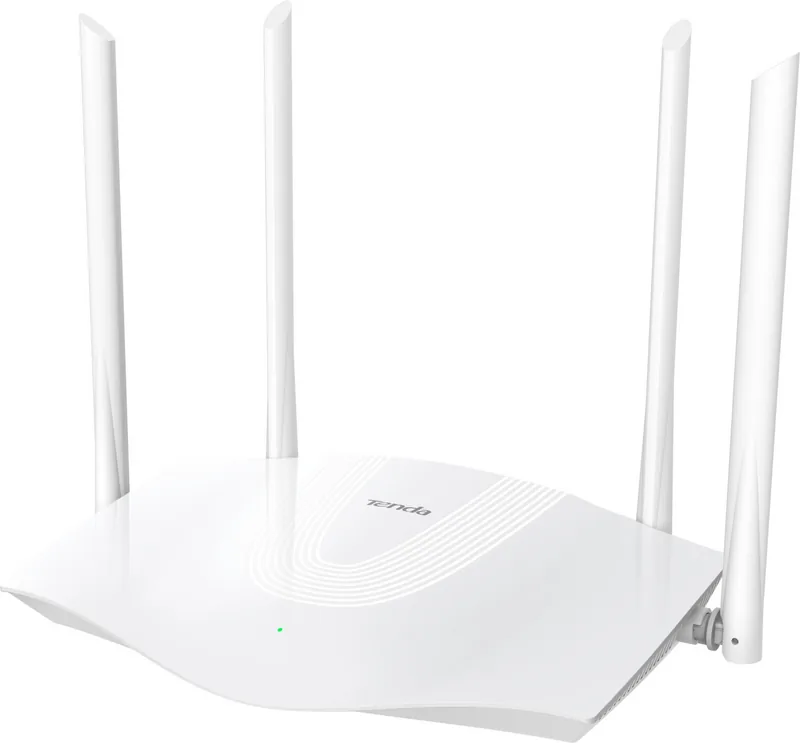
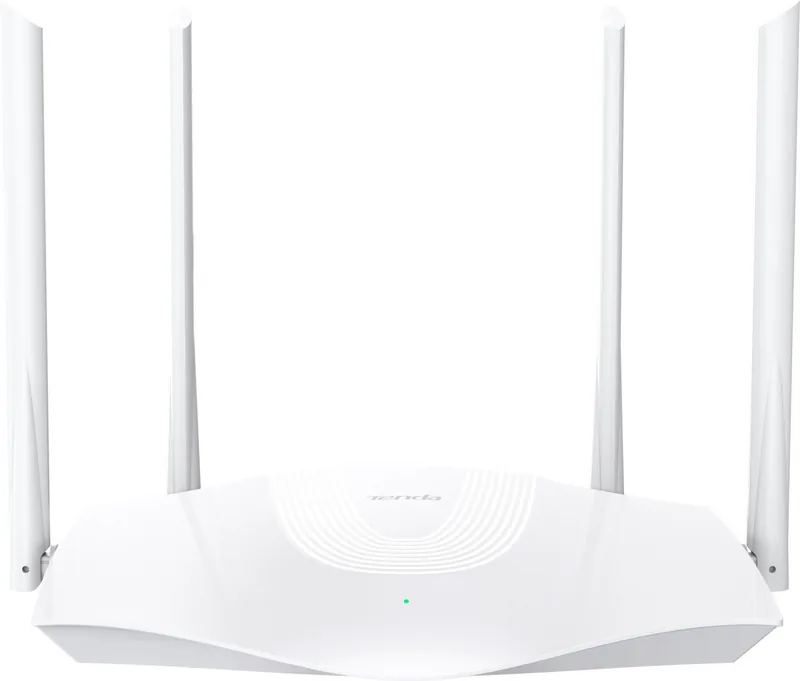
The Tenda TX3 AX1800 is a dual-band Gigabit Wi-Fi 6 router. It provides wireless networking on 2.4 GHz and 5 GHz bands and wired Gigabit connections for devices such as computers, switches, game consoles, and modems.
Is this answer helpful?
Power on the router, then connect its WAN port to the LAN port of a modem or to an Ethernet wall outlet using an Ethernet cable. Connect a phone or computer to the router, open tendawifi.com in a browser, and follow the setup steps.
Is this answer helpful?
Yes, supported PPPoE credentials can be imported by connecting the old router's WAN port to a LAN port on the new router. This feature does not apply to every special ISP PPPoE service or manually configured VLAN-based PPPoE connection.
Is this answer helpful?
The Wi-Fi password allows phones, computers, and other devices to join the wireless network. The login password protects access to the router's management settings. Using separate, strong passwords is recommended.
Is this answer helpful?
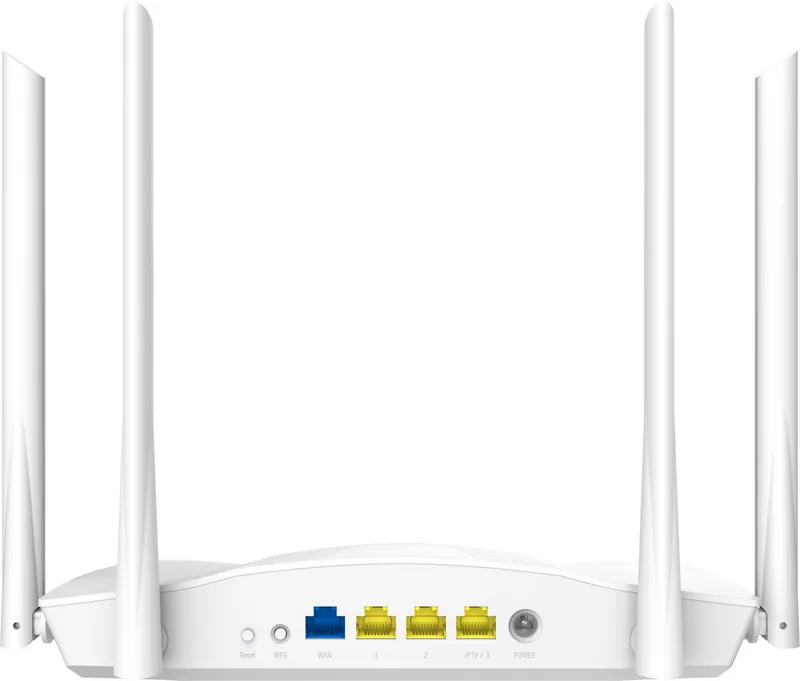
The IPTV/3 port works as a LAN port by default. When IPTV is enabled, it becomes dedicated to connecting an IPTV set-top box and should not be used as a regular LAN port.
Is this answer helpful?
Confirm that your device is connected to the router's Wi-Fi or a LAN port. Disable mobile data on phones, type the address in the browser address bar, and set wired computers to obtain IP and DNS addresses automatically. Reset only if needed.
Is this answer helpful?
While the router is operating normally, press and hold the Reset button with a pin-like object for about eight seconds. Release it when the LED flashes quickly. The router will restore factory settings, so custom settings must be configured again.
Is this answer helpful?
Advantages and Disadvantages
Advantages

- Wi-Fi 6 dual-band design supports modern home networking needs.
- Gigabit WAN and LAN connections suit PCs, consoles, switches, and modems.
- Automatic connection-type detection simplifies initial internet setup.
- Optional PPPoE credential import can speed up replacement-router installation.
- WPS, IPTV support, LED status feedback, and factory reset controls add flexibility.
Disadvantages

- PPPoE credential import is not compatible with every ISP or VLAN configuration.
- The 2.4 GHz and 5 GHz bands use one shared name by default.
- WPS pairing requires action on the second compatible device within two minutes.
- A factory reset removes configured network and administrator settings.
Product Specification
Modem
N/A
WAN
1x 1000Base-T
LAN
3x 1000Base-T
Wireless
WLAN 802.11a/b/g/n/ac/ax (Wi-Fi 6), simultaneous
Transfer Rate
574 Mbps (2.4 GHz), 1,201 Mbps (5 GHz)
Security
WPA, WPA2, WPA3, WPS
Antennas
4x external
Ports
N/A
Power Consumption
not specified (consumption, operation), not specified (maximum power supply capacity)
Dimensions
9.35 x 6.03 x 1.77 in
Features
MU-MIMO, VLAN, VPN passthrough (PPTP/L2TP), IPv6
Band Capability
Dual band (simultaneous)
Manufacturer Warranty
two years
802.11ax (Wi-Fi 6 / Wi-Fi 6E) 2.4 GHz Transfer Rate
574 Mbps (spatial streams: 2x2, bandwidth: 40 MHz, modulation: 1024-QAM)
802.11ax (Wi-Fi 6 / Wi-Fi 6E) 5 GHz Transfer Rate
1,201 Mbps (spatial streams: 2x2, bandwidth: 80 MHz, modulation: 1024-QAM)
Note
Transfer rate specification for 802.11ax at 2.4 GHz and 5 GHz. (802.11ax (2.4 GHz) 2x2 40 MHz 1024-QAM: 574 Mbps, 802.11ax (5 GHz) 2x2 80 MHz 1024-QAM: 1,201 Mbps)
Product Description
Tenda TX3 AX1800 - Read, Download & Print Free
The Tenda TX3 AX1800 is a dual-band Gigabit Wi-Fi 6 router designed to bring dependable, modern connectivity to homes, apartments, and small offices. With AX1800-class wireless capability, it combines 2.4 GHz and 5 GHz Wi-Fi bands to support everyday browsing, video streaming, online classes, connected home devices, and gaming across a range of compatible devices.
Fast dual-band connectivity
Wi-Fi 6 technology helps the Tenda TX3 AX1800 handle busy wireless environments more efficiently than earlier Wi-Fi generations. The router uses both 2.4 GHz and 5 GHz bands, giving users a flexible connection for devices throughout the home. By default, both bands share the same Wi-Fi name, simplifying access for phones, tablets, laptops, smart TVs, and other wireless equipment.
Gigabit Ethernet connectivity adds a practical wired option for devices that benefit from a stable cable connection. The WAN port connects the router to a modem or Ethernet wall outlet, while LAN ports can serve computers, switches, game consoles, and similar equipment. The configurable IPTV/3 port acts as a standard LAN connection by default and can be dedicated to a set-top box when IPTV is enabled.
Straightforward setup and controls
Initial setup is designed to be approachable. Connect the WAN port, join the default wireless network or attach a computer by Ethernet, then open tendawifi.com in a browser. The router can automatically detect the internet connection type and guide users through entering provider details when required. During setup, users create a Wi-Fi name, Wi-Fi password, and separate administrator login password.
For households changing routers, the TX3 can optionally import PPPoE credentials from an existing router. This can reduce manual entry when the old connection uses supported PPPoE settings. WPS is also available for pairing compatible devices within a two-minute connection window.
Everyday management
A single LED indicator communicates key router states, including startup, internet connectivity, Ethernet activity, and WPS pairing. The reset button restores factory settings when held for about eight seconds, providing a recovery option if settings need to be cleared. The included power adapter and Ethernet cable help users begin installation with essential accessories available.
Notes
- Use a strong Wi-Fi password and a different administrator password.
- Verify WAN cabling before troubleshooting an internet connection.
- PPPoE import may not work with special ISP configurations or manual VLAN settings.
- Resetting the router removes customized settings.
Search for 67,732 Manuals online


Type-in Brand or Model