
Tenda TX27 Pro Manual
PDF manual · 161 Pages
English



Quick check
Incorrect answer, please try again.
Chat with your Tenda TX27 Pro manual using AI
Get instant AI answers from your Tenda TX27 Pro manual
Ask anything about the Tenda TX27 Pro. Answers come from this manual, with the pages they are based on.
Ask a Question
Do you recommend TX27 Pro?
Yes NoFrequently Asked Questions
Connect power and the WAN port to your modem, attach a computer to a LAN port or join the router Wi‑Fi, then open a browser and visit tendawifi.com. Follow the quick setup wizard to choose ISP type (PPPoE, Dynamic, Static), set Wi‑Fi name/password and admin password.
Is this answer helpful?
Yes. You can set the router to WISP or Client+AP mode to repeat or extend an upstream Wi‑Fi hotspot, or add it as a Mesh node using the WPS/Mesh button or the web UI. Place nodes within recommended distances and follow the Add Node instructions in the web UI.
Is this answer helpful?
In the web UI go to Parental Control, add a rule, select target clients, set control periods and enable URL Filter. Choose to either block listed URLs or allow only listed URLs and save. Up to 10 rules and 30 clients per rule are supported.
Is this answer helpful?
Check Network Status in the web UI for error tips. Verify ISP‑provided parameters (PPPoE credentials, static IP details, VLAN IDs), ensure correct WAN cable connections, and if needed use MAC Address Clone or contact your ISP for binding requirements.
Is this answer helpful?
Yes. In Router mode go to More > IPv6 and enable IPv6. Choose DHCPv6, PPPoEv6 or Static IPv6 depending on your ISP, enter any required credentials or addresses, save, then test at test‑ipv6.com to confirm IPv6 connectivity.
Is this answer helpful?
Enable Guest WiFi in the web UI, set SSIDs and optional password for 2.4/5/6 GHz, choose a validity period and configure Shared Bandwidth to limit total guest upload/download throughput.
Is this answer helpful?
Short press enables WPS pairing for supported devices for up to 2 minutes. Press and hold (~3 seconds) to start Mesh pairing with another Tenda Mesh node. Mesh button behavior can be toggled in the WiFi Settings if you want to disable Mesh pairing via the physical button.
Is this answer helpful?
Advantages and Disadvantages
Advantages

- Tri‑band Wi‑Fi 6E support with up to 5665 Mbps combined throughput for high‑capacity home networks.
- Broadcom quad‑core 1.7 GHz CPU and seven high‑power FEMs for improved performance and client capacity.
- Flexible modes (Router, AP, WISP, Client+AP) and Mesh support for varied deployment scenarios.
- Comprehensive management: web UI, client controls, parental rules, guest Wi‑Fi and IPv6 support.
- Advanced features including WPA3 security, channel/bandwidth tuning, TR‑069 and network diagnostics.
Disadvantages

- Some advanced settings (channel, MTU, IPv6 modes) may confuse nontechnical users without guidance.
- WPA3 may reduce compatibility with older Wi‑Fi devices, requiring mixed‑mode fallback.
- Mesh interoperability limited to certain Tenda models; broader vendor compatibility not guaranteed.
- Feature availability may differ by firmware or model (web UI differences warned in documentation).
- Single LED indicator may make nuanced status interpretation less immediate than multi‑LED designs.
Product Specification
Modem
N/A
WAN
1x 1000Base-T
LAN
3x 1000Base-T
Wireless
WLAN 802.11a/b/g/n/ac/ax (Wi-Fi 6E), simultaneous
Transfer Rate
861Mbps (2.4GHz), 2402Mbps (5GHz), 2402Mbps (6GHz)
Security
WPA2, WPA3, WPS
Antennas
5x external
Ports
N/A
Power Consumption
no data (consumption, operation), 12V/2A/24W (max. power supply output)
Dimensions
10.28x6.61x2.36in
Features
MU-MIMO, VLAN, VPN passthrough (PPTP/L2TP/IPSec), IPv6, Mesh (shared band)
Band Capability
Tri Band (simultaneous), Mesh (shared band)
Manufacturer Warranty
two years
Transfer Rate 802.11ax (Wi-Fi 6 / Wi-Fi 6E) 2.4GHz
861Mbps (Spatial Streams: 3x3, Bandwidth: 40MHz, Modulation: 1024-QAM)
Transfer Rate 802.11ax (Wi-Fi 6 / Wi-Fi 6E) 5GHz
2402Mbps (Spatial Streams: 2x2, Bandwidth: 160MHz, Modulation: 1024-QAM)
Transfer Rate 802.11ax (Wi-Fi 6 / Wi-Fi 6E) 6GHz
2402Mbps (Spatial Streams: 2x2, Bandwidth: 160MHz, Modulation: 1024-QAM)
Note
Indication of the transfer rate for 802.11ax at 2.4GHz, 5GHz and 6GHz. (802.11ax (2.4GHz) 3x3 40MHz 1024-QAM: 861Mbps, 802.11ax (5GHz) 2x2 160MHz 1024-QAM: 2402Mbps, 802.11ax (6GHz) 2x2 160MHz 1024-QAM: 2402Mbps)
Note #2
In some cases, the manufacturer's maximum consumption specification corresponds only to the maximum output power of the power supply unit and is therefore not meaningful information for everyday power consumption.
Product Description
Tenda TX27 Pro AX5700 Manual — Product Overview
The Tenda TX27 Pro AX5700 is a tri-band Wi‑Fi 6E router designed for homes and small offices that demand high throughput, broad coverage and modern security. Powered by a Broadcom 1.7 GHz quad‑core CPU and seven high‑power FEMs, the TX27 Pro delivers combined theoretical rates up to 5665 Mbps across 2.4 GHz (861 Mbps), 5 GHz (2402 Mbps) and 6 GHz (2402 Mbps). It supports WPA3 security, guest networks, parental controls and Mesh networking with compatible Tenda models, enabling a flexible and secure home network.
Key Features and Usage
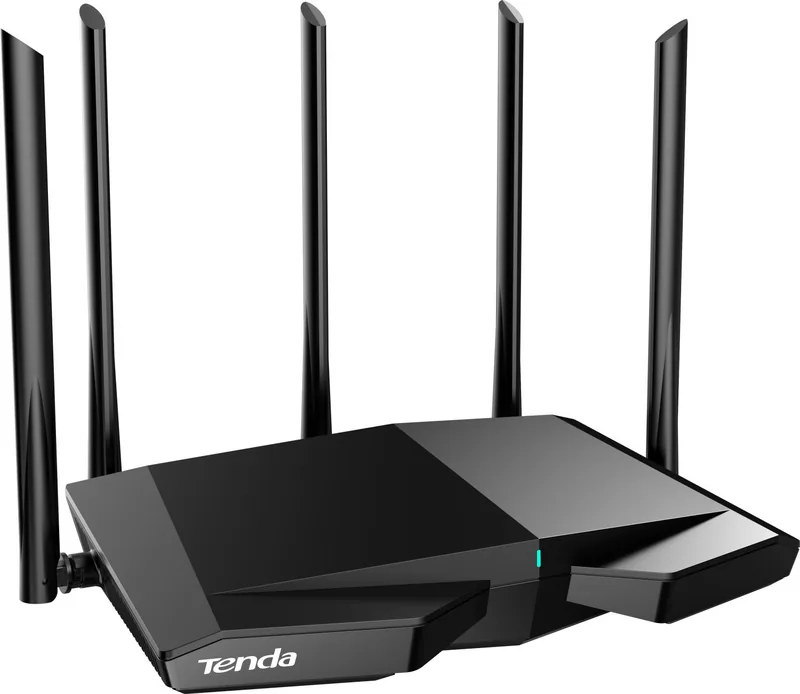
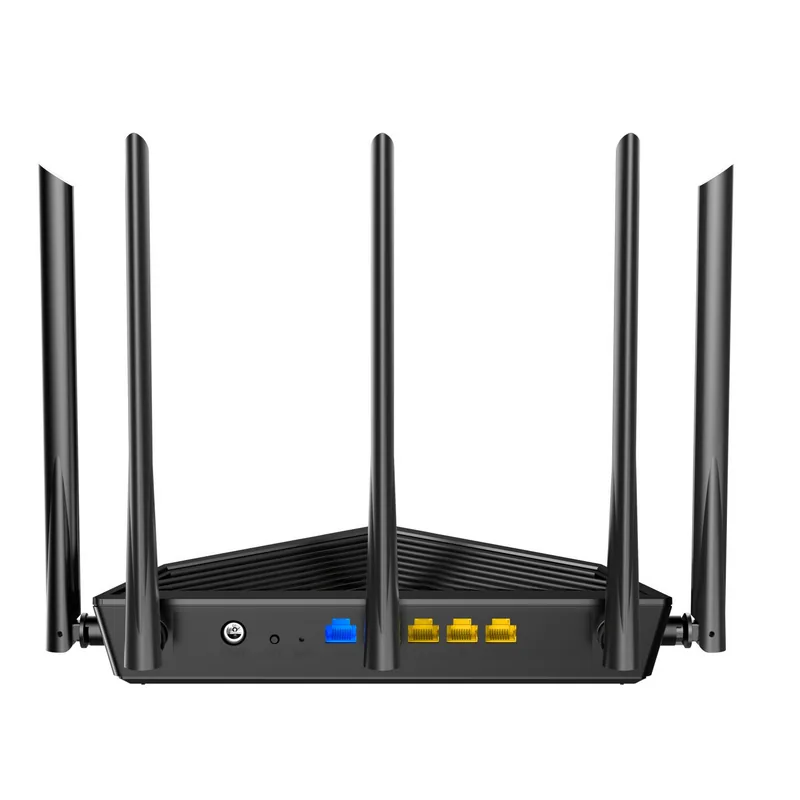
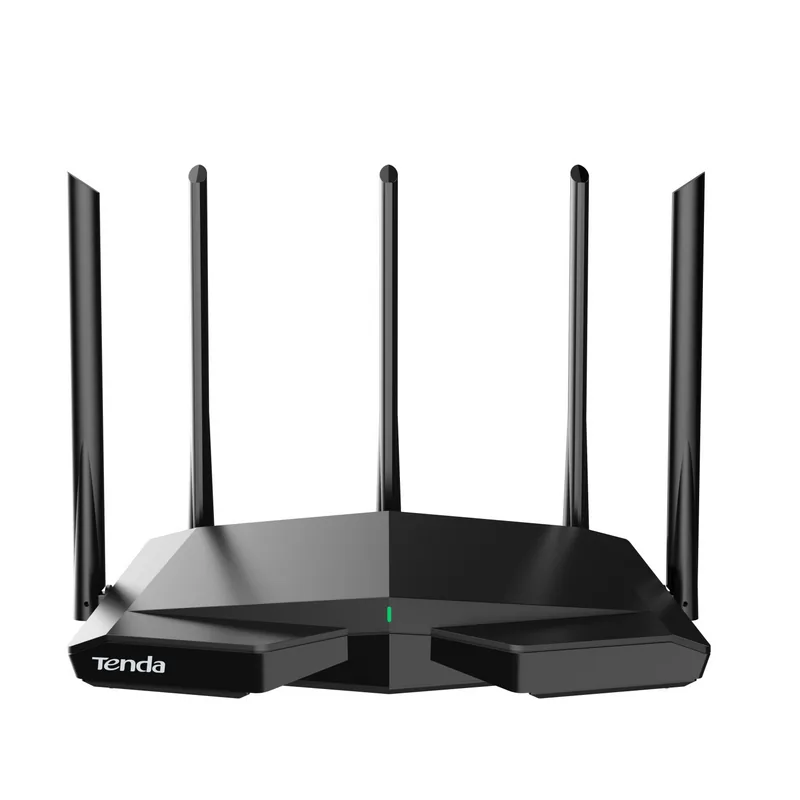
The router provides a single integrated LED indicator that reflects status (startup, WPS, networking success/failure, firmware upgrade and reset). Physical controls include a power jack, a WPS/Mesh button for quick pairing or Mesh node addition, a reset button, one WAN gigabit port and three gigabit LAN ports (one can serve as an IPTV port when configured). The bottom label lists device credentials such as default SSID, login IP, MAC and serial number.
TX27 Pro supports multiple working modes: Router, AP, WISP and Client+AP, making it adaptable whether it replaces an existing gateway, extends an ISP hotspot, or joins a broader Mesh system. The product includes a web UI (tendawifi.com) for initial quick setup, step‑by‑step internet configuration (PPPoE, Dynamic IP, Static IP, and Russia dual‑access scenarios), and Mesh node management (add/remove nodes, one‑click optimization, reboot and LED control).
Advanced configuration covers Wi‑Fi settings with options to unify or separate 2.4/5/6 GHz SSIDs, channel and bandwidth controls (including 160 MHz at 5 GHz and PSC for 6 GHz), WPS, and Mesh button behavior. The router includes robust client management (view clients, rename, blacklist, static IP reservations), guest Wi‑Fi with shared bandwidth and time limits, and parental control rules with time windows and URL filtering.
The TX27 Pro also supports IPv6 (DHCPv6, PPPoEv6, static IPv6), TR‑069 remote management, smart power saving (Wi‑Fi scheduling and LED schedules), network diagnostics and common advanced network features such as port mapping, UPnP, DDNS, static routing and firewall/DMZ controls. Firmware upgrade, backup/restore, system logs and maintenance scheduling are available from the System settings.
Why it stands out
With Wi‑Fi 6E support, tri‑band concurrency, Mesh compatibility with several Tenda models and a feature set that spans beginner friendly quick setup to advanced networking options, the TX27 Pro targets users who want future‑ready wireless capacity and flexible deployment modes.
Notes
- Mesh interoperability is limited to specified Tenda models (RX27 Pro/TX27 Pro, Mesh6X, Mesh12X, RX12 Pro, TX12 Pro).
- WPA3 improves security but some legacy clients may require WPA2 compatibility mode.
- Use the web UI or Tenda app for guided first‑time setup at tendawifi.com.
Search for 67,732 Manuals online


Type-in Brand or Model