
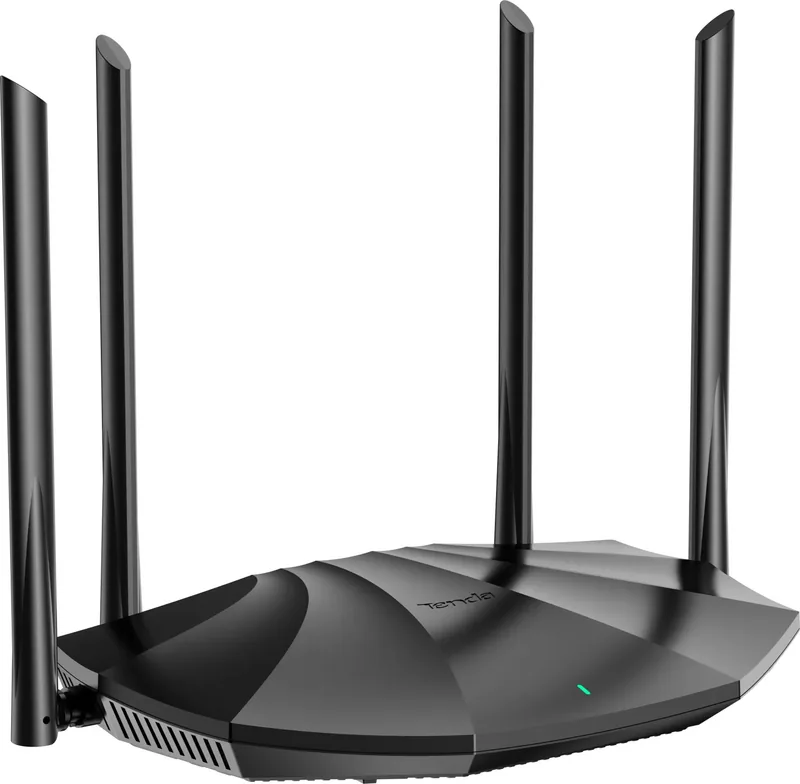
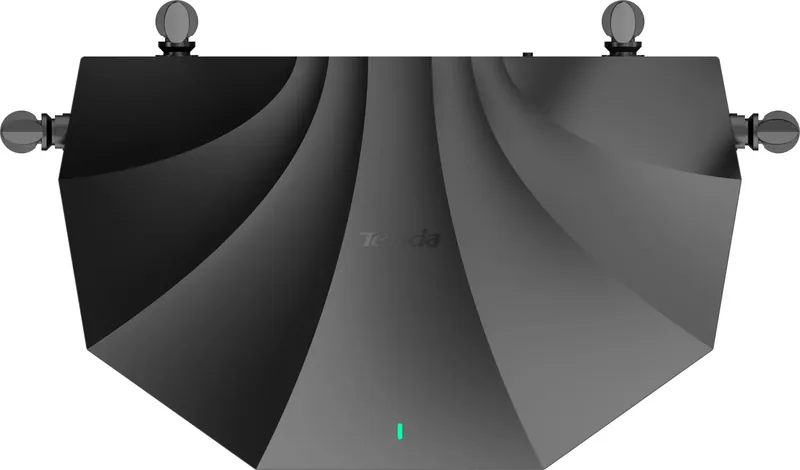
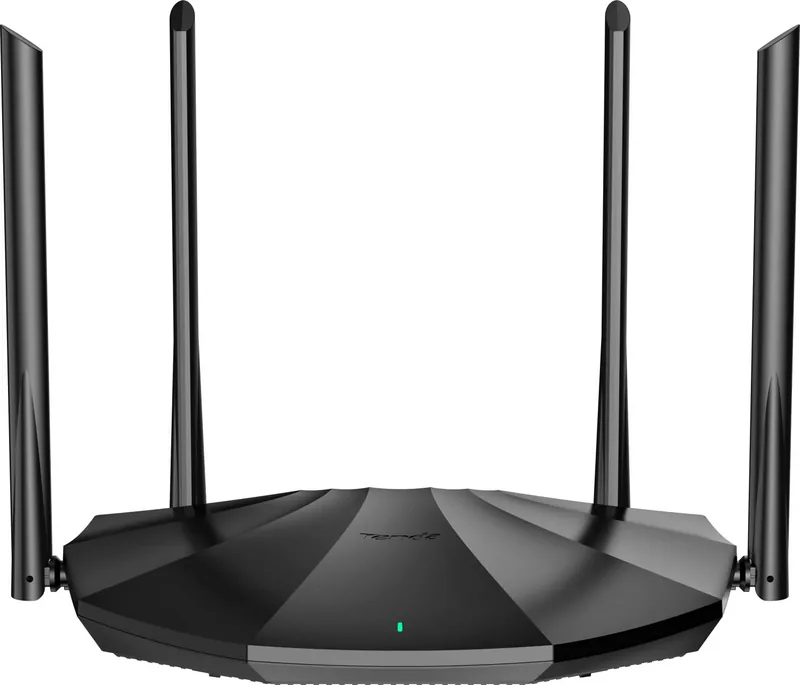
Tenda TX2 Pro Manual
PDF manual · 146 Pages
English



Quick check
Incorrect answer, please try again.
Chat with your Tenda TX2 Pro manual using AI
Get instant AI answers from your Tenda TX2 Pro manual
Ask anything about the Tenda TX2 Pro. Answers come from this manual, with the pages they are based on.
Ask a Question
Do you recommend TX2 Pro?
Yes NoFrequently Asked Questions
Connect the WAN port of the router to your modem or internet jack using an Ethernet cable. Then log in to the web interface at tendawifi.com and follow the setup wizard to select your ISP type and internet connection type.
Is this answer helpful?
Yes, the Tenda TX2 Pro AX1500 supports Wi-Fi 6 with OFDMA and MU-MIMO technologies, which reduce latency and improve performance for online gaming and high-traffic scenarios.
Is this answer helpful?
Navigate to Parental Control in the web UI. Click Add Parental Control Rule, select the clients, and set time limits and URL filters to block specific websites during certain hours.
Is this answer helpful?
The default IP address to access the web management interface is 192.168.0.1 or you can use the domain tendawifi.com provided the device is connected to its network.
Is this answer helpful?
Yes, go to WiFi Settings in the web UI. Disable the Unify 2.4 GHz and 5 GHz function to set distinct names and passwords for each frequency band independently.
Is this answer helpful?
Yes, the device supports IPv6 connections via DHCPv6, PPPoEv6, or Static IPv6 Address configurations accessible through the IPv6 settings in the advanced network menu.
Is this answer helpful?
While the router is powered on, press and hold the Reset button on the back for about 8 seconds until the LED indicator blinks orange quickly. The router will then reboot to factory defaults.
Is this answer helpful?
Advantages and Disadvantages
Advantages

- Supports Wi-Fi 6 standard for faster speeds and lower latency with MU-MIMO and OFDMA technology.
- Includes robust parental control features allowing time limits and website filtering for family safety.
- Offers flexible working modes including Router, AP, and Client plus access point configurations.
- Dedicated guest network ensures visitors stay online without compromising main network security settings.
- Enables smart power saving modes to schedule LED indicators and reduce overall energy consumption.
Disadvantages

- Only one WAN port available which may limit connectivity options without external switches.
- No USB ports present on the device for storage sharing or printer connectivity support.
- LED indicators cannot be turned off individually and may cause light pollution in dark rooms.
- Some advanced features like TR069 are restricted to specific model variations within the family.
- Initial web setup requires physical connection to the router for configuration steps to proceed.
Product Specification
Modem
N/A
WAN
1 x 1000Base-T
LAN
3 x 1000Base-T
Wireless
Wi-Fi 802.11a/b/g/n/ac/ax (Wi-Fi 6), simultaneous
Transfer Rate
300 Mbps (2.4 GHz), 1201 Mbps (5 GHz)
Security
WPA2, WPA3, WPS
Antennas
4 x External
Connections
N/A
Power Consumption
Not specified (Consumption, Operation), 12V/1A/12W (max. power supply output)
Dimensions
10.28 x 6.61 x 2.36 inches
Features
MU-MIMO, VLAN, VPN passthrough (PPTP/L2TP/IPSec), IPv6, TR-069
Band Support
Dual Band (simultaneous)
Manufacturer Warranty
2 years
Transfer Rate 802.11n (Wi-Fi 4) 2.4GHz
300 Mbps (Spatial Streams: 2x2, Bandwidth: 40 MHz, Modulation: 64-QAM)
Transfer Rate 802.11ax (Wi-Fi 6 / Wi-Fi 6E) 5GHz
1201 Mbps (Spatial Streams: 2x2, Bandwidth: 80 MHz, Modulation: 1024-QAM)
Note
In some cases, the manufacturer's maximum power consumption specification is only the maximum output power of the power supply and is therefore not a meaningful indication of power consumption in daily use.
Product Description
Experience Seamless Connectivity with the Tenda TX2 Pro AX1500
In today's digital landscape, reliable internet access is more crucial than ever for productivity and entertainment. The Tenda TX2 Pro AX1500 delivers exceptional performance designed specifically for modern households and small offices requiring stable connections. This dual-band Wi-Fi 6 router supports the latest 802.11ax standard, ensuring faster throughput and significantly lower latency for all your connected devices. Whether you are streaming high-resolution 4K videos, gaming online with minimal lag, or working from home simultaneously, this router handles heavy network traffic efficiently without dropping packets.
Advanced Features for Smart Control
Managing your network has never been easier for average users. The user-friendly interface allows for intuitive setup procedures without needing complex technical knowledge to begin. You can configure internet access using various methods such as PPPoE, dynamic IP, or static IP depending on your specific ISP requirements. The device also supports multiple working modes, allowing you to switch between standard router mode, access point mode, or client plus access point mode seamlessly. This flexibility makes it ideal for extending existing networks or setting up a new local area network from scratch in different environments.
Security, Parental Control, and Guest Modes
Online safety is a top priority for many families with children spending time online. The Tenda TX2 Pro AX1500 includes robust parental control options that protect your kids from inappropriate content. You can set strict time limits and website filters to ensure children access the internet only during appropriate hours. Additionally, the dedicated guest Wi-Fi feature lets visitors connect temporarily without compromising your main network security settings. You can even limit their bandwidth to prevent slowdowns during heavy usage times on your primary devices.
Comprehensive Setup and Troubleshooting
Users often seek detailed instructions for optimal configuration of their new hardware. The Tenda TX2 Pro AX1500 Manual provides step-by-step guidance for initial setup and ongoing troubleshooting processes. It covers everything from LED indicator meanings to advanced IPv6 configuration options. By following these instructions, homeowners can maximize the potential of their hardware investment. These instructions also explain how to use the Tenda WiFi app for remote management, ensuring you stay connected even when away from home completely.
Power Efficiency and Hardware Specifications
Designed with energy consumption in mind, this router features smart power saving modes for daily operation. You can schedule LED indicator times or turn them off completely using the system settings to reduce light pollution. The physical layout includes essential ports for wired connections, supporting devices like computers, switches, and game consoles directly. With high-performance signal enhancement modules, coverage is optimized throughout typical home environments effectively. This combination of speed, security, and ease of use makes it a standout choice for network upgrades everywhere. Ensure you utilize the available resources to get started on your journey toward a faster and more secure online environment today without delay.
Search for 67,732 Manuals online


Type-in Brand or Model