If any item is missing, damaged or incorrect, please keep the
original packaging and contact the local reseller or distributor
immediately.
Example: TEF1109D
/1
%
Quick check
I'm not a robot
Incorrect answer, please try again.
Chat with your Tenda TEF1100 manual using AI
Get instant AI answers from your Tenda TEF1100 manual
Ask anything about the Tenda TEF1100. Answers come from this manual, with the pages they are based on.
Ask a Question
0/1000
Do you recommend TEF1100?
YesNo
Frequently Asked
Questions
A
In VLAN off mode, all nine ports can communicate with each other freely. In VLAN on mode, ports 1 through 8 are isolated from one another but can still communicate with port 9. This helps reduce broadcast traffic.
Is this answer helpful?
A
Yes, port 9 supports Gigabit Ethernet speeds up to 1000 Mbps. The remaining eight ports operate at Fast Ethernet speeds of up to 100 Mbps.
Is this answer helpful?
A
No, the switch supports auto MDI/MDIX, so both straight-through and crossover cables work. For best results, use CAT5e or CAT6 cables for the Gigabit port.
Is this answer helpful?
A
Yes, port 9 features 6 kV lightning protection to help prevent damage from electrical surges. It is recommended to connect the grounding terminal to a proper ground.
Is this answer helpful?
A
Absolutely. You can connect IP cameras to any of the LAN ports. Using the VLAN on mode can help isolate camera traffic from other local devices.
Is this answer helpful?
M: QW-35-FL
Advantagesand
Disadvantages
Advantages
Flexible VLAN modes allow for network isolation and broadcast storm reduction
Auto MDI/MDIX support simplifies cabling requirements for all connections
Dedicated Gigabit uplink port ensures high-speed connectivity to the main network
VS
Disadvantages
Only one Gigabit port limits high-speed expansion for multiple devices
External power adapter required instead of Power over Ethernet (PoE)
Non-manageable design lacks advanced configuration options like QoS or ACLs
Metal housing, external power supply, overvoltage protection (6kV)
M: QW-35-FL
Product
Description
Tenda TEF1100 Desktop Switch Review
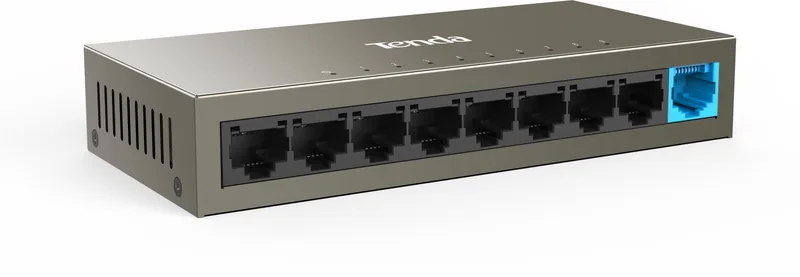
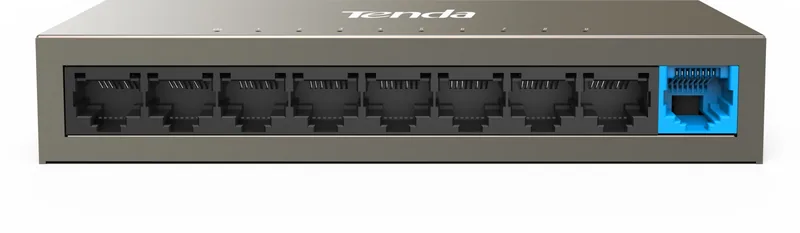
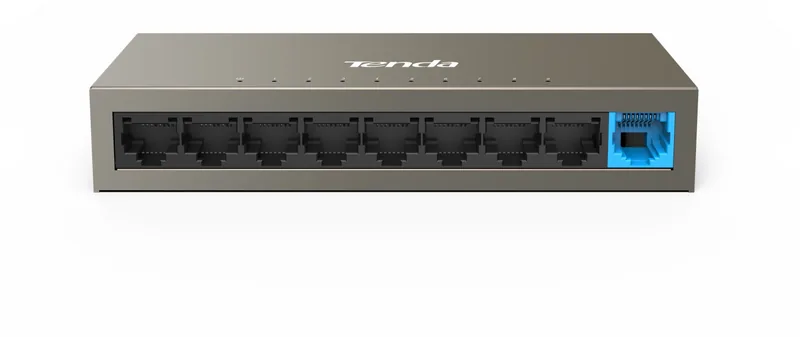
The Tenda TEF1100 Desktop Switch is a compact and efficient networking solution designed for small offices, home networks, or classrooms. This 9-port switch features eight Fast Ethernet ports and one Gigabit uplink port, making it ideal for connecting multiple devices while ensuring high-speed connectivity to your router or main network. The device supports IEEE 802.3 and 802.3u standards, offering reliable data transmission at speeds up to 100 Mbps on the standard ports and 1000 Mbps on the dedicated uplink.
Key Features and Functionality
One of the standout capabilities of this switch is its flexible VLAN mode. Users can toggle between VLAN off and VLAN on using a simple slide switch. In the default VLAN off mode, all ports communicate freely, which is perfect for general file sharing and printing. When switched to VLAN on, ports 1 through 8 are isolated from each other but can still communicate with port 9. This feature is excellent for reducing broadcast storms and isolating DHCP traffic in environments where security and bandwidth management are priorities.
The hardware includes auto MDI/MDIX support, meaning you do not need to worry about cable types; straight-through or crossover cables will work seamlessly. LED indicators provide clear status updates for power and individual port activity, allowing for quick troubleshooting. The unit also comes with lightning protection on the uplink port to safeguard connected equipment from voltage surges.
Installation and Design
Designed for desktop use, the Tenda TEF1100 has a slim profile measuring approximately 140 mm by 66 mm. It requires an external power adapter and operates within a wide temperature range, making it suitable for various indoor environments. The package includes the switch, a power adapter, and a quick installation guide to get you up and running in minutes. Whether you need to expand a network or connect IP cameras and computers securely, this switch delivers consistent performance.
Important Notes
Ensure the grounding terminal is connected to protect against lightning damage.
Use CAT5e or better cables for optimal Gigabit performance on port 9.
The switch supports store-and-forward switching for error-free data delivery.