
Tenda PH6 Manual
PDF manual · 16 Pages
English



Quick check
Incorrect answer, please try again.
Chat with your Tenda PH6 manual using AI
Get instant AI answers from your Tenda PH6 manual
Ask anything about the Tenda PH6. Answers come from this manual, with the pages they are based on.
Ask a Question
Do you recommend PH6?
Yes NoFrequently Asked Questions
Plug one adapter into a wall outlet near your router and connect it to the router via Ethernet. Plug the second adapter where you need connectivity and connect your device via Ethernet. Wait until the PLC LEDs on both units are solid green.
Is this answer helpful?
Pressing Pair/Reset starts pairing with another adapter (LED blinks). To create a secure pair press the button on one adapter, then within two minutes press it on the other. Hold for about 6 seconds to reset to factory defaults.
Is this answer helpful?
A red PLC LED indicates a poor network connection over the powerline. Try relocating the adapter to a different wall outlet, ensure both adapters are on the same electrical circuit, and avoid surge protectors or extension cords that can degrade signal.
Is this answer helpful?
Yes. Use the Pair/Reset button on the new adapter, then press Pair/Reset on an adapter already in the network within two minutes. Repeat as needed to add additional HomePlug AV/AV2 adapters to the same network.
Is this answer helpful?
The built-in socket uses a noise isolation filter to reduce interference from devices plugged into it. For best results, plug the adapter directly into the wall and avoid connecting high-interference appliances to the same circuit if possible.
Is this answer helpful?
Verify router and adapter cabling, ensure your computer can obtain IP automatically, confirm PLC LEDs are solid green, reset and re-pair adapters if needed, and make sure all adapters are on the same electrical circuit.
Is this answer helpful?
Yes. The PH6 supports a power-saving mode that can reduce energy consumption by about 85% when no device is connected, helping lower standby power usage.
Is this answer helpful?
Advantages and Disadvantages
Advantages

- Plug-and-play setup with pre-paired units for immediate use.
- Gigabit RJ-45 port delivers up to 1000 Mbps for 4K streaming and gaming.
- Integrated passthrough AC socket prevents loss of wall outlets.
- HomePlug AV2 compatibility lets you extend networks over existing wiring.
- Power-saving mode reduces energy consumption by up to 85%.
Disadvantages

- Performance depends on home electrical circuit quality and layout.
- May cause radio interference in some domestic environments.
- Requires direct wall outlet connection for optimal results.
- Red PLC LED indicates possible poor link requiring relocation.
- Limited to devices on the same electrical circuit for networking.
Product Specification
Type
Powerline Adapter (Standalone), Bundle
Form Factor
2x Socket Adapter
Connectivity
1x RJ-45 (10/100/1000Base-T, 2 Devices)
Connection
1x HomePlug AV2 (2-86MHz, IEEE 1901, 2 Devices)
Transmission
1x HomePlug AV2 (1000Mbps, OFDM, 128bit AES, 2 Devices)
Dimensions
2.44x4.29x1.77in (WxHxD)
Compatibility
HomePlug AV2
Special Features
Integrated Socket (2 Devices), Bundle (2x Powerline Adapter)
Product Description
Tenda PH6 Powerline AV1000 Passthrough Kit — Reliable Home Wired Networking
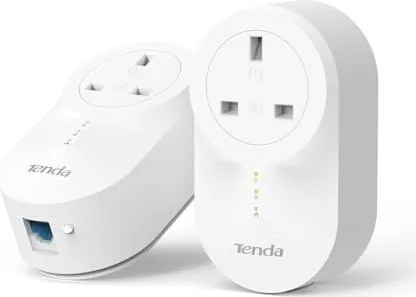
The Tenda PH6 Powerline AV1000 Passthrough Kit leverages HomePlug AV2 technology to deliver up to 1000 Mbps over existing household electrical wiring. Packaged as a 2-pack with integrated passthrough AC sockets and gigabit RJ-45 ports, the PH6 is aimed at users who want a simple, low-cost way to extend wired internet to TVs, set-top boxes, game consoles, PCs and NAS devices without running long Ethernet cables.
Compact design, big performance
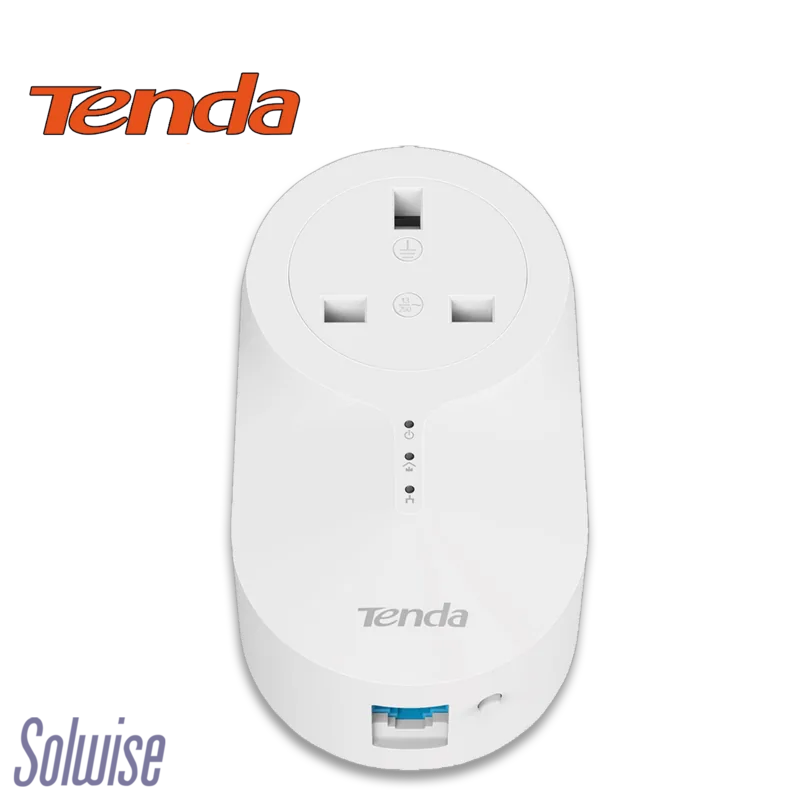
Each adapter combines a gigabit Ethernet port with a built-in power socket so you don’t lose a wall outlet. The passthrough socket includes a noise-isolation filter to minimize interference from appliances plugged into the adapter. Out of the box the kit arrives pre-paired for plug-and-play convenience, while a Pair/Reset button enables creating secure powerline networks or adding more adapters when needed.
Easy setup and operation
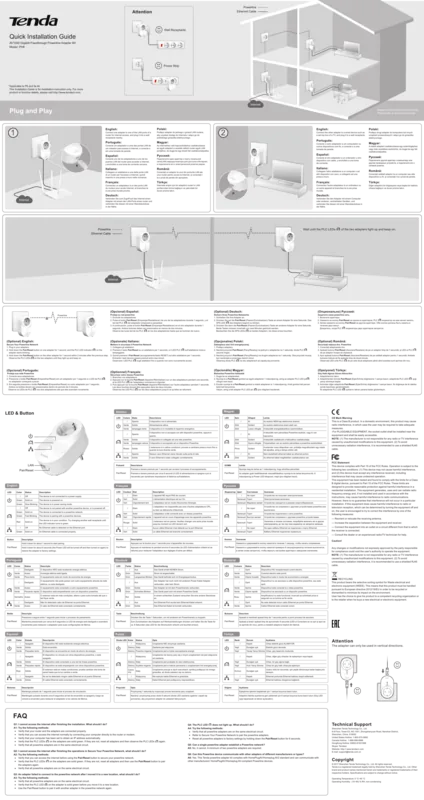
Installation is straightforward: plug one unit next to your router and connect via Ethernet, then plug the second unit where you need wired connectivity and attach your device. LEDs indicate power, PLC link status and pairing activity; green indicates solid connection, blinking shows pairing or power-saving mode, and red warns of a poor link. The adapters are intended for use on the same electrical circuit and support a convenient reset procedure via the Pair/Reset button.
Energy efficiency and compatibility
PH6 features an automatic power-saving mode that reduces energy use by up to 85% when no device is connected. The gigabit Ethernet port offers 10x the speed of 100 Mbps ports, making the kit suitable for HD and 4K streaming, online gaming and large file transfers. The PH6 follows HomePlug AV2 standards and is compatible with other HomePlug AV-compliant devices.
Practical safety and regulatory notes
The PH6 includes standard safety and regulatory compliance statements (FCC, WEEE). To minimize radio interference it’s recommended to use shielded RJ45 cables and avoid unauthorized modifications. Operating conditions call for 0–40°C and non-condensing humidity.
Notes:
- Best performance when adapters are plugged directly into wall outlets and on the same electrical circuit.
- Pair/Reset supports secure pairing for small networks and adding additional adapters.
- If PLC LEDs are not green, try resetting and re-pairing the adapters.
Search for 67,732 Manuals online


Type-in Brand or Model
Jonas Weber
9 months ago
I expected gigabit, but with iperf I only get about 99-117 Mbit/s instead of 1 Gbit. Is my device faulty or is this normal?
Manual.ly
9 months ago
This is usually expected if you have 100 Mbps class powerline adapters. The electrical wiring and distance can limit real throughput, so iperf often reports around 90-120 Mbit/s instead of theoretical gigabit. Also, speeds can differ room to room depending on whether both adapters are on the same electrical circuit and on interference from other devices. If you need near-gigabit performance, make sure you purchased true gigabit powerline adapters (often marketed as 1000 Mbps) and use them on the most direct circuit possible. You can verify by checking the adapter model label and advertised max rate.