
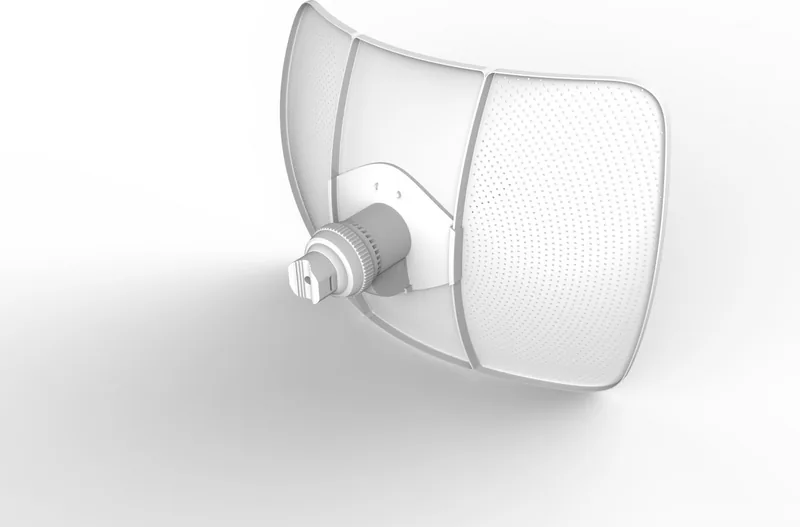
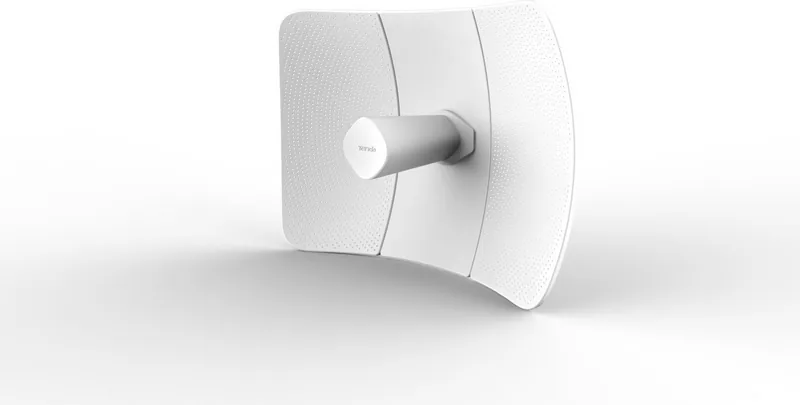
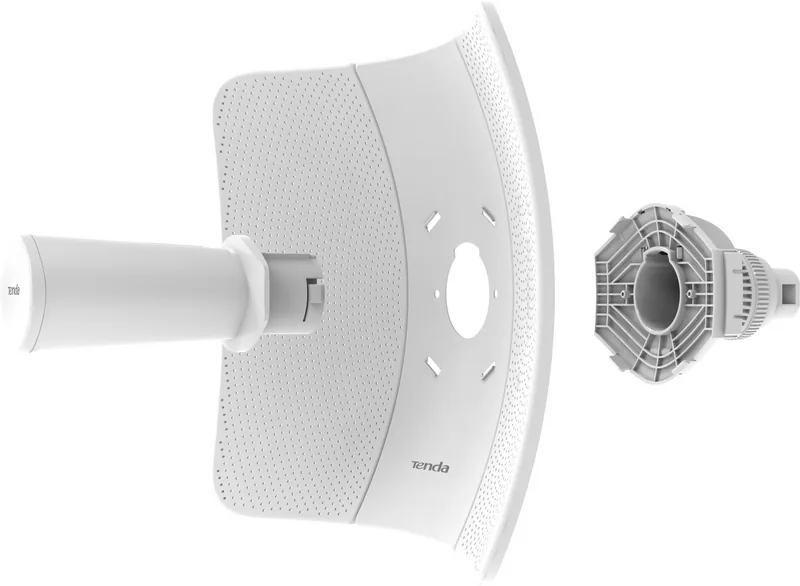
Tenda O8 Manual
PDF manual · 195 Pages
English



Quick check
Incorrect answer, please try again.
Chat with your Tenda O8 manual using AI
Get instant AI answers from your Tenda O8 manual
Ask anything about the Tenda O8. Answers come from this manual, with the pages they are based on.
O8 Maintenance Schedule
Configure the Reboot Schedule in Advanced > Network Service to automatically reboot the CPE daily at a specified time (e.g., 3:00 AM) to maintain stability.
Ensure Time Settings are set to 'Synchronized with the Internet' with a default interval of 30 minutes for accurate logging and scheduling.
Ask a Question
Do you recommend O8?
Yes NoDo you recommend O8?
Yes NoFrequently Asked Questions
The default IP address is 192.168.2.1. You can access the web UI by entering this address in a browser after connecting to the device.
Is this answer helpful?
The device is powered via PoE technology using a single Ethernet cable connected to a PoE injector or compatible switch, simplifying outdoor installation.
Is this answer helpful?
Yes, the device supports point-to-point bridging modes ideal for connecting IP cameras to an NVR without running physical cables to the camera location.
Is this answer helpful?
It supports several modes including Router, WISP, Access Point, Client, Universal Repeater, Repeater, and P2MP to suit various networking requirements.
Is this answer helpful?
Power on the device and hold the reset button for approximately 8 seconds until all indicators light up, then release to restore defaults.
Is this answer helpful?
Yes, it supports WPA2-PSK encryption and other security protocols to ensure data in transit is protected from unauthorized access.
Is this answer helpful?
LED indicators provide feedback on connection quality and signal strength levels, allowing for precise antenna alignment during installation.
Is this answer helpful?
Advantages and Disadvantages
Advantages

- Supports PoE for simplified power and data transmission
- Multiple operational modes including Router, WISP, and AP
- Facilitates CCTV surveillance with wireless bridging
- LED indicators provide clear signal strength feedback
- Secure with WPA2-PSK encryption options
Disadvantages

- Requires clear line of sight for optimal wireless bridging
- Manual configuration can be complex for beginners
- Dependent on strong signal for reliable performance
- Default IP address must be changed in some setups
- Advanced features require detailed setup knowledge
Product Specification
LAN
1x 100Base-TX (PoE PD)
Wireless
WLAN 802.11 a/b/n/ac (Wi-Fi 5)
Transmission Rate
433 Mbps (5 GHz)
Security
64/128bit WEP, WPA, WPA2
Antennas
Internal
Connectors
N/A
Power Consumption
5.5W (Consumption, Operation), Not specified (max. power supply unit output)
Dimensions
15.41 x 11.02 x 9.17 inches
Features
Outdoor, IP65, TPC/DFS, VLAN, VPN passthrough (PPTP/L2TP)
Band Capability
Single Band
Manufacturer Warranty
3 years
Product Description
Discover the Power of the Tenda O8 Outdoor CPE
Outdoor connectivity has never been more critical for modern businesses and large estates requiring wide coverage. The Tenda O8 Outdoor CPE stands as a robust solution designed to extend network reach across vast distances efficiently and reliably. Whether you are managing a remote surveillance system or seeking internet access for a secluded property, this device offers versatile functionality suitable for various challenging environments. Understanding the capabilities found in the Tenda O8 Outdoor CPE Manual reveals a device built for reliability and ease of deployment for both professionals and enthusiasts.
Key Features and Applications
This unit supports multiple operational modes including Router, WISP, and Access Point configurations to suit different needs. In WISP mode, it connects wirelessly to an ISP hotspot, effectively bringing internet to areas where physical cables are impractical or impossible to install reliably. For security setups, the device facilitates point-to-point bridging specifically designed for CCTV surveillance networks. This allows cameras to transmit video feeds without physical wiring, utilizing wireless links that maintain stability over long ranges. PoE technology ensures power delivery through a single Ethernet cable, simplifying outdoor installation significantly and reducing clutter on poles and walls. It also supports P2MP mode enabling connections between multiple locations efficiently.
The web interface provides comprehensive control over detailed network settings for advanced users. Users can configure advanced DHCP pools, VLANs, and wireless security protocols easily without complex third-party software. The LED indicators offer immediate feedback on connection quality and signal strength levels. By observing the signal strength lights, technicians can align antennas precisely for optimal performance during installation. Security is prioritized with strong WPA2-PSK encryption options to protect data in transit securely from unauthorized access.
Installation and Configuration
Setting up the system requires basic networking knowledge but yields high returns in performance. Connecting via LAN and accessing the web UI allows for quick adjustments and real-time monitoring of status. For advanced users, the configuration guidelines offer detailed instructions on channel settings and bandwidth control features. Troubleshooting steps are available for common connection issues to minimize downtime effectively. IP addresses can be set manually or via DHCP depending on your network topology. Referencing the Tenda O8 Outdoor CPE Manual ensures that all critical parameters are set correctly for your specific environment to avoid conflicts. Regular maintenance and firmware updates keep the system secure and efficient over time.
This outdoor CPE represents a strong investment for expanding your wireless network infrastructure globally. With support for long-range communication and flexible operational modes, it meets diverse industry demands effectively. Whether for bridging multiple networks or extending coverage, this tool delivers consistent performance where it matters most for your business needs.
Search for 67,732 Manuals online


Type-in Brand or Model