
Tenda nova MX12 Manual
PDF manual · 210 Pages
English



Quick check
Incorrect answer, please try again.
Chat with your Tenda nova MX12 manual using AI
Get instant AI answers from your Tenda nova MX12 manual
Ask anything about the Tenda nova MX12. Answers come from this manual, with the pages they are based on.
Ask a Question
Do you recommend nova MX12?
Yes NoFrequently Asked Questions
Connect your primary node to the modem or Ethernet source, power it on, then use a browser to visit tendawifi.com. Follow the quick setup wizard to choose ISP type and internet connection (PPPoE, Dynamic, Static), set Wi‑Fi credentials, and complete the guided steps.
Is this answer helpful?
Power secondary nodes within range, press the MESH button (1–3 seconds) on the primary node and then on the secondary node within two minutes, or use the web UI/app Add Node (scanning or wired networking). Relocate nodes to avoid interference and keep nodes within recommended distances.
Is this answer helpful?
Parental controls let you create up to 10 rules with client groups, schedule-based access periods, and URL filtering (allow or block lists). Each rule can include multiple periods and URLs and supports up to 30 controlled clients per rule.
Is this answer helpful?
Yes. In router mode the MX12 supports DHCPv6, PPPoEv6 and static IPv6. Enable IPv6 under More > IPv6 and choose the connection type per your ISP instructions; test connectivity at test-ipv6.com to confirm IPv6 access.
Is this answer helpful?
Enable Guest WiFi in the web UI, set separate SSIDs and optional password, define a validity period, and set a shared bandwidth cap (e.g., 8 Mbps) to limit total guest throughput and isolate guests from the main LAN.
Is this answer helpful?
Check WAN cable and modem power, verify ISP settings (PPPoE credentials, static IP or VLAN IDs), try MAC clone if ISP binds service to MAC, and consult the web UI network status prompts. Contact your ISP or Tenda support if issues persist.
Is this answer helpful?
Enable app remote management (enabled by default), bind your Tenda account in the Tenda WiFi app, and you can monitor, add nodes, adjust settings and apply rules remotely via the cloud‑linked device ID.
Is this answer helpful?
Advantages and Disadvantages
Advantages

- AX3000 Wi‑Fi 6 throughput and multi‑node mesh for broader, faster home coverage.
- Easy guided setup via web UI and Tenda WiFi app with MESH button pairing.
- Comprehensive features: parental controls, guest Wi‑Fi, VPN, IPv6 and IPTV support.
- Flexible management: node reboot/remove, LED scheduling, one‑click optimization.
- Interoperable EasyMesh/Xmesh support and remote app management for convenience.
Disadvantages

- Single LED indicator may limit granular local status feedback compared to multi‑LED units.
- Some advanced functions (IPTV, VLAN, IPv6 dual‑access) require ISP parameters and knowledge.
- WPS cannot be used with WPA3 networks; mixed WPA modes may be needed for compatibility.
- Maximum mesh network size and client limits may constrain very large deployments.
- Certain router features (e.g., port mapping) are unavailable in AP mode.
Product Specification
Modem
N/A
Wireless
WLAN 802.11a/b/g/n/ac/ax (Wi-Fi 6), simultaneous
Transfer rate
574Mbps (2.4GHz), 2402Mbps (5GHz)
Security
WPA, WPA2, WPA3, WPS
Antennas
internal
Ports
N/A
Power consumption
no information (consumption, operation), 12V/1.5A/18W (max. power supply unit output)
Dimensions
7.48x3.39x3.39in
Special features
MU-MIMO, VLAN, VPN passthrough (PPTP/L2TP), IPv6, Mesh (shared band), Roaming, Wi-Fi certified EasyMesh
Band capability
Dual Band (simultaneous), Mesh (shared band)
Manufacturer warranty
two years
Transfer rate 802.11ax (Wi-Fi 6 / Wi-Fi 6E) 2.4GHz
574Mbps (Spatial Streams: 2x2, Bandwidth: 40MHz, Modulation: 1024-QAM)
Transfer rate 802.11ax (Wi-Fi 6 / Wi-Fi 6E) 5GHz
2402Mbps (Spatial Streams: 2x2, Bandwidth: 160MHz, Modulation: 1024-QAM)
Note
Information on the transfer rate for 802.11ax at 2.4GHz and 5GHz. (802.11ax (2.4GHz) 2x2 40MHz 1024-QAM: 574Mbps, 802.11ax (5GHz) 2x2 160MHz 1024-QAM: 2402Mbps)
Note #2
In some cases, the manufacturer's maximum consumption specification only corresponds to the maximum output power of the power supply unit and is therefore not meaningful information for everyday power consumption.
Product Description
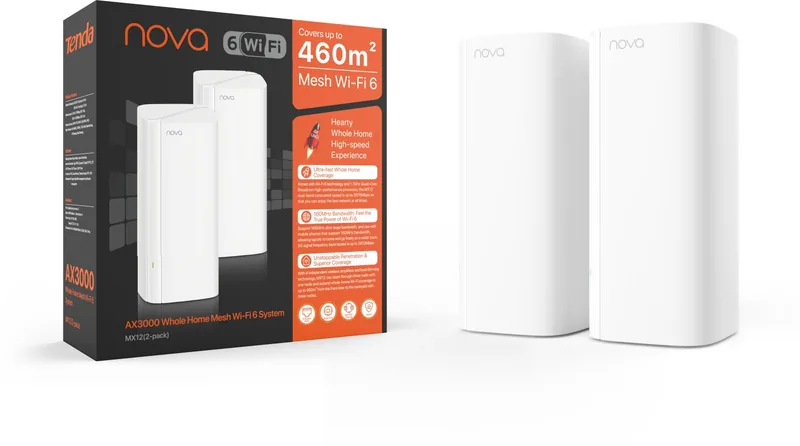
Tenda Nova MX12 — Compact AX3000 Mesh Router for Whole-Home Coverage
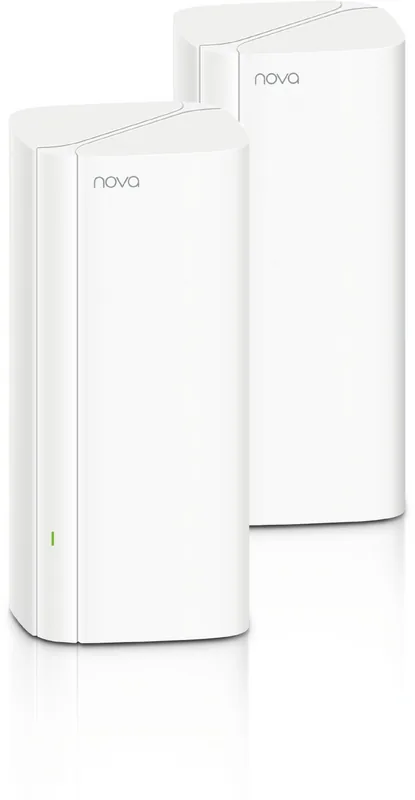
The Tenda Nova MX12 is an AX3000 Whole Home Mesh Wi‑Fi 6 system designed to deliver seamless, high-performance Wi‑Fi across multi-room homes and small offices. With multiple nodes operating under one unified network, the MX12 emphasizes simple setup, robust roaming, and centralized management via both a web UI and the Tenda WiFi app. Its EasyMesh/Xmesh support also allows interoperability with other compatible mesh devices.
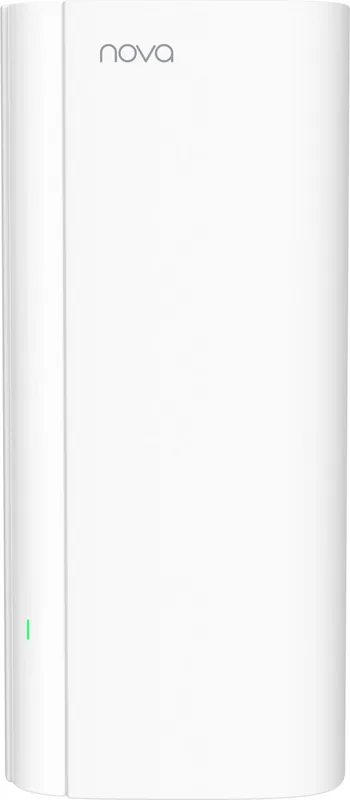
Physically compact, each MX12 node includes a single multi‑color LED, a MESH button for quick pairing and factory reset, a WAN/LAN1 port, two additional LAN ports (one dual‑function for IPTV), and a power jack. The device ships with a label on the base showing default SSID, password, login address, MAC and serial number, making initial access straightforward.
On the software side, the MX12 provides a full-featured web UI and app experience: guided quick setup (including PPPoE, Dynamic IP, Static IP and region-specific Russia dual-access modes), Wi‑Fi configuration with options for WPA2/WPA3, unified or separate 2.4 GHz and 5 GHz SSIDs, channel and bandwidth controls, WPS, and mesh operations (add/remove nodes, one‑click optimization, LED control, and node reboot). Advanced network features include DHCP/static IP reservation, VPN support (PPTP server/client and L2TP client), IPTV and multicast support, IPv6 (DHCPv6, PPPoEv6, static), MAC address filtering, firewall protections, and app remote management.
Parental control and client management are well covered: per‑client naming, bandwidth control, blacklist management, and schedule-based URL filters (allow/block lists and multiple time periods). Guest Wi‑Fi can be enabled with independent SSIDs, optional password, a validity timer and shared bandwidth limits to isolate visitors from the main LAN. The MX12 supports smart power saving for LED scheduling and provides firmware and system maintenance tools through the UI.
Ideal for users who want quick, guided setup with flexible, advanced controls, the Tenda Nova MX12 balances AX Wi‑Fi 6 performance with easy mesh expansion and comprehensive local and remote management features.
Notes
- Default login and Wi‑Fi credentials are printed on the device label; change them for security.
- Use WPA2 or WPA3 (with fallback) for best compatibility and security.
- Keep nodes within recommended distances and away from strong interference sources for optimal mesh performance.
- Some features (IPv6, IPTV, VLANs, dual-access modes) may require ISP details—contact your ISP if unsure.
Search for 67,706 Manuals online


Type-in Brand or Model