
Tenda i9 Manual
PDF manual · 106 Pages
English



Quick check
Incorrect answer, please try again.
Chat with your Tenda i9 manual using AI
Get instant AI answers from your Tenda i9 manual
Ask anything about the Tenda i9. Answers come from this manual, with the pages they are based on.
i9 Maintenance Schedule
The AP automatically synchronizes its system time with a time server every 30 minutes by default to ensure logs and reboot schedules are correct.
Configure the AP to reboot at intervals (e.g., 1440 minutes) or specific times to avoid unstable WLAN performance due to long-time running.
Ask a Question
Do you recommend i9?
Yes NoFrequently Asked Questions
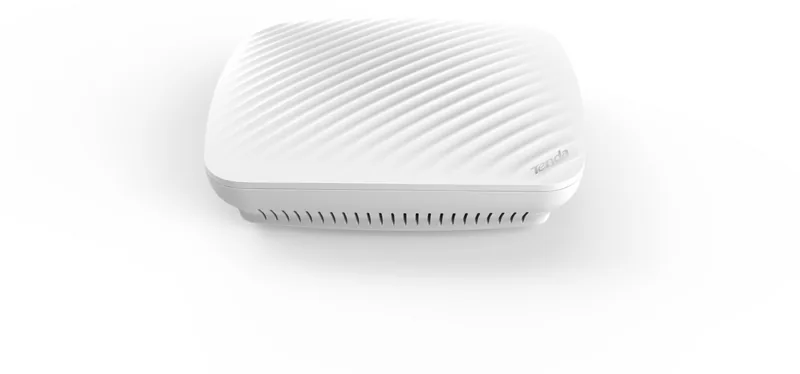
The Tenda i9 is an indoor wireless access point for locations such as offices, cafes, bars, hotels, and small business environments. It provides WiFi coverage from a wired network connection and supports centralized or individual management.
Is this answer helpful?
It supports wireless transmission rates of up to 300 Mbps on the 2.4 GHz band. Actual performance depends on client capability, interference, channel conditions, security settings, and the speed of the wired network connection.
Is this answer helpful?
Yes. The i9 supports IEEE 802.3af Power over Ethernet. When connected to a compatible PoE switch, one Ethernet cable can provide both network connectivity and power. It can also be powered with a 12 V, 1 A DC adapter.
Is this answer helpful?
The i9 supports up to four SSIDs. Each SSID can have separate settings for security, client limits, broadcast visibility, client isolation, and VLAN assignment, making it easier to separate guests, staff, and other network groups.
Is this answer helpful?
WPA2-PSK with AES encryption is a practical choice for many small networks. For environments with a RADIUS server and stronger centralized authentication needs, WPA2 enterprise mode can be used. Avoid open networks, WEP, and TKIP when possible.
Is this answer helpful?
Yes. In Client+AP mode, the i9 can wirelessly bridge to an upstream router or access point and provide local wireless access. The i9 should use an unused management IP address in the same network segment as the upstream device.
Is this answer helpful?
Advantages and Disadvantages
Advantages

- Provides up to 300 Mbps WiFi on the 2.4 GHz band for everyday indoor connectivity.
- Built-in high-gain omnidirectional MIMO antennas support broad coverage and wall penetration.
- IEEE 802.3af PoE support simplifies placement by carrying power and data over one cable.
- Supports four SSIDs, client isolation, MAC filtering, VLANs, SNMP, logs, and traffic monitoring.
- Offers AP and Client+AP modes for wired coverage or wireless network extension.
Disadvantages

- Uses only the 2.4 GHz band, with no 5 GHz WiFi option.
- The 10/100 Mbps LAN port can limit wired throughput compared with Gigabit equipment.
- Advanced wireless, VLAN, and RADIUS settings may require networking experience.
- Default wireless security is open, so secure settings should be configured before use.
- WEP and TKIP options are included for compatibility but are not recommended for modern security.
Product Specification
LAN
1x 100Base-TX (PoE PD)
Wireless
WLAN 802.11b/g/n (Wi-Fi 4)
Data rate
300 Mbps (2.4 GHz)
Security
64/128-bit WEP, WPA, WPA2
Antennas
Internal
Ports
N/A
Power consumption
8 W (operating consumption), not specified (maximum power supply output)
Dimensions
7.24 x 7.24 x 1.5 in
Features
VLAN
Band capability
Single band
Product Description
Tenda i9 - Read, Download & Print Free
The Tenda i9 is an indoor wireless access point designed to bring dependable WiFi coverage to offices, cafes, bars, small businesses, hotels, and similar shared spaces. Operating on the 2.4 GHz band, it delivers wireless speeds of up to 300 Mbps for everyday browsing, cloud access, messaging, streaming, and connected-device use. For readers searching for Tenda i9 - Read, Download & Print Free, this overview highlights the practical features and configuration options that make the i9 a flexible choice for managed indoor networks.
Broad Coverage for Indoor Networks
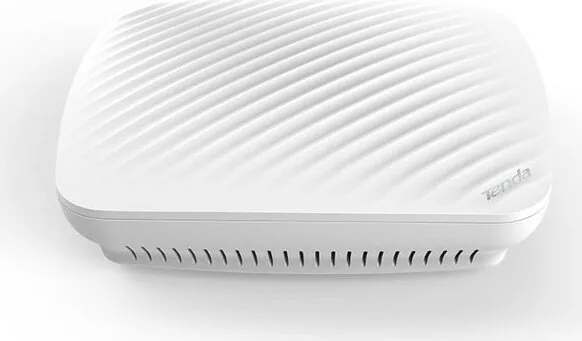
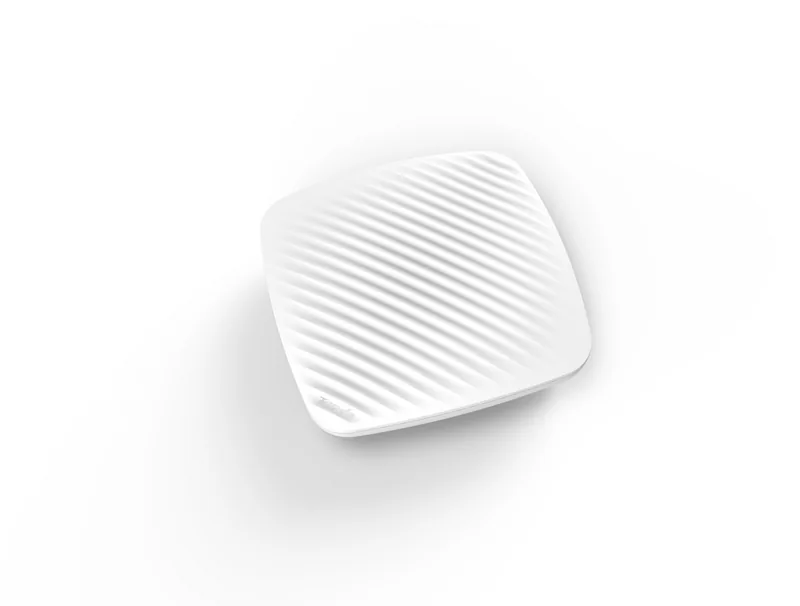
Two built-in high-gain omnidirectional MIMO antennas help the Tenda i9 distribute signal coverage across rooms and through typical interior barriers. Its ceiling-style design suits discreet placement in professional environments, while Power over Ethernet support lets installers deliver data and power through one Ethernet cable. This can simplify deployment where a nearby power outlet is unavailable.
The access point includes a 10/100 Mbps LAN port, a 12 V power input, a reset button, and a system status indicator. It supports IEEE 802.3af PoE, allowing connection to a compatible PoE switch for cleaner, more scalable installations. For longer cable runs, the Ethernet port also offers an enhanced mode that favors distance at a reduced speed.
Flexible Wireless Setup
By default, the i9 works in AP mode, converting a wired network connection into WiFi access. It can also operate in Client+AP mode, wirelessly bridging to an upstream access point or router while extending local wireless availability. This makes it useful where running a new cable is impractical.
Up to four SSIDs can be configured, helping administrators separate staff, guests, devices, or services. Each wireless network can use its own security settings, client limit, broadcast behavior, and client isolation policy. Supported security choices include WPA2-PSK, mixed WPA/WPA2-PSK, and enterprise-oriented WPA or WPA2 with a RADIUS server. AES encryption is a strong practical choice for compatible devices.
Controls for Better Network Management
The Tenda i9 provides tools for monitoring connected clients, traffic statistics, wireless status, system information, and logs. Channel scanning helps identify nearby wireless activity, while RF settings support channel, bandwidth, transmit-power, and signal-threshold adjustments. WMM quality-of-service settings can prioritize voice and video traffic, especially in busier environments.
Network administrators can also use DHCP services, MAC-based access control, SSID isolation, and 802.1Q VLAN support. VLAN mapping is particularly useful for keeping guest, employee, and management traffic separated when the surrounding network infrastructure supports tagged VLANs.
Notes
- Change the default administrator credentials before placing the access point into regular service.
- Use unique management IP addresses when configuring multiple units without a controller.
- Check regional channel requirements and select WPA2 with AES where possible.
- Schedule reboots during quiet hours if automatic maintenance is required.
Search for 67,732 Manuals online


Type-in Brand or Model