
Tenda AC10 Manual
PDF manual · 157 Pages
English



Quick check
Incorrect answer, please try again.
Chat with your Tenda AC10 manual using AI
Get instant AI answers from your Tenda AC10 manual
Ask anything about the Tenda AC10. Answers come from this manual, with the pages they are based on.
Ask a Question
Do you recommend AC10?
Yes NoVideo Manual
How to setup a Tenda router as Access Point | Step by Step
Frequently Asked Questions
Power the router, connect the WAN cable, join the router Wi‑Fi (SSID and password on the bottom label), then visit tendawifi.com or use the Tenda WiFi app. Follow the wizard to select your WAN type (PPPoE/DHCP/Static), enter ISP credentials if needed, and set Wi‑Fi and admin passwords.
Is this answer helpful?
Both models share core AC1200, MU‑MIMO, Beamforming+ and gigabit ports. AC10U adds a USB port for sharing storage via FTP/Samba, user accounts and permissions; AC10 does not support USB apps.
Is this answer helpful?
Enable Wireless Repeating in the WiFi Settings and choose WISP or Client+AP mode. Select the upstream Wi‑Fi SSID and enter its password. Note: some features become unavailable in repeater mode and LAN/ IP behavior may change.
Is this answer helpful?
Use WPA2‑PSK or WPA/WPA2 mixed encryption with a strong unique password, change the default admin password, enable firewall protections, and consider guest networks rather than sharing your primary SSID with visitors.
Is this answer helpful?
Yes. Use Virtual Server (port forwarding) to map external ports to an internal host IP and port. If your WAN IP is dynamic, enable DDNS to map a domain name to your changing IP. Ensure proper security on hosted services.
Is this answer helpful?
Try Auto channel or manually select a less crowded channel, adjust channel bandwidth (20/40/80 MHz), enable Beamforming+, and change transmit power. For heavy interference, enable Anti‑interference or use a Wi‑Fi extender to improve coverage.
Is this answer helpful?
Parental Control lets you set time‑based internet access and blacklist/whitelist websites for specific LAN devices by MAC. The Guest Network provides isolated internet access for guests with separate SSID/password and optional bandwidth limits and validity periods.
Is this answer helpful?
Advantages and Disadvantages
Advantages

- Dual‑band AC1200 with MU‑MIMO and Beamforming+ for improved multi‑device performance.
- Four high‑gain external antennas and gigabit Ethernet ports for better coverage and wired speed.
- Flexible modes: Router, AP, Wireless Repeater (WISP/Client+AP) to adapt to many network topologies.
- Comprehensive features: guest network, parental controls, VPN server/client, DDNS and port forwarding.
- AC10U adds USB file sharing via FTP/Samba with user permissions and optional internet access.
Disadvantages

- PPTP VPN offers convenience but is less secure than modern VPN protocols (e.g., OpenVPN, WireGuard).
- Some advanced settings (channels, bandwidth, static routes) require network knowledge to avoid conflicts.
- AC10 (non‑U) lacks USB functionality available on AC10U, limiting local file/media sharing.
- Changing modes (AP/Repeater) can change LAN IP and access method, which may confuse nontechnical users.
- DDNS and remote management require account setup and careful credential management for security.
Product Specification
Modem
N/A
WAN
1x 1000Base-T
LAN
3x 1000Base-T
Wireless
WLAN 802.11a/b/g/n/ac (Wi-Fi 5), simultaneous
Transfer rate
300Mbps (2.4GHz), 867Mbps (5GHz)
Security
64/128bit WEP, WPA, WPA2, WPS
Antennas
4x external
Ports
N/A
Power consumption
not specified (consumption, operation), not specified (max. power supply output)
Dimensions
8.66x5.59x1.93in
Special features
MU-MIMO, VPN passthrough (PPTP/L2TP/IPSec), WLAN on/off switch, VPN passthrough
Band capability
Dual Band (simultaneous)
Product Description
Tenda AC10 — Quick Guide and Overview
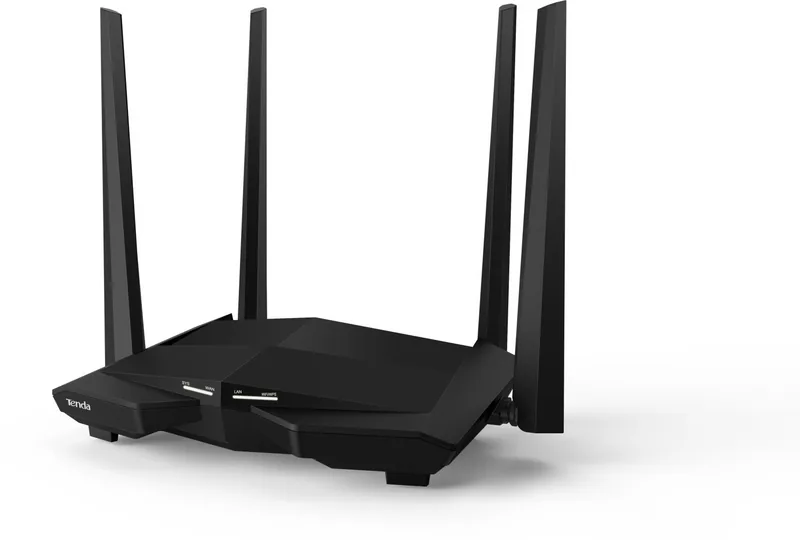
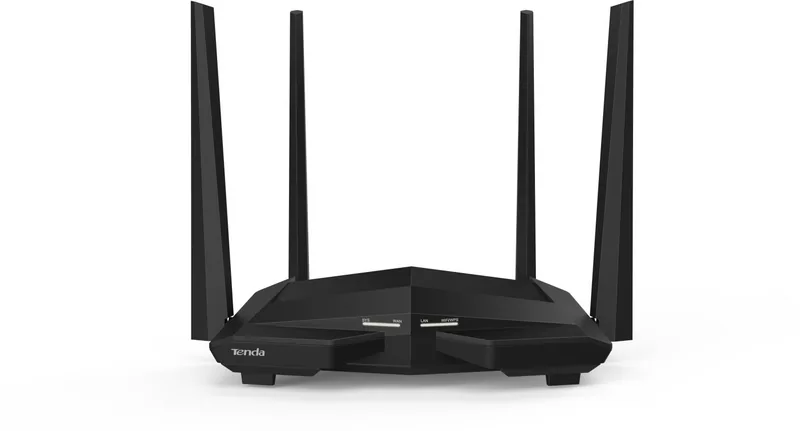
The Tenda AC10 is an AC1200 MU-MIMO dual-band gigabit router designed for home and small-office fiber users who want fast, stable Wi‑Fi with broad coverage. Equipped with four high‑gain external antennas, dual‑band 2.4 GHz/5 GHz support, and Wave 2 802.11ac features like Beamforming+ and MU‑MIMO, the AC10 delivers combined wireless throughput up to 1167 Mbps. Its gigabit Ethernet ports, easy setup options (web UI or mobile app), and features such as Wireless Repeating, AP mode, and WiFi Schedule make it flexible for many network layouts.
Key features and what they mean for you
- Dual‑band performance: Use 2.4 GHz for range and wall penetration, 5 GHz for higher speeds and lower interference when supported by your devices.
- MU‑MIMO and Beamforming+: Improve simultaneous performance for multiple clients and focus signal toward active devices for better reception and throughput.
- Four external omnidirectional 6 dBi antennas: Enhanced coverage for typical homes and multiroom setups.
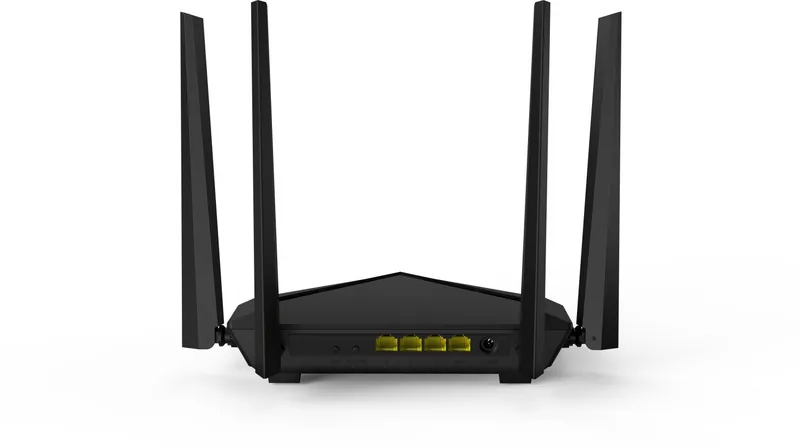
- Gigabit ports: Four gigabit auto‑negotiation LAN ports and a WAN port ensure wired devices get full broadband speeds.
- Simple setup and management: Quick-first time setup via tendawifi.com or the Tenda WiFi mobile app; remote management through a Tenda account; built‑in web UI for advanced configuration.
Notable capabilities
- Wireless Repeating and AP Mode: Extend an existing network or turn the AC10 into an access point to convert wired connections into Wi‑Fi coverage.
- WiFi Schedule & Sleeping Mode: Turn Wi‑Fi and LEDs off on schedules for energy savings and less overnight exposure.
- Guest network and Parental Controls: Provide isolated guest access and time‑ or content‑based controls for family devices.
- VPN support (PPTP server/client): Host a PPTP server for remote access to home resources or connect the router as a VPN client to provider services.
- USB (AC10U only): Share storage over FTP/Samba, create user accounts with read or read/write permissions, and allow optional internet access to USB shares.
Management and advanced options
The router’s web UI organizes settings into Internet, WiFi, Advanced, USB App, VPN, and System sections. You can configure PPPoE/DHCP/Static WAN connections, change channels and bandwidth, enable WPS pairing, set firewall protections against flood attacks, add static routes, use DDNS for dynamic WAN IP mapping, forward ports with Virtual Server, or expose a DMZ host when needed. Bandwidth control, MAC filtering, UPnP, IPTV mode, firmware upgrades, and backup/restore of configuration round out the power‑user features.
Notes
- AC10 and AC10U share core features; AC10U adds a USB port for file sharing and media services.
- Keep Wi‑Fi encryption enabled (WPA/WPA2‑PSK recommended) to prevent unauthorized access.
- Use default settings unless you know network implications (channel, bandwidth, AP vs. router mode, VPN and DMZ risks).
- For best results, place the router centrally and update firmware when available.
Search for 67,732 Manuals online


Type-in Brand or Model