
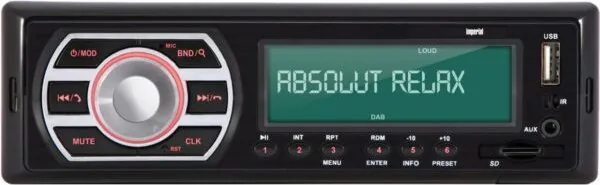
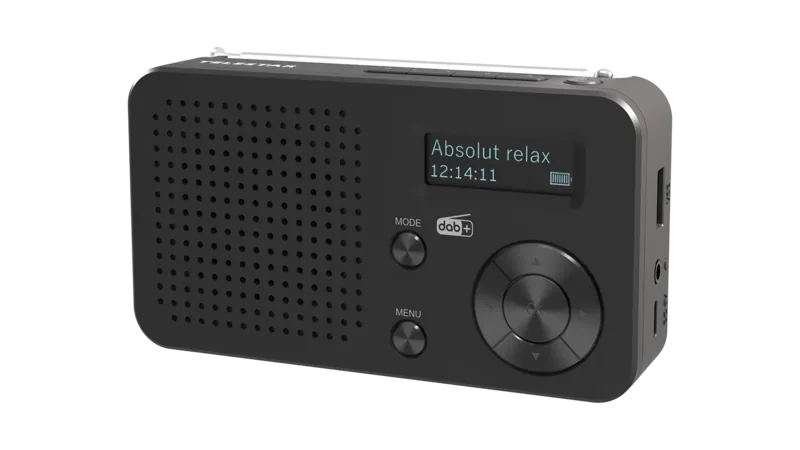
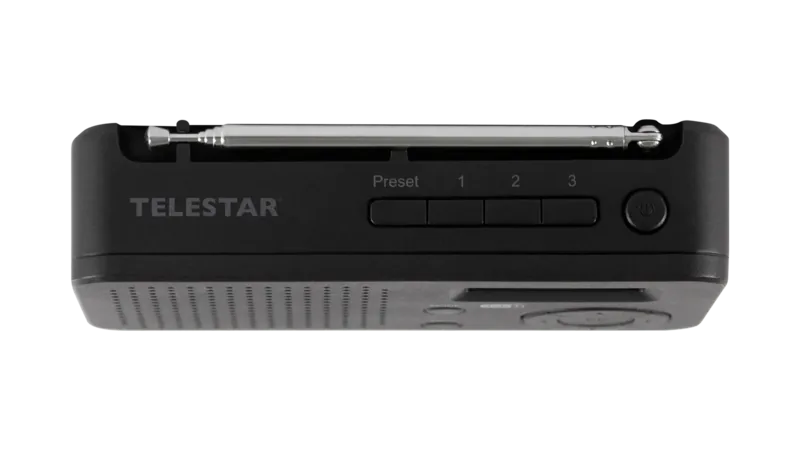
Telestar Imperial DABMAN Car 2 Manual
PDF manual · 180 Pages
English



Quick check
Incorrect answer, please try again.
Chat with your Telestar Imperial DABMAN Car 2 manual using AI
Get instant AI answers from your Telestar Imperial DABMAN Car 2 manual
Ask anything about the Telestar Imperial DABMAN Car 2. Answers come from this manual, with the pages they are based on.
Ask a Question
Do you recommend Imperial DABMAN Car 2?
Yes NoFrequently Asked Questions
Press the mode button until BT AUDIO appears. Activate Bluetooth on your tablet or smartphone. Select DABMAN from the device list. The display will show CONNECT once established.
Is this answer helpful?
Yes, you can store up to eighteen stations per band. Select a station, then press and hold a preset button for two seconds until STORED appears.
Is this answer helpful?
The device supports MP3 and WMA audio files. Ensure your USB drive is formatted as FAT32 to be recognized correctly by the system.
Is this answer helpful?
The unit must operate with 12 Volt DC voltage. Connect to an ISO 12 volt vehicle socket ensuring correct polarity for power and ground.
Is this answer helpful?
Use a pointed object to press the reset button on the front panel. This returns the device to its original factory configuration immediately.
Is this answer helpful?
Yes, insert a micro SD card containing audio files into slot 18. The player will support MP3 and WMA formats for playback.
Is this answer helpful?
Check if the car ignition is on. Verify the power cabling and check the fuse in the car and radio. Disconnect and reconnect power if issues persist.
Is this answer helpful?
Advantages and Disadvantages
Advantages

- DAB+ Tuner with high sensitivity and clear audio quality
- Bluetooth hands-free calling with automatic pausing and music resumption
- Supports MP3 and WMA files via USB or Micro SD card
- Standard ISO 10487 connector fits most vehicle types easily
- Extensive equalizer presets including pop, classic, and rock modes
Disadvantages

- Requires 12 Volt DC power with strict wiring regulations
- Professional installation is recommended to avoid electrical shorts
- Manual clock setting only works if no radio signal is detected
- No support for non-FAT32 formatted USB drives or SD cards
Product Specification
Type
Digital Receiver, 1-DIN
Display
7-Segment
Navigation
No
TMC
No
Tuner
FM, AM, DAB+
Media
USB Flash Drive, Memory Card
Audio Formats
MP3, WMA
Power
4 x 25W Peak
Connections
1 x AUX In (Front), 1 x USB 2.0 (Front), Card Reader (SD), Bluetooth 2.0
Anti-Theft
Detachable Faceplate
Product Description
Revolutionize Your Drive with Telestar Imperial DABMAN Car 2
Navigating the modern automotive landscape requires superior audio solutions. The Telestar Imperial DABMAN Car 2 stands out as a robust choice for entertainment and communication inside your vehicle. This device integrates seamlessly into your dashboard setup while providing extensive connectivity options for all your in-car needs. Whether you prefer digital radio, classic analog broadcasts, or your own music library, this unit covers all bases effectively without hassle.
The digital radio reception is a standout feature for this model. DAB+ technology ensures clear audio with minimal interference during travel. FM coverage remains a reliable fallback for older signal standards found in many regions. You can store up to eighteen stations for each band easily. Presetting allows quick access to your favorite broadcasters with a single touch. The search function scans available frequencies automatically upon initial startup. This saves significant time for the driver and keeps focus strictly on the road ahead.
Multimedia playback is equally impressive within this compact design. USB ports and micro SD card slots accommodate your personal music collections securely. MP3 and WMA formats are fully supported for easy compatibility with most devices. Volume control is managed via rotary dials that are easy to use while driving. Mute functions allow for instant silence when needed during phone conversations or navigation announcements.
Connectivity is key in modern cars today. Bluetooth technology enables wireless music streaming from phones or tablets seamlessly. Hands-free calling is integrated directly into the system for safety. Incoming calls pause music automatically and display duration on the large screen. Answering and ending calls uses dedicated buttons for safety and convenience. The microphone picks up voices clearly for both calls and simple commands.
Sound customization is thorough for audiophiles. Bass, treble, balance, and fader adjustments give users full control over audio. Loudness and equalizer presets like rock or pop suit different musical tastes. The factory reset option helps if settings become unstable during operation.
Installation is standard but requires care and attention to detail. 12 volt DC power is mandatory for safe operation. ISO connectors simplify wiring in most vehicles on the market. Ground connections must be secure to prevent voltage issues or damage. Battery disconnection before wiring prevents accidental short circuits or electrical spikes. Professional installation is recommended if you are unfamiliar with vehicle electricals.
Support channels include telephone hotlines and email services for help. Service centers in Germany and Austria handle mail-ins for repairs. Proper recycling instructions ensure environmental compliance at the end of life for this unit. This product delivers a complete audio experience for drivers prioritizing technology and safety in their journeys. The physical design fits standard DIN sizes for easy replacement of older units. Users must ensure power cables meet minimum thickness requirements for safety.
Notes on Usage
Keep packaging materials away from children for safety. Do not use cleaning sprays that damage surfaces. Check voltage before connecting to ensure no damage occurs.
Search for 67,706 Manuals online


Type-in Brand or Model