
Telestar EC 311 Manual
PDF manual · 80 Pages
English



Quick check
Incorrect answer, please try again.
Chat with your Telestar EC 311 manual using AI
Get instant AI answers from your Telestar EC 311 manual
Ask anything about the Telestar EC 311. Answers come from this manual, with the pages they are based on.
Ask a Question
Do you recommend EC 311?
Yes NoVideo Manual
TELESTAR EC 311 S6 (english version)
Frequently Asked Questions
Enable Bluetooth on your phone, open the EVSE Master app, search for the charger’s Bluetooth name, select it, and follow on-screen prompts to complete pairing and initial setup.
Is this answer helpful?
A communication password is requested during secure operations such as first connection, switching stations, or when the app detects restricted access; enter the password as prompted in the app to continue.
Is this answer helpful?
Yes, the EVSE Master app supports discovering and quickly switching between multiple Telestar EC 311 stations, enabling light fleet or multi-point management from one mobile interface.
Is this answer helpful?
Confirm Bluetooth is enabled and permissions granted on your device, bring the phone closer to the charger, restart the app, and retry discovery; consult installation notes if problems persist.
Is this answer helpful?
While basic Bluetooth pairing and app setup are user-friendly, permanent electrical installation should follow local codes and may require a licensed electrician to ensure safety and compliance.
Is this answer helpful?
The Telestar EC 311 includes fast-charging guidance within the app; actual charging speed depends on the unit’s specifications, vehicle capability, and electrical supply—follow app instructions and local regulations.
Is this answer helpful?
Use the communication password provided during setup, store it securely, avoid sharing broadly, and change it if access control is compromised; the app prompts for the password when necessary.
Is this answer helpful?
Advantages and Disadvantages
Advantages

- Bluetooth pairing simplifies setup—no complex network configuration required.
- EVSE Master app offers guided screens for first-time setup and fast charging.
- Supports multi-station management and quick switching between chargers.
- Communication password adds an extra layer of access security.
- Compact design suitable for home and light commercial use.
Disadvantages

- Bluetooth range limits remote management compared to Wi‑Fi or cloud solutions.
- Dependent on mobile app quality and timely updates for best performance.
- May require professional electrician for permanent installation compliance.
- Limited enterprise features compared to dedicated commercial EVSE platforms.
- Intermittent Bluetooth connectivity can require re-entry of communication password.
Product Specification
Number of Charging Points
1
Max. Charging Power
11 kW 3-phase, 3.7 kW 1-phase
Charging Mode
IEC 61851-1 (Mode 3)
Number of Phases
3-phase
Voltage
400 V (AC)
Max. Current per Phase
16 A
Connector Type
Type 2
Installation
Wall mounting
Authorization
App
Interfaces
Bluetooth, Wi-Fi
Special Features
Display, Touchscreen, Residual current device, Electricity meter
Protection Class
IP66
Product Description
Telestar EC 311 — Convenient EV Charging with Bluetooth
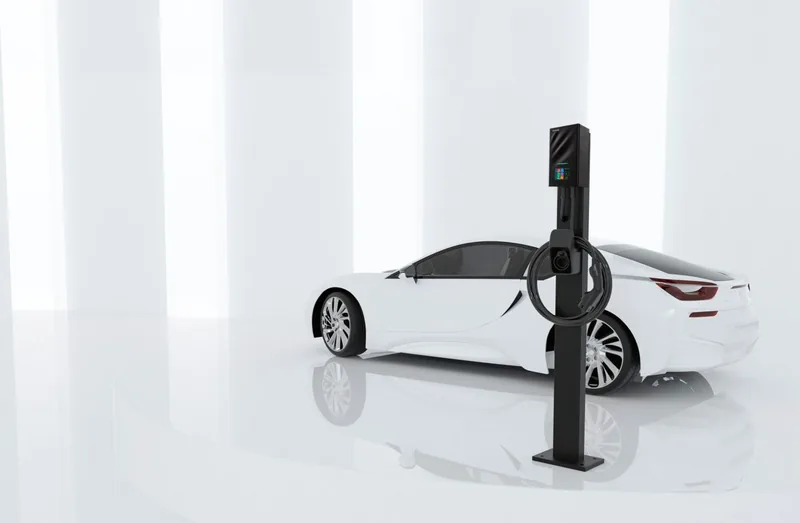
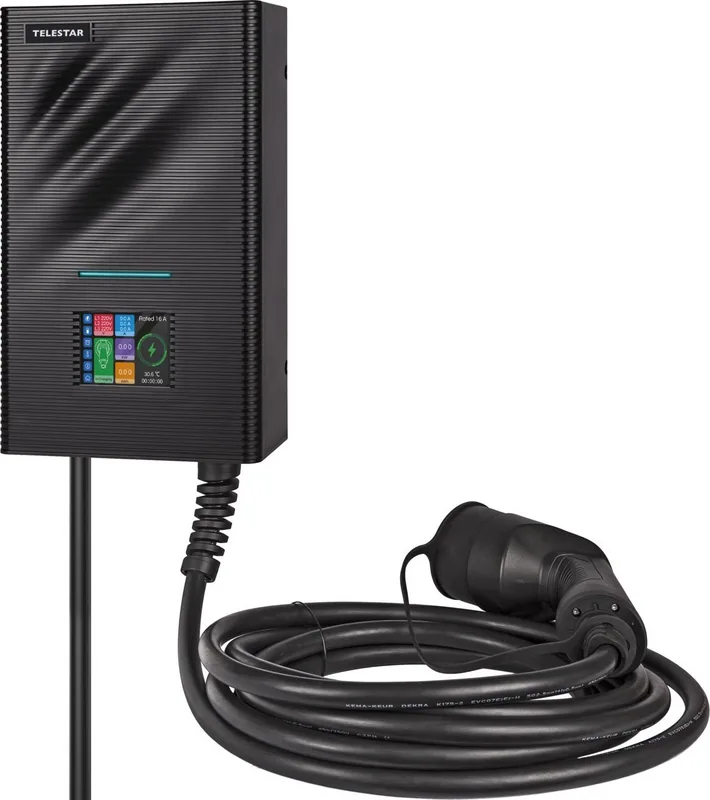
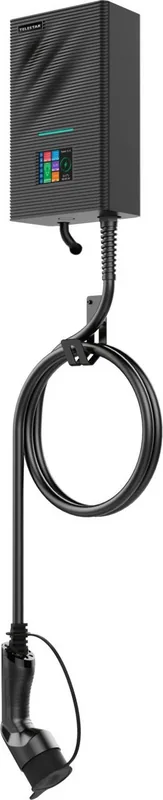
The Telestar EC 311 is a compact, user-oriented electric vehicle charging station designed for easy home and small-business installation. Featuring Bluetooth connectivity and an intuitive mobile app, it streamlines setup and everyday charging management. The unit pairs quickly with the EVSE Master app, letting users discover the station by its Bluetooth name, connect securely, and monitor sessions in real time.
Features and Experience
Built for reliable everyday use, the Telestar EC 311 supports straightforward connection workflows: initial pairing, entering a communication password when required, and switching between multiple chargers when needed. The EVSE Master app provides guided screens for first-time setup, quick connect, fast-charging instructions, and a charging homepage that summarizes session status. Clear prompts guide Bluetooth activation if it is turned off during discovery.
Installation notes emphasize typical safety and configuration steps and recommend following manufacturer-recommended positioning and electrical connections. The design targets both novice and experienced installers by combining simple on-screen instructions with robust communication options.
From a user perspective, the EC 311 focuses on dependable charging control and visibility. The Bluetooth-based approach eliminates the need for complex network configuration for many users while enabling secure access via a communication password. The app’s special pages — for communication delay, pull-to-refresh, and password prompts — help handle intermittent connections and improve user confidence during troubleshooting or multi-station management.
Practical Benefits
Owners gain remote visibility into charge cycles, can quickly select or switch chargers via the app, and follow concise fast-charge guidance. The product balances straightforward consumer setup with features useful for light commercial deployments where a small fleet or multiple chargers are managed from a single mobile interface.
Notes:
- Ensure Bluetooth permissions are allowed on your mobile device before searching for the charger.
- Keep the communication password secure and change it if shared across multiple users.
- Follow local electrical codes and consult a licensed electrician for permanent installations.
Search for 67,706 Manuals online


Type-in Brand or Model