
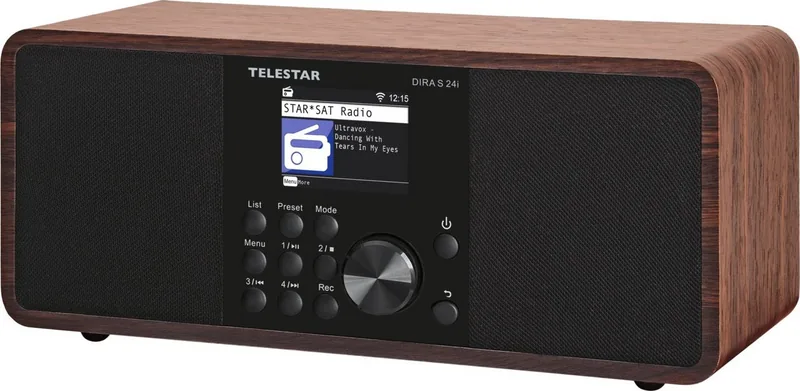
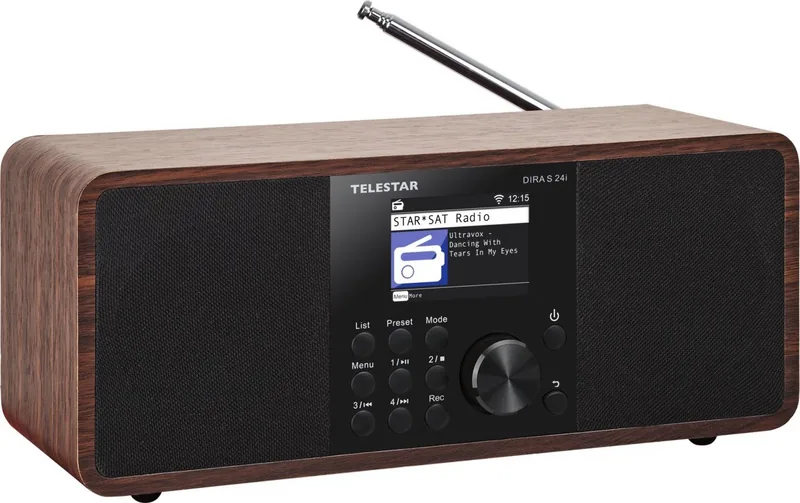
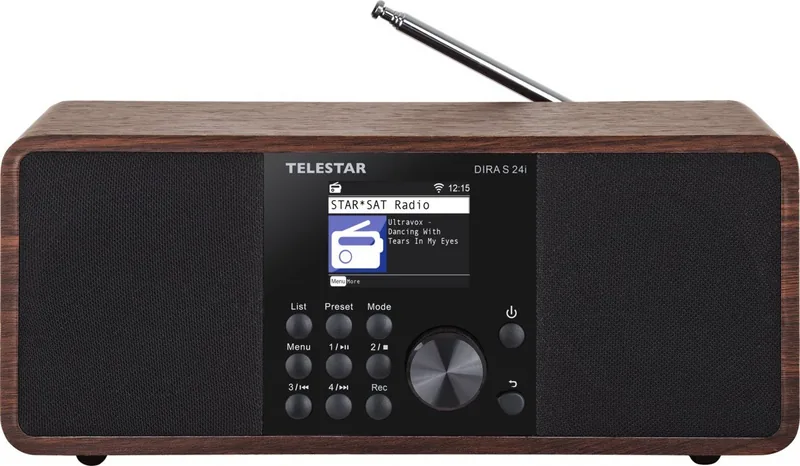
Telestar DIRA S 24i Manual
PDF manual · 398 Pages
English



Quick check
Incorrect answer, please try again.
Chat with your Telestar DIRA S 24i manual using AI
Get instant AI answers from your Telestar DIRA S 24i manual
Ask anything about the Telestar DIRA S 24i. Answers come from this manual, with the pages they are based on.
Ask a Question
Do you recommend DIRA S 24i?
Yes NoFrequently Asked Questions
It supports Internet radio, DAB+ digital radio, FM radio, Bluetooth audio, USB playback, UPnP network playback, and AUX input. This gives users several ways to listen to live radio, podcasts, streamed audio, and personal music collections.
Is this answer helpful?
Yes. Select a nearby WiFi network during setup or through the system network menu, then enter the network password. A WiFi connection is needed for Internet radio, weather information, online station lists, and automatic date and time synchronization.
Is this answer helpful?
Yes. The radio provides four direct station memory buttons on the unit and a favourites list that can store up to ten programmes. Recently selected stations can also be viewed through the list function.
Is this answer helpful?
Yes. Connect a USB storage device and press the recording button during a radio broadcast. Recordings are stored in MP3 format in a PVR folder. You can also set a recording timer with a date, start time, duration, programme, and repeat mode.
Is this answer helpful?
Use Bluetooth mode, then enable Bluetooth on your phone or tablet and select DIRA S24i from available devices. Once paired, start playback on the mobile device. You can also use the AUX input with a suitable 3.5 mm stereo cable.
Is this answer helpful?
Yes. It supports two configurable alarms. Each alarm can run once, daily, on weekdays, or at weekends. Wake-up options include a signal tone or a saved Internet radio, DAB+, or FM favourite. A five-minute snooze function is also available.
Is this answer helpful?
Advantages and Disadvantages
Advantages

- Combines Internet radio, DAB+, FM, Bluetooth, USB, UPnP, and AUX playback in one device.
- Supports direct station presets, a favourites list, local station browsing, podcasts, and station search.
- Can record radio broadcasts to USB storage in MP3 format, including timer-based recordings.
- Includes useful daily features such as dual alarms, sleep timer, weather display, EQ controls, and adjustable backlight.
- Offers front-panel controls and a remote control for flexible operation.
Disadvantages

- Internet radio, weather, and automatic time features depend on a working WiFi connection.
- DAB+ and FM reception quality depends on local coverage, antenna position, and installation location.
- USB recording and playback require compatible USB media, with FAT32 or NTFS recommended.
- The AUX connection requires a separate 3.5 mm stereo cable.
- Factory reset removes saved stations and favourites.
Product Specification
Power
30 W peak
Audio formats
AAC, MP3, WAV, WMA
Tuner
FM, DAB+, internet radio, 30 preset stations
Display
2.4" LCD
Audio connections
AUX in (0.14 in jack), headphones (0.14 in jack)
Other connections
USB-A
Wireless
Bluetooth 5.1, Wi-Fi (WLAN)
Power supply
AC power
Special features
Charging function (USB), remote control
Color
black, brown
Dimensions
10.98 x 4.65 x 4.92 in (W x H x D)
Weight
4.21 lb
Product Description
Telestar DIRA S 24i - Read, Download & Print Free
The Telestar DIRA S 24i is a versatile all-in-one radio designed for listeners who want access to traditional broadcasts, digital stations, online audio, and personal music in one compact home device. It combines Internet radio, DAB+, FM, Bluetooth, USB playback, UPnP network streaming, and an AUX input, making it a flexible choice for kitchens, bedrooms, offices, or living spaces.
Radio listening without limits
With Internet radio support, the DIRA S 24i opens the door to a broad selection of stations and podcasts from around the world. Users can search for stations, revisit recently played channels, save favourites, and explore local radio choices based on a selected region. DAB+ reception delivers digital radio options where coverage is available, while the built-in FM tuner provides access to familiar analogue stations.
The unit supports convenient station storage, including four direct preset buttons on the device and a favourites list for up to ten radio programmes. A telescopic antenna is included to help optimize terrestrial DAB+ and FM reception. For the best results, place the radio near a window or adjust the antenna and run a new station scan when needed.
Music, streaming, and recording features
Beyond radio, the Telestar DIRA S 24i works as a capable audio hub. Connect a phone or tablet through Bluetooth to play locally stored tracks or streaming audio through the radio's speaker. USB media playback supports music files, while UPnP lets the radio access shared audio from compatible computers and devices on the same home network.
A 3.5 mm AUX input allows wired playback from external sources such as MP3 players, tablets, or smartphones. There is also a headphone socket for private listening. The USB port supports playback and can record radio broadcasts to a connected USB storage device in MP3 format. Scheduled recordings can be set using the timer function, offering a practical way to capture selected programmes.
Everyday convenience
The 2.4-inch TFT color display presents menus, station details, weather information, and settings clearly. Use the front controls or the supplied remote control to change modes, adjust volume, manage favourites, and navigate menus. Sound can be tailored through equalizer presets and custom bass and treble adjustments.
Helpful daily functions include two alarms, selectable wake-up sources, a snooze option, sleep timer, adjustable display backlight, and eco standby mode. When connected to the Internet, the radio can synchronize date and time automatically and display weather details for a chosen location.
Notes
Internet radio, weather information, and automatic time synchronization require a WiFi connection. USB recording and playback require compatible storage media. Keep the device indoors, dry, ventilated, and away from heat sources or moisture.
Search for 67,706 Manuals online


Type-in Brand or Model