
Telestar DIRA S 24 CD Manual
PDF manual · 278 Pages
English



Quick check
Incorrect answer, please try again.
Chat with your Telestar DIRA S 24 CD manual using AI
Get instant AI answers from your Telestar DIRA S 24 CD manual
Ask anything about the Telestar DIRA S 24 CD. Answers come from this manual, with the pages they are based on.
Ask a Question
Do you recommend DIRA S 24 CD?
Yes NoFrequently Asked Questions
Press the Menu button and select the DAB/DAB+ option. Then initiate an automatic station search. The radio will scan for all available digital stations and save them to a list. You can also perform a manual search if you know the specific frequency.
Is this answer helpful?
Yes, you can record both FM and DAB+ broadcasts. Connect a USB drive, press the Record button during playback, or set a timer recording in the System menu to capture shows automatically when you are away.
Is this answer helpful?
Select the Bluetooth mode in the menu. The radio will enter pairing mode. On your phone, search for the device named 'DIRA S 24 CD', select it, and confirm the connection. You can then stream music from your phone to the radio.
Is this answer helpful?
The device will turn off completely. When power returns, you will need to switch it back on manually. Note that saved station lists and favorites remain stored even after a power outage.
Is this answer helpful?
No, the device is designed strictly for indoor use only. It should be kept in a dry environment away from moisture, rain, and extreme temperatures to prevent damage.
Is this answer helpful?
Go to the System menu within the main settings. Select the Language option and use the arrow keys or dial to choose your preferred language. Confirm the selection to apply the changes.
Is this answer helpful?
Advantages and Disadvantages
Advantages

- Dual DAB+ and FM radio reception for extensive station variety
- Built-in CD player supports audio and MP3 discs
- Bluetooth connectivity acts as both receiver and transmitter
- USB port enables MP3 playback and radio recording
- Programmable alarm clock and sleep timer functions
Disadvantages

- No built-in Wi-Fi for internet streaming services
- AUX input requires a separate cable connection
- Remote control battery must be replaced periodically
- Display brightness may need adjustment in very bright rooms
- Recording requires a separate USB storage device
Product Specification
Consists of
CD player, tuner, built-in speakers, all-in-one device
Power
2x 15W Peak
Tuner
FM, DAB, DAB+
Audio formats
CD-Audio, CD-R/RW, AAC, MP3, WAV, WMA
Audio connections
AUX In (3.5mm jack), Headphones (3.5mm jack)
Other connections
USB-A
Wireless
Bluetooth 5.1
Features
Recording function (USB)
Device dimensions
14.17x5.63x7.48 inches (WxDxH)
Weight
7.32 lbs
Product Description
Discover the Telestar DIRA S 24 CD: Your Ultimate Audio Companion
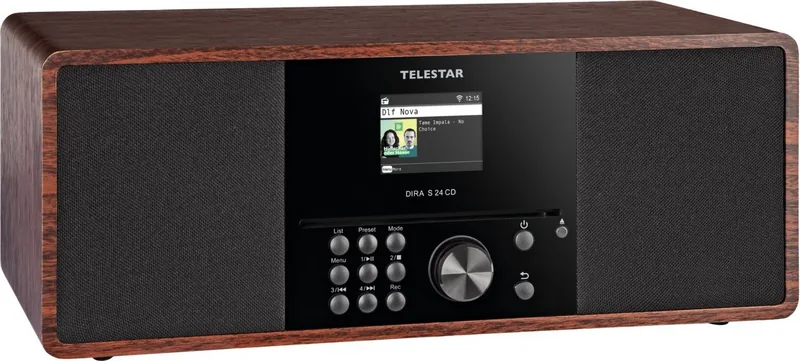
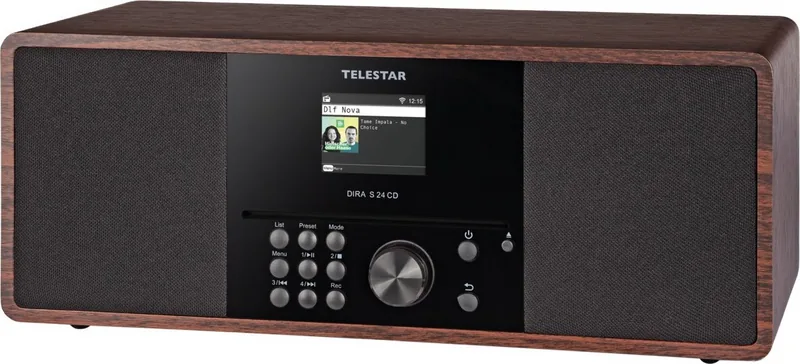
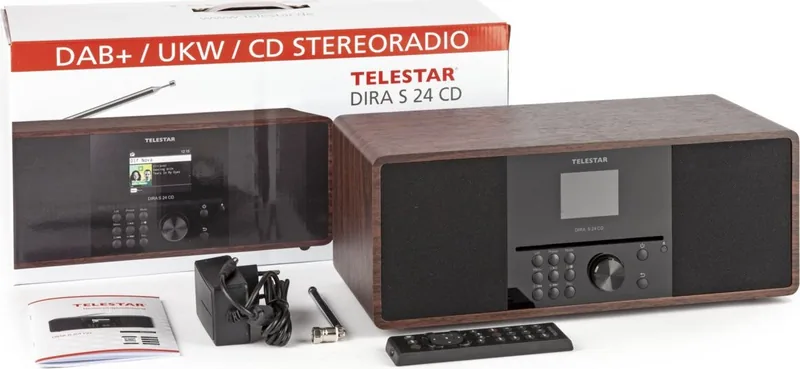
The Telestar DIRA S 24 CD is a versatile entertainment unit designed to bring high-quality sound and digital convenience into your home. This sleek device serves as a comprehensive audio hub, combining the reliability of traditional radio reception with modern connectivity options. Whether you are tuning into local news via DAB+ or FM, enjoying classic tracks from a compact disc, or streaming music wirelessly from your smartphone, this player handles it all with ease.
One of the standout features of this system is its robust multimedia capabilities. It supports USB playback, allowing you to play MP3 files directly from external drives or sticks. The built-in CD player ensures compatibility with your existing physical media collection. For those who prefer wireless freedom, the integrated Bluetooth module transforms the unit into both a receiver for your mobile devices and a transmitter for connecting to Bluetooth headphones or speakers. The AUX input further expands your options, letting you connect older audio players seamlessly.
User experience is at the forefront of the design. The intuitive interface includes a clear display and a dedicated remote control for effortless navigation. You can customize your listening environment with an equalizer that offers preset sound profiles or allows for manual adjustment of bass and treble. Practical features like a programmable sleep timer and a multi-function alarm clock add to its utility, making it perfect for bedside tables or kitchen counters. Safety is also prioritized, with guidelines ensuring safe operation regarding electrical connections and battery handling.
This device is not just about playing music; it is about creating an immersive audio experience. The recording function allows you to capture your favorite DAB+ or FM broadcasts onto a USB drive for later enjoyment. With its compact dimensions and sturdy build, the Telestar DIRA S 24 CD fits perfectly into any living space while delivering powerful sound through its dual speakers.
Important Notes
- Always use the provided power adapter to ensure safety and optimal performance.
- Keep the device in a dry environment away from direct sunlight and heat sources.
- Remove batteries from the remote control if the device will not be used for an extended period.
- Ensure the telescopic antenna is fully extended for the best radio reception.
- Regularly check for software updates via USB to maintain peak functionality.
Search for 67,706 Manuals online


Type-in Brand or Model