
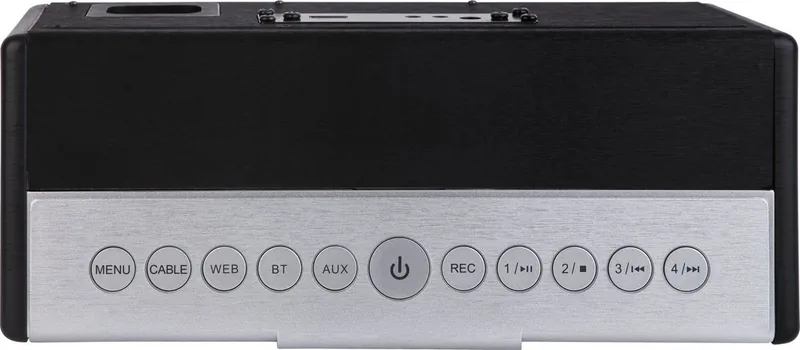
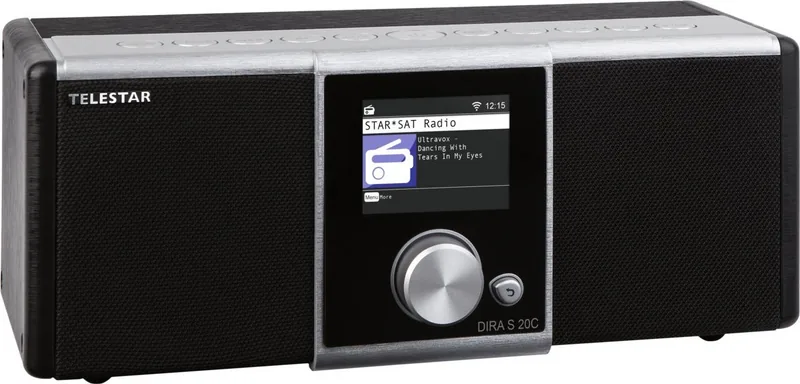
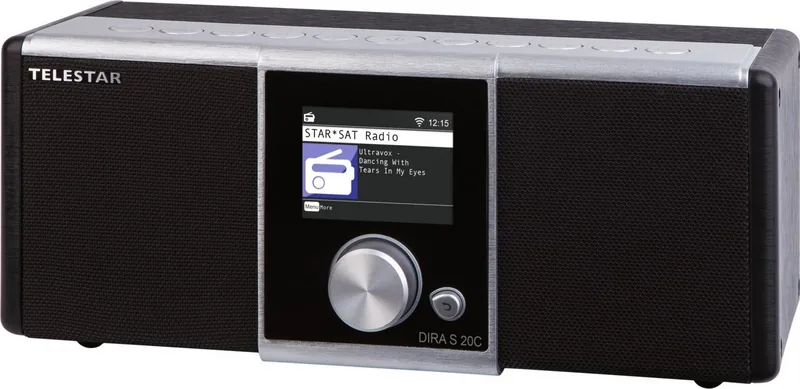
Telestar DIRA S 20C Manual
PDF manual · 406 Pages
English



Quick check
Incorrect answer, please try again.
Chat with your Telestar DIRA S 20C manual using AI
Get instant AI answers from your Telestar DIRA S 20C manual
Ask anything about the Telestar DIRA S 20C. Answers come from this manual, with the pages they are based on.
DIRA S 20C Maintenance Schedule
Inspect the device for visible damage before every use. Do not operate if any defects are found.
Unplug the device and clean with a soft, dry cloth. Do not use liquids, solvents, or cleaning agents.
If the device is not used for a long time, remove the batteries from the remote control to prevent leakage.
Ask a Question
Do you recommend DIRA S 20C?
Yes NoFrequently Asked Questions
Navigate to the System menu, select Network, choose your available Wi-Fi network from the list, enter the password using the remote keypad, and confirm with the Enter button.
Is this answer helpful?
Yes, simply plug in a compatible USB drive, start a broadcast, and press the Record button on the remote or device to save the file in MP3 format to the PVR folder.
Is this answer helpful?
Yes, you can configure the alarm to wake you up with a specific tone or by automatically tuning to a saved favorite internet or cable radio station.
Is this answer helpful?
Resetting will restore the original configuration but will permanently delete all saved radio stations, favorites lists, and custom settings.
Is this answer helpful?
No, the device should only be used in dry rooms. Exposure to moisture, humidity, or direct water contact can cause damage and void the warranty.
Is this answer helpful?
Advantages and Disadvantages
Advantages

- Supports multiple input sources including DVB-C, Internet Radio, USB, and Bluetooth
- Built-in equalizer allows for custom bass and treble adjustments
- Capable of recording radio broadcasts directly to USB storage devices
- Includes a flexible alarm clock feature with snooze function and timer options
- Provides real-time weather information updates based on user location
Disadvantages

- Remote control requires a separate CR 2025 battery which must be inserted manually
- Initial setup requires manual selection of region and network password entry
- Cannot charge the remote control battery; replacement is necessary when depleted
- USB drive must be formatted as FAT32 to ensure compatibility and recognition
- Power consumption increases slightly when using standby mode with clock display enabled
Product Specification
Power
30W Peak
Audio Formats
AAC, MP3, WAV, WMA
Tuner
DVB-C, Internet Radio, 10 Station Memory
Display
2.4" LCD
Audio Connections
AUX In (3.5mm Jack), Headphones (3.5mm Jack)
Other Connections
USB-A 2.0, Antenna
Wireless
Bluetooth 5.1, Wi-Fi
Power Supply
AC Power
Features
Charging Function (USB), Recording Function, Sleep Timer, Wake-up Function
Color
Black
Dimensions
10.31x4.33x4.84 inches (WxDxH)
Product Description
Discover the Telestar DIRA S 20C: Your Ultimate Audio Companion
The Telestar DIRA S 20C stands out as a versatile entertainment device designed for modern audio enthusiasts who demand flexibility and quality. This sleek unit serves as a comprehensive receiver capable of handling digital cable radio signals, streaming internet radio stations from around the globe, and playing high-quality audio files directly from USB drives or network sources. Whether you are tuning into local favorites or exploring international broadcasts, this device ensures a rich listening experience.
Designed with user convenience in mind, the DIRA S 20C features an intuitive interface controlled via both physical buttons on the unit and a dedicated remote control. The installation process is straightforward, allowing users to connect easily to their home network for seamless internet access. Once connected, the device automatically synchronizes time and date settings, ensuring accurate programming for alarms and timers. The built-in equalizer allows for personalized sound adjustments, letting you tweak bass and treble levels to match your specific acoustic preferences.
Beyond simple playback, this product offers advanced functionality such as recording capabilities. You can record live radio broadcasts directly onto a USB storage device, preserving your favorite shows for later enjoyment. The inclusion of Bluetooth connectivity enables wireless streaming from smartphones and tablets, making it easy to play personal music libraries through powerful speakers. For those who value reliability, the device includes robust safety features and clear guidelines for proper usage, ensuring long-term performance in a domestic setting.
The unit also integrates practical tools like weather updates and a customizable alarm system that can wake you up with your preferred station. With support for various audio codecs including MP3 and AAC, the DIRA S 20C delivers crisp, clear sound across a wide range of formats. Its compact design fits perfectly on any shelf while providing substantial power output through its dual speakers. Experience the perfect blend of traditional radio reception and modern digital streaming with this all-in-one solution.
Search for 67,706 Manuals online


Type-in Brand or Model