
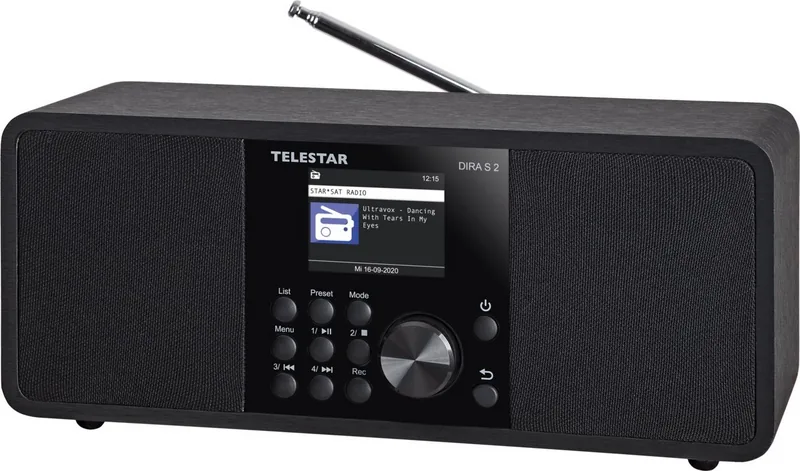
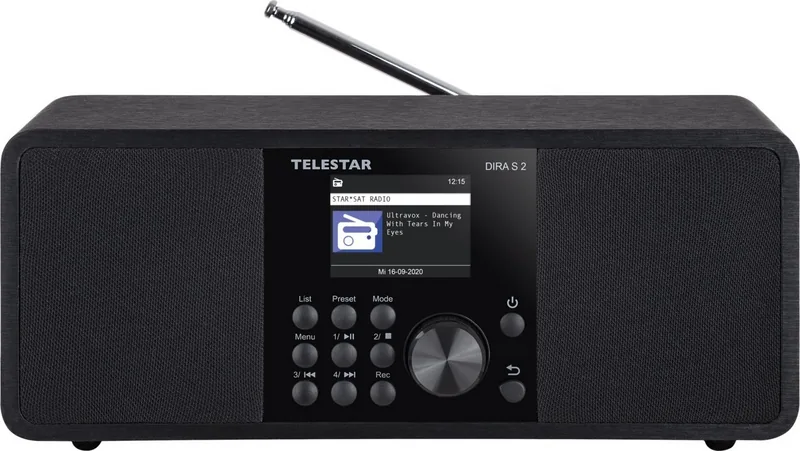
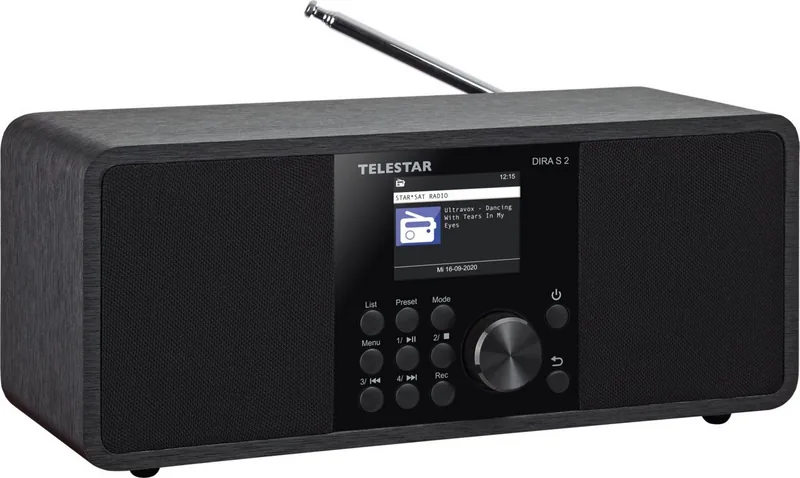
Telestar DIRA S 2 Manual
PDF manual · 392 Pages
English



Quick check
Incorrect answer, please try again.
Chat with your Telestar DIRA S 2 manual using AI
Get instant AI answers from your Telestar DIRA S 2 manual
Ask anything about the Telestar DIRA S 2. Answers come from this manual, with the pages they are based on.
DIRA S 2 Maintenance Schedule
Inspect the device for visible damage before every use. If damage is found, do not operate the device to avoid electric shock or fire.
Unplug the device and wipe it with a dry, soft cloth. Do not use liquids, solvents, or cleaning agents as they may damage the surface.
Remove exhausted or leaking batteries immediately. Clean contacts if leakage occurred before inserting new CR 2025 batteries.
Ask a Question
Do you recommend DIRA S 2?
Yes NoFrequently Asked Questions
Yes, the device supports recording radio broadcasts directly to a connected USB storage device. You can start a manual recording by pressing the record button or set up a timer for scheduled recordings. Files are saved in MP3 format within a PVR folder.
Is this answer helpful?
Yes, it features optional Bluetooth connectivity. You can pair it with smartphones or tablets to stream music locally stored or played from apps directly through the radio speakers.
Is this answer helpful?
Navigate to the System menu, select Network, choose your Wi-Fi SSID from the list, and enter the password using the remote keypad or dial. Ensure your router has DHCP enabled for automatic configuration.
Is this answer helpful?
Absolutely. You can configure up to two separate alarm times. Each alarm can trigger a signal tone or play a specific saved station like Internet, DAB, or FM radio.
Is this answer helpful?
The device supports common audio codecs including MP3, AAC/AAC+, and WMA. Bitrates up to 320 Kbits/s and sample rates up to 48 KHz are fully compatible.
Is this answer helpful?
Yes, the Equalizer (EQ) function allows you to select preset sound profiles or create custom settings tailored to your preference. These can be saved under My EQ.
Is this answer helpful?
Advantages and Disadvantages
Advantages

- Supports multiple audio sources including Internet, DAB+, FM, USB, and Bluetooth
- High-quality 15W speaker ensures loud and clear sound reproduction
- Built-in weather forecast and alarm clock functions add daily utility
- Easy-to-use remote control simplifies navigation and volume adjustments
- Allows recording of radio broadcasts directly to USB storage
Disadvantages

- Requires stable Wi-Fi connection for full internet radio functionality
- No built-in rechargeable battery limits portability during power outages
- Remote control uses a coin cell battery that may need periodic replacement
- Initial network setup requires entering complex passwords manually
- Physical buttons are small and may be difficult to see in low light
Product Specification
Power
20W Peak
Audio formats
AAC, MP3, WAV, WMA
Tuner
FM, DAB+, Internet radio, 30 station memory
Display
2.4" LCD
Audio connections
AUX In (3.5mm jack), Headphones (3.5mm jack)
Other connections
USB-A
Wireless
Bluetooth 5.1, Wi-Fi
Power supply
AC power
Features
Charging function (USB), remote control, telescopic antenna
Color
black
Dimensions
11.0x4.7x4.9 in (WxDxH)
Weight
3.33 lbs
Product Description
Discover the Telestar DIRA S 2: Your Ultimate Internet Radio Experience
The Telestar DIRA S 2 stands as a premier choice for audiophiles and casual listeners alike, offering a seamless blend of modern connectivity and classic radio functionality. Designed to elevate your home audio environment, this device serves as a versatile hub for digital entertainment. Whether you crave live internet streams, local DAB+ broadcasts, or high-fidelity analog FM signals, the DIRA S 2 delivers crystal-clear sound through its powerful 15-watt speaker system.
At the heart of the experience is intuitive operation. The sleek interface allows users to navigate effortlessly between various modes using the dedicated mode button or the included remote control. You can instantly switch from streaming global podcasts to playing MP3 files directly from a USB drive or accessing music stored on networked devices via UPnP. The built-in Bluetooth capability further expands your options, enabling wireless playback from smartphones and tablets without the clutter of cables.
Beyond simple listening, the DIRA S 2 offers practical features that integrate into daily life. Set up to two customizable alarms to wake up to your favorite station or a gentle signal tone. The weather function provides real-time updates for your specific location, keeping you informed without needing to check a phone. For those who want to preserve their favorite shows, the recording function allows you to capture broadcasts directly onto a connected USB storage device in MP3 format. Advanced settings let you fine-tune the equalizer to match your personal taste, ensuring every note sounds just right.
Installation is straightforward, with guided steps for connecting to Wi-Fi networks to unlock full internet radio capabilities. The device automatically synchronizes time and date when online, ensuring accurate scheduling for timers and alarms. Safety is paramount, with robust protection against electrical hazards and clear guidelines for battery handling and environmental conditions. Whether placed on a bedside table or a living room shelf, the DIRA S 2 combines aesthetic appeal with technical excellence.
Key Highlights
- Seamless integration with smart home networks for instant access to global content.
- High-quality audio output suitable for both background ambiance and focused listening.
- Flexible connectivity options including USB, AUX, Bluetooth, and network drives.
- User-friendly controls designed for all ages, with a comprehensive remote for convenience.
- Reliable performance with automatic software updates available for future enhancements.
Search for 67,706 Manuals online


Type-in Brand or Model