
Telestar DIRA M 10 Manual
PDF manual · 270 Pages
English



Quick check
Incorrect answer, please try again.
Chat with your Telestar DIRA M 10 manual using AI
Get instant AI answers from your Telestar DIRA M 10 manual
Ask anything about the Telestar DIRA M 10. Answers come from this manual, with the pages they are based on.
DIRA M 10 Maintenance Schedule
Check the device for visible damages before every use. Do not operate if damaged.
Unplug the device and wipe with a dry, soft cloth. Do not use liquids or solvents.
Ask a Question
Do you recommend DIRA M 10?
Yes NoFrequently Asked Questions
Switch to DAB/DAB+ in the mode menu, then run a DAB scan to search for receivable digital stations and build the station list. After the scan, the radio typically starts playing the first found station from the list.
Is this answer helpful?
Yes. In FM mode, you can trigger an automatic scan to stop when a station is found, or use manual tuning in small frequency steps. FM scan sensitivity affects how many stations are detected.
Is this answer helpful?
In each reception mode, choose a station and press and hold one of the station save buttons (1-5) for about 3 seconds. Later, you can recall that saved station by pressing the same preset button.
Is this answer helpful?
Connect your device to the AUX IN input using a suitable 3.5 mm stereo cable. Turn on the external source, then switch the radio to AUX mode (via the mode button or the AUX menu). Playback controls like track selection are handled by the connected device.
Is this answer helpful?
You can set up to two alarm times. Choose the alarm signal as beep, DAB/DAB+ or FM, set the wake-up volume, and define the time. Enable or disable each alarm, stop it via standby, and use snooze to pause for 5 minutes.
Is this answer helpful?
Yes, the device is configured for automatic time setup. If DAB+ reception is available, time and date can synchronize through DAB+ so you usually do not need to adjust them manually. You can also select manual sync behavior in settings.
Is this answer helpful?
Check the power connection using the included external power unit and ensure the device is correctly supplied. For remote-control issues, confirm the battery is inserted correctly. If DAB+ finds no stations, run another DAB scan and verify the antenna is fully extended and reception conditions are suitable.
Is this answer helpful?
Advantages and Disadvantages
Advantages

- Receives DAB/DAB+ and FM, plus plays external audio via AUX IN.
- Remote control plus on-device controls for convenient day-to-day operation.
- Stores up to 5 presets per reception mode for quick station access.
- Alarm clock with up to two wake times and selectable wake signal.
- Sleep timer and adjustable display brightness for comfortable use.
Disadvantages

- Designed for indoor, dry use only, with care needed to avoid moisture.
- Reception quality depends on proper antenna extension and placement.
- AUX playback requires correct mode selection and a suitable 3.5 mm cable.
- Resetting to factory settings clears stored stations and menu changes.
Product Specification
Power
15W RMS
Tuner
FM, DAB+, 20 station presets
Display
2.4" LCD
Audio Connections
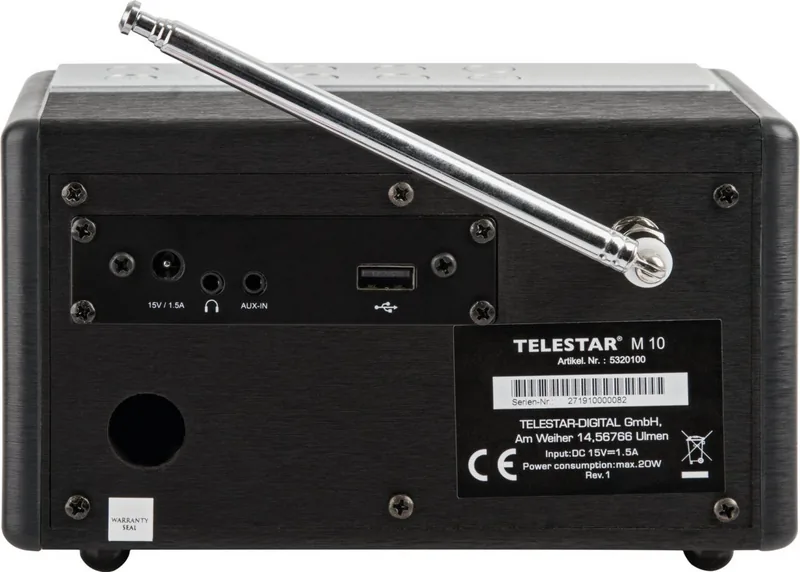
AUX In (3.5mm jack), Headphones (3.5mm jack)
Power Supply
Mains operation
Features
Charging function (USB), Remote control, Sleep timer, Telescopic antenna, Alarm function
Color
black
Dimensions
7.09x4.33x4.33in (WxHxD)
Weight
2.62lb
Product Description
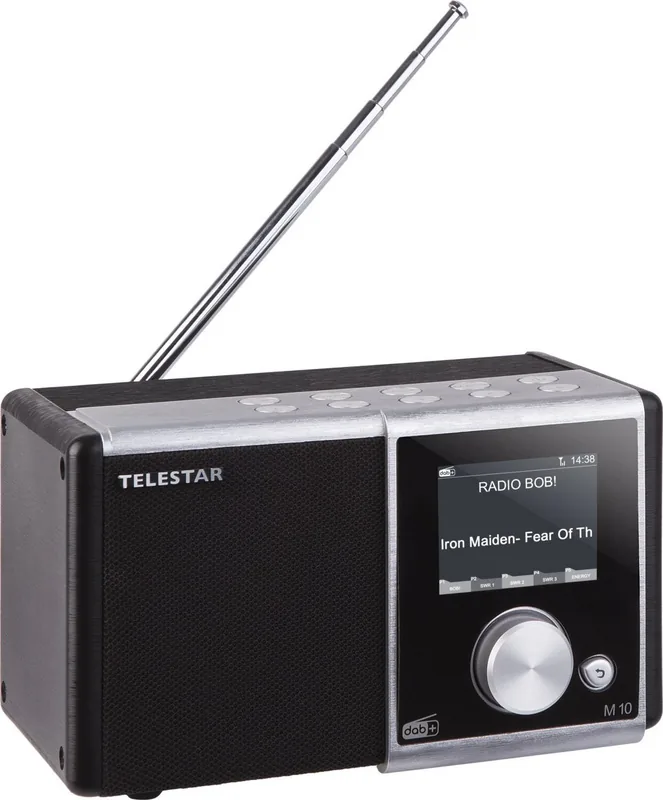
Telestar DIRA M 10 - DAB+ Radio with Alarm, AUX and Easy Control
If you want a reliable way to enjoy digital radio at home, the Telestar DIRA M 10 is built for everyday listening. Guidance commonly referred to as the Telestar DIRA M 10 Manual highlights the device as a compact entertainment receiver for DAB/DAB+ and FM (UKW) signals, plus an AUX input for external audio.
After a simple setup, you can switch between modes quickly: DAB/DAB+ for digital stations, FM for classic analogue listening, and AUX IN for music from sources such as MP3 players, smartphones, or tablets. The unit includes a telescopic antenna for strong reception, and you can store up to five presets in each radio mode to jump back to your favorites.
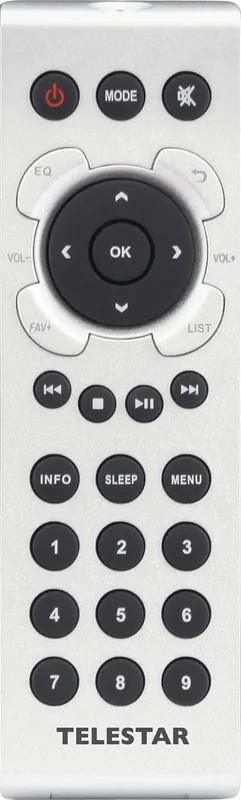
Navigation is designed to be straightforward. The device can be operated directly or with the included remote control, which makes everyday tasks like volume adjustment, station list access, and menu browsing more convenient. On the DAB side, the radio supports scanning to automatically build your station list, as well as manual DAB search if you know the broadcast frequency. For FM, you can run an automatic scan or fine-tune frequencies step-by-step.
More than a radio, it can also function as an alarm clock. You can set up to two alarm times and choose the alarm signal as a sound (beep), DAB/DAB+ or FM, plus set the wake-up volume and time. If you like winding down, the sleep timer can automatically switch the radio off after preset intervals (15, 30, 45, or 60 minutes). Display brightness can also be adjusted for comfortable viewing.
Key results
- Multi-mode listening: DAB/DAB+, FM, and AUX IN from external devices.
- Fast personalization: up to 5 station presets per band and a usable station list flow.
- Alarm and sleep: up to 2 wake times, plus auto-off after a selected duration.
- Smart setup options: language selection, time/date synchronization via DAB+, and adjustable display lighting.
Notes
- Use indoors in a dry environment, and keep the antenna fully extended for best reception.
- Avoid exposing the device or power supply to moisture or splashes.
- For AUX playback, make sure the radio is set to AUX mode and use the correct cable.
Search for 67,706 Manuals online


Type-in Brand or Model