
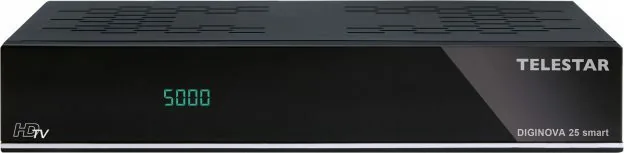

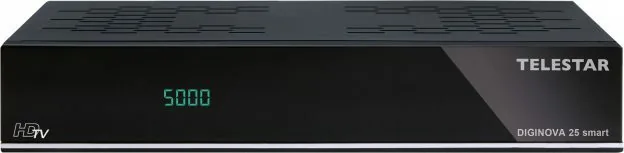
Telestar DIGINOVA 25 smart Manual
PDF manual · 88 Pages
English



Quick check
Incorrect answer, please try again.
Chat with your Telestar DIGINOVA 25 smart manual using AI
Get instant AI answers from your Telestar DIGINOVA 25 smart manual
Ask anything about the Telestar DIGINOVA 25 smart. Answers come from this manual, with the pages they are based on.
DIGINOVA 25 smart Maintenance Schedule
Always disconnect the device from the power outlet before cleaning to ensure safety.
Use a dry, soft cloth for cleaning. Do not use liquids or solvents that could damage the surface.
Ask a Question
Do you recommend DIGINOVA 25 smart?
Yes NoFrequently Asked Questions
You can update firmware via USB stick or through the Internet menu. Ensure you have a stable connection.
Is this answer helpful?
Yes, use the timer function or record manually during playback with a USB drive inserted.
Is this answer helpful?
Yes, it includes voice control features to help you navigate menus and change inputs without using the remote.
Is this answer helpful?
It supports HDMI for digital video and SCART or AV for analog connections on older televisions.
Is this answer helpful?
No, this unit is designed for Full HD resolution output rather than 4K Ultra High Definition standards.
Is this answer helpful?
Connect via Ethernet cable for network access or configure IP settings if the model supports wireless options.
Is this answer helpful?
Yes, a Common Interface slot allows you to insert CI modules for decoding encrypted pay TV content securely.
Is this answer helpful?
Advantages and Disadvantages
Advantages

- Supports DVB-T2, DVB-S, and DVB-C for versatile signal reception across different connection types
- Integrated PVR functionality allows recording shows directly to USB storage for viewing later
- Compatible with Alexa voice control for hands-free operation and easy menu navigation
- Features Dolby Digital audio output for enhanced sound quality in home theater systems
- Provides EPG for scheduled program viewing and timer recording setup easily
Disadvantages

- Full HD only, lacks native 4K UHD support for ultra-high definition screens
- External USB drive required for recording which adds to initial setup cost
- Remote control batteries must be replaced periodically for continued functionality
- Network updates require manual triggering or specific network configuration steps
- CI module needed for encrypted content which may require additional subscription fees
Product Specification
Tuner Slots
1 (fixed)
Single Tuner
1x DVB-S2
Twin Tuner
No
Dual Tuner
1x DVB-C/T2
Triple Tuner
No
Decoder
HEVC, HDTV
Smart Card Reader
No
Common Interface
1x CI+
PVR
USB
Video Connections
1x HDMI Out, Audio/Video Output
Audio Connections
1x Digital Audio Out (optical)
Other Connections
1x USB 2.0, 1x RJ-45
Display
4-digit 7-segment LCD
Features
EPG, Media Player, Teletext, Timeshift, Web Services
Control Signals
DiSEqC 1.0/1.2, Unicable, Unicable II
Color
Black
Dimensions
8.15x1.65x5.31 in (WxHxD)
Weight
2.16 lbs
Product Description
Experience Next-Gen Television with the Digital Receiver
Welcome to the world of digital entertainment with the Telestar Diginova 25 smart receiver. This device brings high-quality television to your living room without compromising on performance or style. It supports DVB-T2, DVB-S, and DVB-C signals to ensure broad coverage from satellite, cable, or antenna sources. You can enjoy Full HD picture quality throughout your entire content library regardless of the source. The unit also features PVR functionality via USB ports which allows you to record shows for later viewing during busy periods or when you miss episodes. Audio is significantly enhanced with Dolby Digital support for immersive soundscapes during movie nights or sports events. For added convenience, Alexa voice control is integrated into the system allowing hands-free navigation through menus and options easily. You can connect it directly to your home network for internet radio streaming and software updates to keep features fresh and secure.
Setup is straightforward for most modern homes but detailed guidance is useful for first-time users. If you need specific installation steps, refer to the Telestar Diginova 25 smart Manual for comprehensive help. It covers safety and connections thoroughly to prevent damage during the process. The device is certified safe for indoor use only under standard operating conditions. It includes a smart remote control for easy navigation without hassle or confusion. EPG helps you plan your viewing schedule days in advance so you never miss a favorite show. You can sort channels to create favorites lists for quick access to preferred content. Software updates are available via USB stick or OTA methods ensuring your receiver stays current with new features safely. The build quality is robust for daily use in any room around your house. It fits under most modern TV stands easily without taking up much space. You can use external USB drives for storage expansion conveniently for large video files. Encryption support allows CI module usage for subscription channels securely so you can unlock hidden content. Overall, it is a versatile media hub for the whole family to enjoy together daily.
Enjoy crisp images and clear sound from multiple sources simultaneously. It simplifies your viewing experience significantly compared to older boxes currently available. The interface remains responsive and logical for all ages including seniors. Battery care instructions are provided for the remote control usage. Network settings can be customized for static IPs if needed for advanced users. Audio output supports digital SPDIF connections for home theaters to maximize performance. HDMI resolution is adjustable to match your screen perfectly without distortion issues. Standby modes help reduce electricity consumption during idle times to save money. Always check voltage compatibility before connecting to the power source for safety. The user guide explains all initial configurations step by step without confusion. Customer support is available if issues arise during operation for your peace of mind. Enjoy your investment in better home entertainment today with this reliable system.
Search for 67,706 Manuals online


Type-in Brand or Model