
Synology VisualStation VS600HD Manual
PDF manual · 43 Pages
English



Quick check
Incorrect answer, please try again.
Chat with your Synology VisualStation VS600HD manual using AI
Get instant AI answers from your Synology VisualStation VS600HD manual
Ask anything about the Synology VisualStation VS600HD. Answers come from this manual, with the pages they are based on.
Ask a Question
Do you recommend VisualStation VS600HD?
Yes NoFrequently Asked Questions
Connect the included RJ45 LAN cable to the Gigabit Ethernet port on the back of the unit and plug it into your switch or router. Ensure power is connected before booting.
Is this answer helpful?
You need Surveillance Station 9.1.2 or higher on your Synology NAS/NVR to utilize all functions and features fully.
Is this answer helpful?
Yes, but you must power off and unplug the device first. Follow static discharge safety rules when opening the casing.
Is this answer helpful?
Green on and Green off means booting. Green and Green means ready. Blinking patterns indicate different states. Consult the status table for details.
Is this answer helpful?
Yes, it has two USB 3.2 Gen 1 ports for mice, keyboards, or storage devices. Ensure compatibility for best results.
Is this answer helpful?
Hold the reset button until a beep sounds. For a full reinstall, hold briefly then again within ten seconds.
Is this answer helpful?
New products typically have a one-year warranty starting from the purchase date. Extended options may be available depending on region.
Is this answer helpful?
Advantages and Disadvantages
Advantages

- Intel Celeron J4125 processor and 4GB RAM for smooth performance.
- Dual HDMI and USB 3.2 ports for versatile connectivity options.
- Low power consumption suitable for 24/7 surveillance operation.
- LED indicators provide clear system status at a glance.
- Compatible with VESA mounts and wall installation brackets.
Disadvantages

- Fan replacement requires disassembly and static precautions.
- Requires Surveillance Station 9.1.2 or higher for full use.
- No built-in battery backup for power failure protection.
- Audio input and output are 3.5mm not digital connections.
- Warranty support may vary based on regional regulations.
Product Specification
Channels
50
Compression
H.264, H.265
Hard Drive
N/A
Optical Drive
N/A
Interfaces
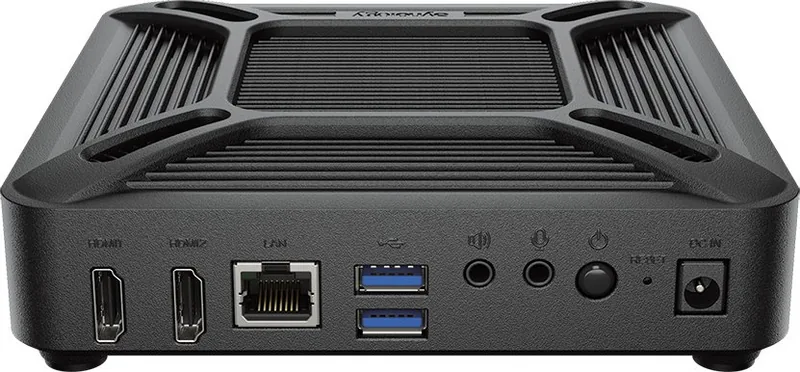
1x Gb LAN, 2x HDMI, 2x USB 3.0 (Host), 1x Audio-Out, 1x Audio-In
Features
Multistreaming, PTZ Control, VESA Mount (3.94 x 3.94 inches, 2.95 x 2.95 inches)
Manufacturer Warranty
3 years
Product Description
Synology VS600HD VisualStation Overview
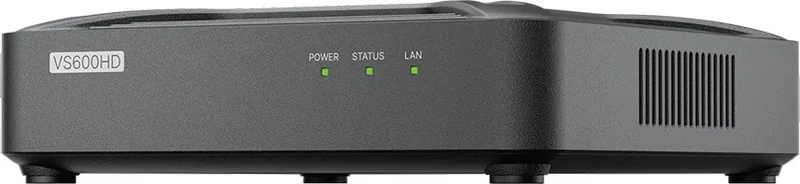
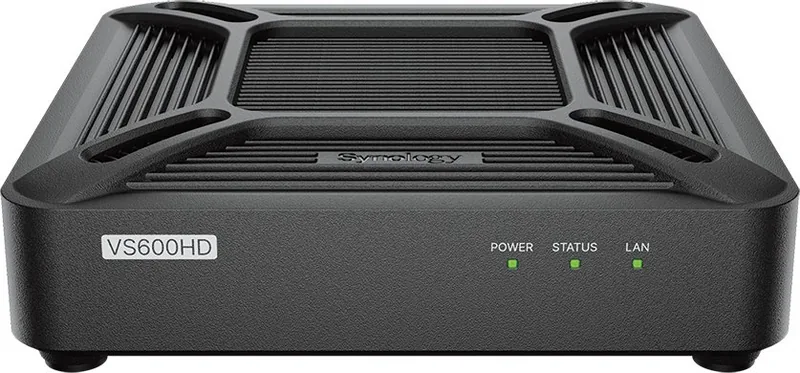
The Synology VisualStation represents a robust solution for modern surveillance needs, designed to enhance how administrators monitor their environments. Equipped with a powerful Intel Celeron J4125 processor and 4 GB of DDR4 RAM, this device ensures smooth operation when paired with compatible NAS or NVR systems. Connecting to your local network is seamless via the built-in Gigabit Ethernet port, allowing real-time video feeds to be viewed on a compatible display through the versatile HDMI inputs. Configuration details aligning with the Synology VS600HD VisualStation Manual standards ensure correct installation.
System Capabilities
Installation is designed for flexibility, supporting wall mounting or VESA-compatible monitor setups out of the box. The package includes necessary screws and adapters for secure placement near surveillance feeds. Once physically connected, the system LEDs provide critical status updates regarding power and network connectivity throughout daily operations. Green lights indicate active connections, while blinking patterns help diagnose operational states like booting cycles or shutdown sequences. This feedback is essential for maintaining uptime in security applications where continuous monitoring is required.
Beyond hardware, the device integrates tightly with Surveillance Station software for a unified experience. Administrators must ensure they run version 9.1.2 or higher on their network storage unit to unlock full functionality and new features. Audio capabilities allow for two-way communication if needed, utilizing the dedicated 3.5mm microphone input and speaker output ports. Troubleshooting is straightforward, with defined steps for common issues like power failures or USB device recognition errors during system setup. Regular maintenance ensures longevity, including fan replacements. Personnel must follow static discharge safety protocols.
Setup and Maintenance
Security remains a priority with various regulatory certifications ensuring compliance across global markets including FCC and CE zones. The system operates within specific temperature ranges and humidity levels, requiring careful placement to prevent overheating during continuous runtime cycles. If connectivity issues arise, checking cable integrity and power stability are the first recommended steps before contacting technical support staff. The hardware supports hot swapping for specific components, though power safety precautions are strictly emphasized during any internal modifications to ensure user safety.
Maintaining this system involves regular updates. The design prioritizes reliability, making it ideal for commercial and residential security setups requiring high availability. Whether monitoring a warehouse or small home office, the VS600HD provides the necessary interface to manage video streams efficiently. Its compact form factor allows for unobtrusive placement while delivering consistent performance under load. Warranty policies outline support durations depending on the purchase location and product age.
Search for 67,706 Manuals online


Type-in Brand or Model