
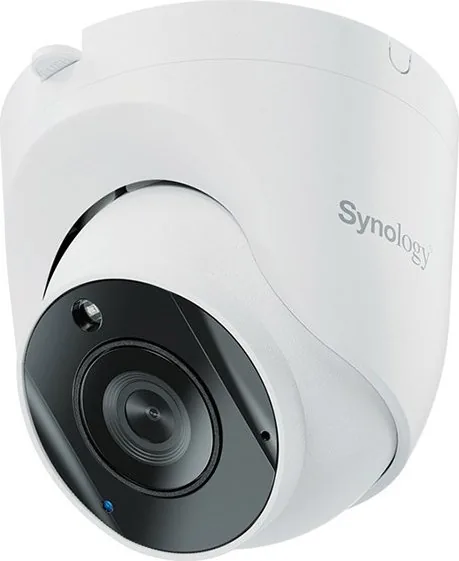
Synology TC500 Manual
PDF manual · 28 Pages
English



Quick check
Incorrect answer, please try again.
Chat with your Synology TC500 manual using AI
Get instant AI answers from your Synology TC500 manual
Ask anything about the Synology TC500. Answers come from this manual, with the pages they are based on.
Ask a Question
Do you recommend TC500?
Yes NoFrequently Asked Questions
Yes, the device meets IP67 weather resistance standards and IK10 vandal protection ratings. You should install the RJ45 connector cap cover and hide cables into a waterproof junction box to maximize protection.
Is this answer helpful?
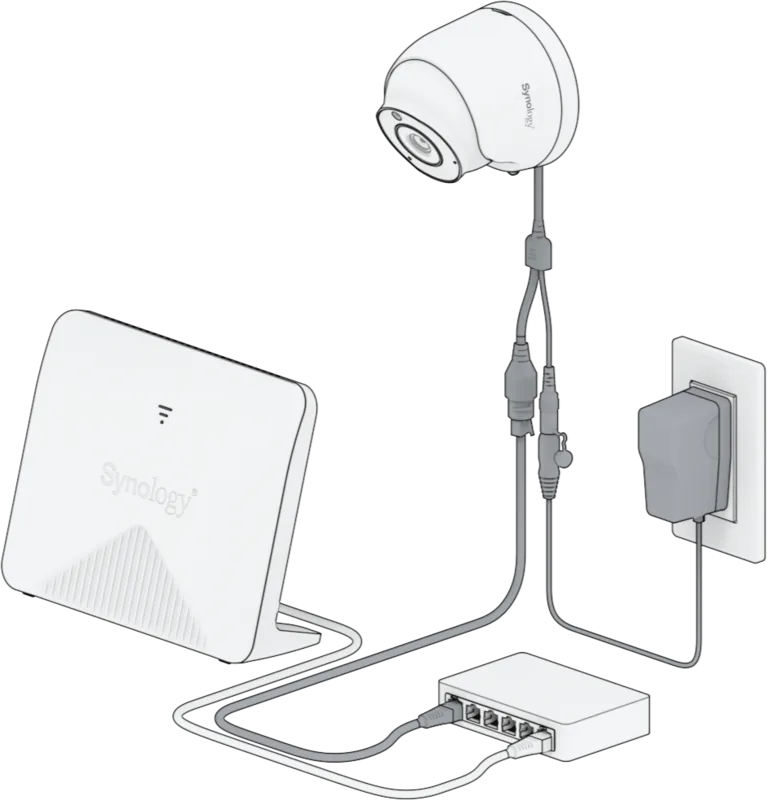
You can connect via Power over Ethernet for both data and power or use a 12V DC adapter for power only. PoE is generally intended for indoor use while DC supports flexible setups.
Is this answer helpful?
The device supports MicroSD cards up to one hundred twenty-eight gigabytes formatted as exFAT. It recommends class ten or higher speed cards for reliability. Cards larger than this may work but are untested.
Is this answer helpful?
A soft reset involves holding the reset button for four seconds to clear login credentials. A hard reset requires ten seconds to restore all factory defaults while keeping the firmware version.
Is this answer helpful?
The camera offers a maximum resolution of 2880 by 1620 pixels at 30 frames per second. This provides detailed image quality for monitoring purposes.
Is this answer helpful?
Yes, the package contains screws and anchors for wall mounting. You will need to drill holes using the marked locations provided in the setup guide.
Is this answer helpful?
Warranty terms typically cover new products for one year from the date of purchase. Refurbished products may have shorter periods. Always keep your original receipt for claims.
Is this answer helpful?
Advantages and Disadvantages
Advantages

- High resolution 2880 by 1620 pixels for clarity
- IP67 weather resistance and IK10 vandal protection rating
- Power over Ethernet simplifies wiring operations
- MicroSD card support for edge recording up to 128 GB
- Wide one hundred ten degree viewing angle horizontally
Disadvantages

- No MicroSD card included in the standard box
- No DC power adapter included for standalone power use
- PoE power supply is restricted to indoor use only
- Requires Surveillance Station version nine or higher minimum
- External power adapter must meet strict EN safety standards
Product Specification
Type
Turret
Image Sensor
1/2.7" CMOS
Resolution
2880x1620 Pixels (30fps)
Lens
2.8mm (F1.8)
Light Sensitivity
0 Lux (IR)
Viewing Angle
110 deg (horizontal), 56 deg (vertical), 132 deg (diagonal)
Pan
N/A
Tilt
N/A
Compression/Codecs
H.264, H.265, G.711
Multistreaming
Supported
Connections
1x RJ-45 100 Mbps LAN
Data Storage
1x microSD slot (max. 128 GB)
Microphone
Integrated
Illumination
IR Illumination (98.43 ft)
Power Supply
PoE (Type 1)
Ingress Protection
IP67, IK10
Housing
Suitable for outdoor use
System Control & Operation
Mobile App (Android, iOS)
Zone & Analysis Functions
Motion Detection, Tamper Detection, Sound Detection, Person Detection, Vehicle Detection, Privacy Zones
Manufacturer Warranty
3 years
Product Description
Protecting Your Property
Securing your home requires reliable surveillance tools. The Synology TC500 stands out as a robust solution. This camera offers exceptional clarity with a maximum resolution of 2880 by 1620 pixels at thirty frames per second. You get a wide viewing angle covering one hundred ten degrees horizontally. The hardware is built tough, meeting IP67 weather resistance standards and IK10 vandal protection ratings. This ensures stability whether placed outdoors or in high-traffic areas.
Installation Overview
Proper installation is key to utilizing the full potential of this unit. You can connect via Power over Ethernet to simultaneously power and transmit data, or use a standard DC adapter. If choosing the outdoor path, securing the RJ45 connector cap cover adds necessary waterproof sealing. The setup process integrates seamlessly with Synology Surveillance Station software for easy configuration. Users can initialize the camera through the web interface or the dedicated Camera Tool application. Network settings revert to DHCP by default unless a static IP is preferred. Storage options vary to suit data retention needs. The device supports MicroSD cards up to one hundred twenty-eight gigabytes formatted as exFAT. This allows for edge recording capabilities independent of a network server. Audio is also supported through a built-in microphone for comprehensive situational awareness. LED indicators provide visual feedback regarding system status.
Maintenance Tips
Detailed insights regarding the Synology TC500 Manual specifications reveal crucial setup steps. Operating temperatures span from minus thirty degrees Celsius to fifty degrees Celsius in non-IR modes. The system requires a Surveillance Station version nine or higher for optimal performance. Warranty terms typically cover new products for one year from the date of purchase. Customers should keep their original packaging and receipt for any potential claims or service requests. This information is vital for safe operation. Mounting involves securing the base to a stable surface before attaching the chassis. You hear a click when the chassis locks into place. Adjustable viewing angles allow you to frame the scene exactly as needed. This flexibility is crucial for covering corners or driveways effectively. The package includes screws and anchors for wall mounting. An RJ45 connector cap is included specifically for outdoor applications where cable management matters. PoE simplifies wiring by reducing the number of cables needed for operation. Alternatively, a DC adapter connects to a standard power outlet for non-PoE environments. Note that external adapters must meet specific EN safety standards for extra-low voltage. This ensures compliance with international safety regulations. The DC adapter is not included in the standard box. Purchasing a compatible twelve volt one amp unit is necessary for standalone power. Regular maintenance keeps the lens clean and unobstructed by dust or insects. Avoid using chemical aerosols when cleaning the exterior surface. Use a damp cloth instead to remove grease or grime safely. Ensure the plug is properly connected to avoid accidental power loss.
Search for 67,706 Manuals online


Type-in Brand or Model