

Synology SA Series Manual
PDF manual · 61 Pages
English



Quick check
Incorrect answer, please try again.
Chat with your Synology SA Series manual using AI
Get instant AI answers from your Synology SA Series manual
Ask anything about the Synology SA Series. Answers come from this manual, with the pages they are based on.
Ask a Question
Do you recommend SA Series?
Yes NoVideo Manual
Synology Complete Beginner Setup Guide: Updated for 2025
Frequently Asked Questions
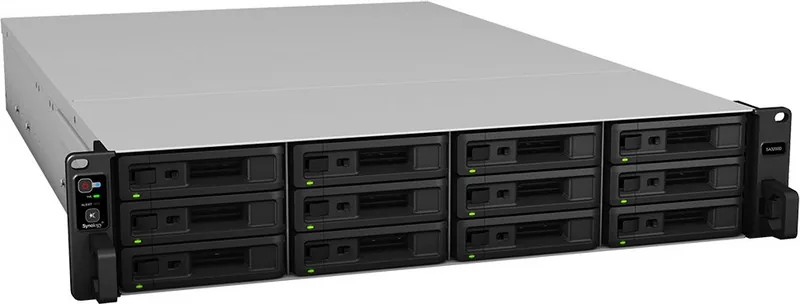
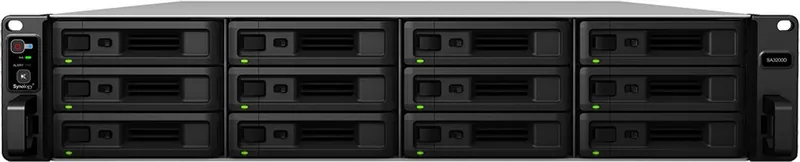
The device features twelve drive bays compatible with 2.5 and 3.5 inch SATA and SAS drives. This allows for significant storage capacity and data redundancy options for critical data.
Is this answer helpful?
Yes, the RAM is expandable with compatible DDR4 modules. Users can increase total memory to support more active applications effectively and improve system responsiveness.
Is this answer helpful?
Yes, it supports RX1222sas expansion units. Multiple units can connect to increase total storage space as business needs grow over the years.
Is this answer helpful?
There are four 1GbE ports, two 10GBase-T ports, and one management port. This provides versatile connectivity for various network configurations and speeds.
Is this answer helpful?
Yes, there is a limited warranty period for hardware components. Specific terms depend on the region and purchase date of the acquired product.
Is this answer helpful?
Yes, there are two PCIe slots available. These allow for additional network cards or other interface enhancements to customize the system.
Is this answer helpful?
You can use the reset button on the front panel. Pressing it for specific durations resets passwords or reinstalls the software on the device.
Is this answer helpful?
Advantages and Disadvantages
Advantages

- 12 drive bays support for extensive storage scalability and RAID configurations
- Intel Xeon CPU delivers high performance and reliable multitasking capabilities
- PCIe expansion slots allow for custom network cards and interface upgrades
- Hot-swappable power supplies reduce maintenance downtime significantly
- RAM is upgradeable to enhance system memory and application performance
Disadvantages

- Rackmount design requires specific server rack infrastructure for proper installation
- No USB-C ports available for modern high-speed peripheral connections
- Unit is physically large and heavy requiring desk or rack support
- Cooling fans may generate noticeable noise in quiet office environments
- Higher upfront cost compared to standard consumer grade NAS options
Product Specification
Hard Drive
N/A
Warranty
60 months
USB Orientation
Left
Product Description
Synology SA Series Overview
Discover powerful enterprise-grade storage with the Synology SA Series. This robust line of network attached storage solutions is designed for modern businesses demanding high performance. The SA3410 stands out for organizations looking to scale their data infrastructure without compromising on speed. Users often refer to the comprehensive guidance found in the Synology SA Series Manual to maximize potential. Invest in storage that grows with your ambitions and relies on proven performance for your most vital data assets. Whether you are a small business owner or part of an IT department, the Synology SA Series delivers significant value. The attention to detail in the product engineering reflects a commitment to user experience.
Technical Features
The architecture utilizes Intel Xeon processors, ensuring smooth multitasking for demanding applications. With twelve drive bays, administrators build massive storage pools tailored to business needs. The system supports both SATA and SAS drives, offering flexibility for different budget tiers. Expansion is seamless, allowing connection to multiple RX1222sas units. Connectivity is a major highlight. The inclusion of ten GBase-T ports alongside standard gigabit ethernet ports ensures that data transfer speeds keep pace with modern network demands. Two PCIe slots provide opportunities for further enhancement through network cards. The presence of USB 3.2 ports allows for quick external data transfers or peripheral connections. Wake on LAN features allow remote power management for energy efficiency. System status is easily monitored via front panel LEDs, which indicate drive health, power status, and potential alerts. This level of customization makes the device suitable for virtualization hosts and critical backup repositories.
Installation and Setup
Security and stability are paramount. The design includes redundant power supplies and advanced cooling systems. Operating environments are monitored through detailed sensors. Should an issue arise, troubleshooting steps are readily available. The focus on longevity means the hardware is built to run continuously in rackmount setups. The warranty covers components and ensures support availability during the active period. Maintenance tasks like fan replacement or RAM upgrades are accessible without needing specialized engineering teams. Installation requires careful attention to safety protocols. Loose screws can damage components, so tools must be managed carefully. Antistatic measures protect sensitive circuit boards from damage during internal work. Proper cable management ensures airflow is unobstructed and safe. You should consult the setup procedures to ensure cables connect correctly to switch ports. This ensures the longevity of internal components during upgrades. The physical design accommodates various cooling requirements to prevent overheating effectively.
Search for 67,706 Manuals online


Type-in Brand or Model