
Synology RT6600ax Manual
PDF manual · 17 Pages
English



Quick check
Incorrect answer, please try again.
Chat with your Synology RT6600ax manual using AI
Get instant AI answers from your Synology RT6600ax manual
Ask anything about the Synology RT6600ax. Answers come from this manual, with the pages they are based on.
Ask a Question
Do you recommend RT6600ax?
Yes No
Luca Becker
9 months ago
I used an ASUS router for years and was happy, but I am considering a Synology router. Is it hard to set up and does it take a lot of time to configure?

Manual.ly
9 months ago
A Synology router offers many network and security options, so it can feel more advanced than basic home routers. The initial setup is straightforward via the web interface, but full configuration (users, firewall rules, VLANs, DNS, backups, etc.) may take some time if you want to use everything. If you start with the built-in quick setup and focus on your essential settings first, you can get online quickly and refine the configuration later. Many users also recommend going through the menu options one by one so you understand what each feature does. If you mostly plan to use it as an AP or for specific wired services, you can keep the setup simpler.
Frequently Asked Questions
The default Wi‑Fi SSID is Synology_(Serial) and the default password is synology. During the SRM setup wizard (accessed via router.synology.com or the device IP), you can set a new SSID and strong password and save the configuration to secure your network.
Is this answer helpful?
During the SRM setup wizard you can choose the operation mode. Select Wireless Router to manage NAT and DHCP on the device, or choose Access Point mode to have it bridge to an existing network. Additional external access settings and HTTP(S) port options are offered when selecting modes.
Is this answer helpful?
The router includes one dedicated Gigabit WAN, one 2.5G WAN/LAN port (usable as multi‑gig WAN or LAN), and multiple Gigabit LAN ports (three Gigabit plus one 2.5G capable port depending on configuration), allowing flexible high‑speed wired connections for NAS, PCs, and switches.
Is this answer helpful?
The RT6600ax supports a wide range of wireless security: 64/128‑bit WEP, WPA/WPA2, WPA2‑Enterprise, WPA3‑Personal and Enterprise, Opportunistic Wireless Encryption (OWE), and mixed WPA2/WPA3 modes, enabling both legacy compatibility and modern stronger encryption.
Is this answer helpful?
Place the router on a stable, elevated surface near the coverage center, away from microwave ovens and other RF sources, and avoid metal or concrete obstructions. Tilt antennas to be roughly perpendicular to the surface (90°) for optimal multi‑directional coverage.
Is this answer helpful?
External storage connected via the USB 3.2 Type‑A port supports EXT4, EXT3, FAT, NTFS, and HFS+ file systems, making it compatible with common NAS and external drive formats for sharing and backups.
Is this answer helpful?
Yes. Follow safety instructions: keep vents clear, use supplied power cable, avoid liquids, and maintain recommended minimum distances for RF exposure (typically 20–23 cm). The device complies with FCC, ISED, and RED regulations and some frequency bands are restricted to indoor use in certain regions.
Is this answer helpful?
Advantages and Disadvantages
Advantages

- Wi‑Fi 6 with dual 5GHz bands and substantial top speeds for multi‑device environments.
- 2.5G WAN/LAN port plus multiple Gigabit LAN ports for flexible, high‑speed wired connections.
- SRM provides advanced management: guest networks, parental controls, traffic monitoring, and remote access.
- USB 3.2 port supports external storage or peripherals, expanding functionality.
- Strong security support including WPA3, OWE, and enterprise options.
Disadvantages

- Indoor use restriction for certain 5GHz bands may limit placement options in some regions.
- Default credentials are generic and must be changed during setup for security.
- Physical placement and antenna orientation significantly affect performance; careful positioning required.
- May be overkill for very small networks or users with minimal bandwidth needs.
- Some advanced features require user familiarity with networking and SRM for full benefit.
Product Specification
Modem
N/A
WAN
1x 2.5GBase-T (shared), 1x 1000Base-T
LAN
1x 2.5GBase-T (shared), 3x 1000Base-T
Wireless
WLAN 802.11a/b/g/n/ac/ax (Wi-Fi 6), simultaneous
Transmission rate
574Mbps (2.4GHz), 6005Mbps (5GHz) divided into 1x 4804Mbps and 1x 1201Mbps
Security
WPA, WPA2, WPA3
Antennas
6x external
Ports
1x USB 3.0
Power consumption
11.11W (consumption, operation), no specification (max. power supply output)
Dimensions
12.60x7.87x6.89in
Special features
MU-MIMO, IPv6, VPN passthrough (PPTP/L2TP/IPSec), DLNA, supports mobile modems (3G/4G), WLAN on/off switch, Roaming, Mesh (shared band), supports 802.11s Mesh
Band capability
Tri Band (simultaneous), Mesh (shared band)
Manufacturer warranty
two years
Transmission rate 802.11ax (Wi-Fi 6 / Wi-Fi 6E) 2.4GHz
574Mbps (Spatial Streams: 2x2, Bandwidth: 40MHz, Modulation: 1024-QAM)
Transmission rate 802.11ax (Wi-Fi 6 / Wi-Fi 6E) 5GHz
Band 1: 4804Mbps (Spatial Streams: 4x4, Bandwidth: 160MHz, Modulation: 1024-QAM); Band 2: 1201Mbps (Spatial Streams: 2x2, Bandwidth: 80MHz, Modulation: 1024-QAM)
Note
Specification of the transmission rate for 802.11ax at 2.4GHz and 5GHz. (802.11ax (2.4GHz) 2x2 40MHz 1024-QAM: 574Mbps, 802.11ax (5GHz Band 1) 4x4 160MHz 1024-QAM: 4804Mbps, 802.11ax (5GHz Band 2) 2x2 80MHz 1024-QAM: 1201Mbps)
Product Description
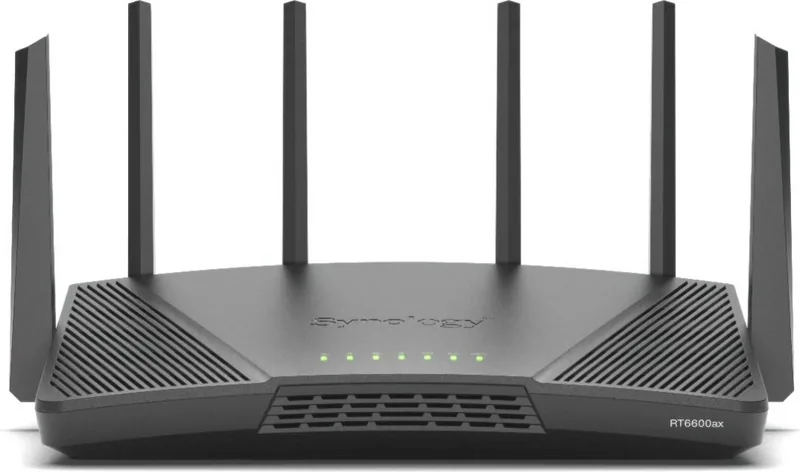
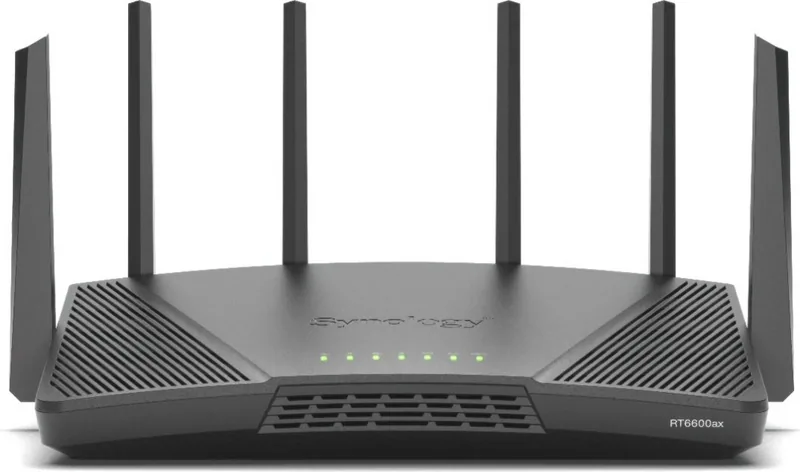
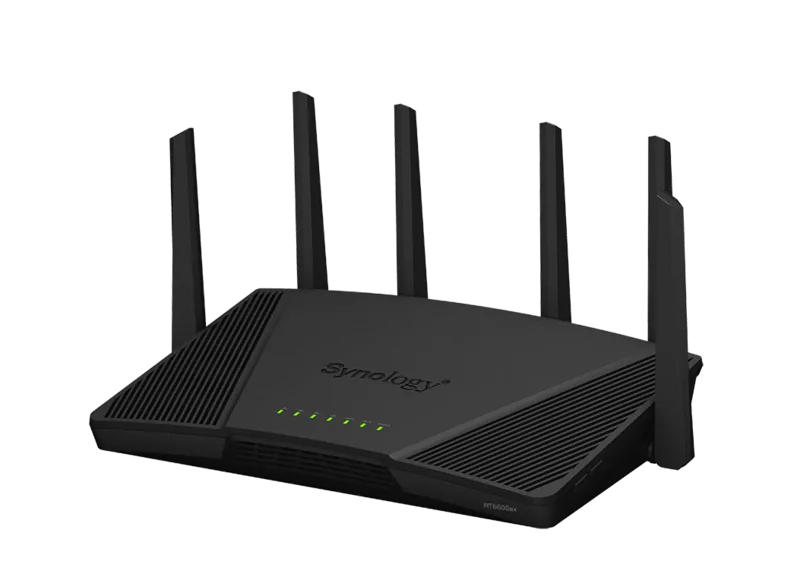
Synology RT6600ax — Powerful, Flexible Wi‑Fi 6 Router
The Synology RT6600ax is a high-performance Wi‑Fi 6 router designed for homes and small offices that need fast wireless speeds, flexible wired connectivity, and advanced network management. Built with multi‑band 802.11ax support, a mix of Gigabit and 2.5G Ethernet ports, and USB 3.2 expansion, this model targets users who want robust throughput for streaming, gaming, large file transfers, and multi‑device households.
Key features and design
Sporting a compact chassis with upright antennas, the RT6600ax delivers strong coverage across both 2.4GHz and dual 5GHz bands. The router offers up to 600 Mbps on 2.4GHz and up to 4800/1200 Mbps on the two 5GHz bands respectively (device‑rated), supported by 2T2R and 4T4R antenna arrays. Rear I/O includes a USB 3.2 Gen 1 Type‑A port for external storage or peripherals, a dedicated WAN port, a 2.5G WAN/LAN port for high‑speed internet or LAN uplinks, and multiple Gigabit LAN ports to connect wired devices.
Synology’s Router Manager (SRM) provides an intuitive setup wizard and ongoing management tools: guest networks, WPA3 security, mesh capabilities, parental controls, traffic monitoring, and remote access options. The hardware also includes status LEDs, WPS and Wi‑Fi physical buttons, and reset/power controls for quick operation and troubleshooting.
Who it’s for
This router suits tech‑savvy home users, small offices, and media‑heavy households that need more than basic consumer routers: those who want multi‑gig wired connectivity, centralized management via SRM, and advanced wireless security standards (WPA3, OWE, WPA2/WPA3 mixed modes). The combination of dual 5GHz bands and a 2.5G port makes it a good match for NAS users, remote workers, and streamers.
Practical setup notes
Place the unit on a stable elevated surface near the center of coverage, away from strong electrical interference and large metal or concrete obstructions. For best Wi‑Fi performance, position antennas perpendicular to the mounting surface. Use the built‑in SRM setup wizard via router.synology.com or the default IP to configure admin credentials, Wi‑Fi SSID/password, and operation mode (Wireless Router or AP). Follow safety guidance: keep vents clear, use the supplied power cable, and maintain recommended distances for radiation exposure.
Final thought
The Synology RT6600ax blends strong Wi‑Fi 6 performance with versatile wired throughput and a powerful OS for users who want control, scalability, and reliability in home or small business networks.
Notes:
- Default Wi‑Fi SSID format: Synology_(Serial); default password: synology (change during setup).
- Complies with FCC, ISED, and RED requirements; observe indoor usage and minimum distance recommendations for RF exposure.
- Supports common file systems (EXT4, NTFS, FAT, HFS+) for attached storage.
Search for 67,706 Manuals online


Type-in Brand or Model
Elena Schmidt
9 months ago
I have a Synology NAS and consider a Synology router. Is it worth switching from my ASUS RT, and how hard is the initial configuration? Also, how is the Wi-Fi compared to using an ASUS as a separate access point?
Manual.ly
9 months ago
Yes, if you already use Synology NAS, a Synology router is often a good match. Many users find it well designed and appreciate the networking features and settings. The main trade-off is that advanced configuration can require time, so set aside an hour or two to go through options and get everything right. Wi-Fi performance can vary by home layout and coverage needs. If you already have a reliable ASUS unit used as an access point, it is totally valid to keep it for Wi-Fi and use the Synology router for routing, firewall, and network services. If you want the Synology to handle Wi-Fi directly, start with the guided setup and test coverage in your key rooms before changing your setup.