
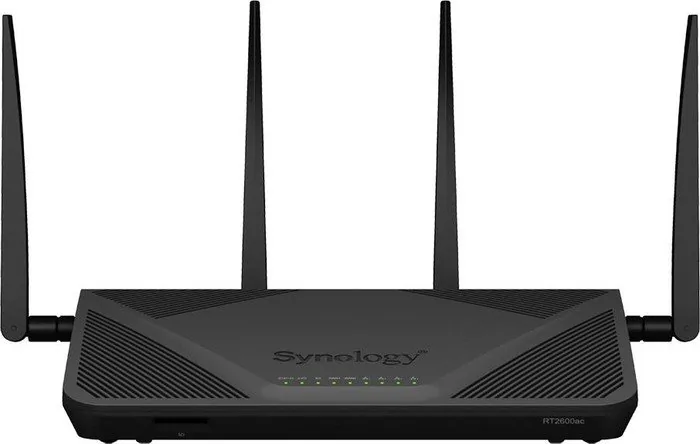
Synology RT2600ac Manual
PDF manual · 22 Pages
English



Quick check
Incorrect answer, please try again.
Chat with your Synology RT2600ac manual using AI
Get instant AI answers from your Synology RT2600ac manual
Ask anything about the Synology RT2600ac. Answers come from this manual, with the pages they are based on.
RT2600ac Maintenance Schedule
Always disconnect the power cable before cleaning the device to ensure safety.
Clean the device using damp paper towels. Do not use chemical or spray cleaners.
Ask a Question
Do you recommend RT2600ac?
Yes No
Sven_Keller
7 months ago
Is the router working reliably out of the box, and how is the range? I read the signal may be weaker than an Asus model and that it might not work fully.

Manual.ly
7 months ago
From user feedback, the device is generally fast and well-built, and options with an SD card are a major plus since you get a DSM-style software package that works well. For range, some customers report the usable outdoor radius is slightly lower than a comparable Asus router (for example, around 1 meter less in the garden), so placement matters. If you feel it does not work fully, please check that firmware and settings are correctly applied, reboot the router, and verify the connection mode (LAN/WAN) and network credentials. If issues continue, our support can help you pinpoint the configuration and get it stable.
Frequently Asked Questions
It combines dual-band Wi-Fi, Gigabit networking, USB and SD expansion, and Synology’s SRM software. That mix makes it useful for users who want more control than a basic consumer router provides.
Is this answer helpful?
Connect the antennas, modem, and power adapter, then turn the router on. Use a computer or wireless device on the local network, open a browser, and launch the SRM setup wizard from the router address.
Is this answer helpful?
The default Wi-Fi network name is SynologyRouter, and the default password is synology. These credentials can be changed during the first setup steps in SRM.
Is this answer helpful?
Yes. The router can be configured for dual-WAN use, which allows two WAN connections for added flexibility or redundancy depending on your network setup and ISP equipment.
Is this answer helpful?
The USB ports can be used with external drives, USB printers, and other compatible USB devices. This can help extend sharing and storage options on the network.
Is this answer helpful?
Install the antennas firmly, then tilt them to about a 90-degree angle for better Wi-Fi performance. Proper antenna orientation can improve signal stability and coverage.
Is this answer helpful?
Yes. It supports both Wireless Router mode and Wireless AP mode, so it can serve as the main router or be added to an existing network as an access point.
Is this answer helpful?
Advantages and Disadvantages
Advantages

- Dual-band Wi-Fi supports fast 5 GHz performance and dependable 2.4 GHz coverage.
- Dual-WAN and Gigabit ports give the router strong wired flexibility and failover options.
- USB and SD support add storage and peripheral-sharing possibilities.
- SRM setup wizard makes initial configuration simple for beginners.
- Clear LED indicators and physical buttons improve day-to-day usability.
Disadvantages

- Best performance depends on careful placement and antenna positioning.
- Setup still requires a browser-based wizard and basic network knowledge.
- Some advanced features may be more than casual users need.
- No built-in modem, so it must connect to an ISP modem or upstream device.
Product Specification
Modem
N/A
WAN
2x 1000Base-T
LAN
4x 1000Base-T (1x LAN/WAN-Shared)
Wireless
WLAN 802.11a/b/g/n/ac (Wi-Fi 5), simultaneous
Transfer rate
800Mbps (2.4GHz), 1733Mbps (5GHz)
Security
64/128bit WEP, WPA, WPA2, WPA3, WPS
Antennas
4x external (removable)
Ports
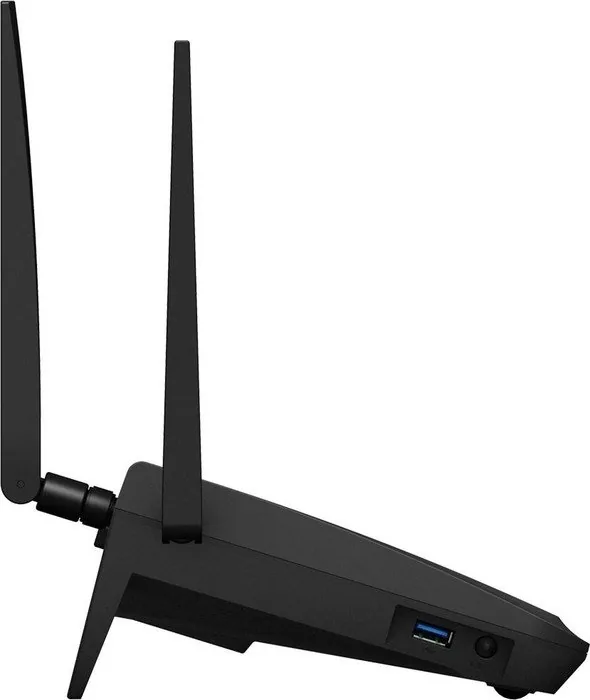
1x USB 3.0, 1x USB 2.0, 1x Card reader (SD/SDHC/SDXC)
Power consumption
11W (consumption, operation), no data (max. power supply output)
Dimensions
11.02x6.65x3.03in
Special features
MU-MIMO, IPv6, VPN passthrough (PPTP/L2TP/IPSec/SSL), DLNA, supports mobile modems (3G/4G), WLAN on/off switch, Mesh (shared band)
Band capability
Dual Band (simultaneous), Mesh (shared band)
Manufacturer's warranty
two years
Note
Mesh in conjunction with MR2200ac, WPA3 after firmware update (from 16.10.2018 Firmware 1.2-7742).
Product Description
Synology RT2600ac: A Flexible Router for Faster, Smarter Networking
The Synology RT2600ac is designed for users who want more than a basic Wi-Fi box. It combines dual-band wireless performance, broad wired connectivity, and an approachable setup experience through Synology Router Manager (SRM). For home users, freelancers, and small offices, it offers a balance of speed, control, and expandability that makes everyday networking feel more organized and reliable.
At its core, this router is built around AC-class wireless with support for both 2.4 GHz and 5 GHz networks. The 5 GHz band can reach impressive speeds for streaming, gaming, and large downloads, while the 2.4 GHz band helps maintain broader coverage for everyday browsing and connected devices. With four high-gain antennas, the RT2600ac is meant to deliver stable signal performance when placed well and adjusted correctly.
What stands out is the hardware flexibility. The router includes multiple Gigabit LAN ports, a Gigabit WAN connection, USB 3.0 and USB 2.0 ports, and even an SD card slot. That means it can do more than route traffic: it can also share storage, connect peripherals, and support smarter network workflows. For users who need redundancy or more advanced internet handling, the dual-WAN option adds another layer of reliability.
The setup process is straightforward. After connecting the antennas, power adapter, and modem, users can access SRM from a browser and follow a guided wizard. That wizard helps create the admin account, configure Wi-Fi, choose the operating mode, and define the internet connection type. The default Wi-Fi name and password make first-time access easy, while the SRM interface gives room to customize everything afterward. If you are searching for the Synology RT2600ac Manual, the setup flow described here is a good reflection of what to expect: practical, guided, and built for clarity.
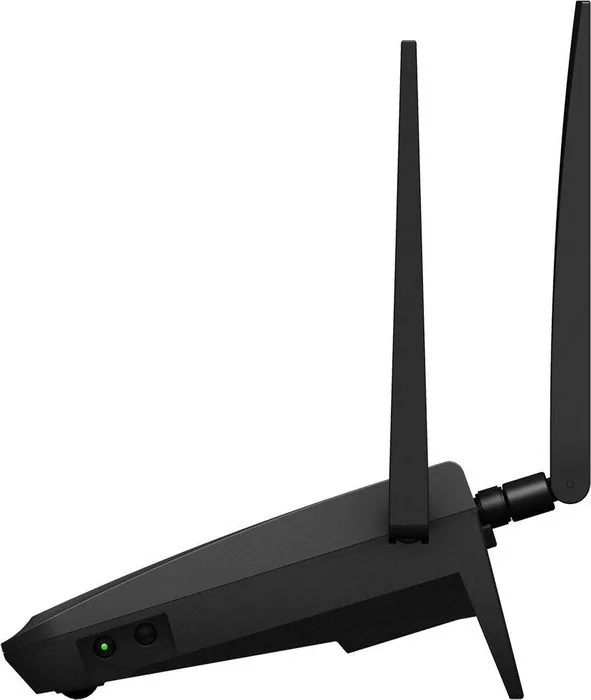
Beyond setup, Synology’s attention to detail is visible in the LED indicators, button layout, and operating guidance. The router includes WPS, Wi-Fi on/off, reset, and USB/SD eject controls, making it easy to manage without needing to dig into menus for every task. It also supports wireless router and access point modes, which gives it flexibility in different network environments.
Notes
- Place the router on a stable surface and keep it away from interference sources.
- Angle the antennas vertically for better Wi-Fi performance.
- Back up important data if you use attached storage features.
- Update and manage settings through SRM for the best experience.
Search for 67,706 Manuals online


Type-in Brand or Model
Maria_K
9 months ago
Is the WiFi range really weaker than an Asus router, and what should I do if the device does not work fully?
Manual.ly
9 months ago
Some customers notice slightly reduced range. For best coverage, place the router centrally and higher up, avoid thick walls and other electronics (microwave, metal cabinets), and check both 2.4 GHz and 5 GHz settings. Make sure you are using the latest firmware and run a full restart (power off, wait 30 seconds, power on). If you use an SD card, insert it properly and confirm the DSM/software package is set up correctly in the admin interface. If it still does not function properly after setup and firmware updates, contact our support team with your model and a short description (lights/status, error messages) so we can troubleshoot or arrange a replacement if needed.