


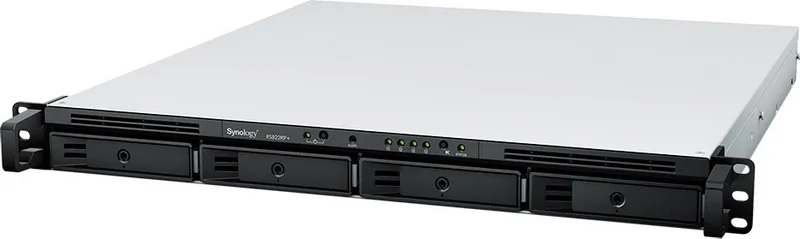
Synology RackStation Plus Series Manual
PDF manual · 32 Pages
English



Quick check
Incorrect answer, please try again.
Chat with your Synology RackStation Plus Series manual using AI
Get instant AI answers from your Synology RackStation Plus Series manual
Ask anything about the Synology RackStation Plus Series. Answers come from this manual, with the pages they are based on.
Ask a Question
Do you recommend RackStation Plus Series?
Yes NoVideo Manual
A 1U Rack Mounted NAS - Synology RS822+ Review
Frequently Asked Questions
Check the POWER and STATUS LED indicators. When the system is ready, the Power LED will be static blue and the Status LED will be static green. Other combinations indicate states like powering on, shutting down, or hibernation.
Is this answer helpful?
Yes, you can install optional Synology memory modules. However, using non-Synology modules may void your warranty. You must shut down the unit and access the rear cover to install the memory correctly.
Is this answer helpful?
A continuously blinking orange ALERT LED indicates system errors such as fan failure, overheating, or volume degradation. You should log in to DSM immediately to check detailed error logs and take corrective action.
Is this answer helpful?
No, removing the expansion cable while the host device is powered on can result in data loss. Always power off both the NAS and the expansion unit before disconnecting cables.
Is this answer helpful?
Press and hold the RESET button until you hear one beep to restore IP, DNS, and admin password to defaults. Press again after the first beep, then hold until three beeps to return to Not Installed status for DSM reinstallation.
Is this answer helpful?
Yes, but support for exFAT is not enabled by default. You must purchase and download the exFAT Access package from the Package Center within DSM to enable reading and writing to exFAT drives.
Is this answer helpful?
Advantages and Disadvantages
Advantages

- Supports up to 28 drive bays with expansion units for massive scalability
- Redundant power supply units ensure high availability and uptime
- Intuitive DSM operating system simplifies management and monitoring
- PCIe slot allows for flexible network card upgrades and customization
- Comprehensive LED indicators provide real-time system status feedback
Disadvantages

- Non-Synology memory modules are not covered under warranty
- Installation requires careful handling due to heavy chassis weight
- Data loss risk if drives are removed while the host device is powered on
- Default administrative account has no password initially, requiring immediate setup
- Complex rail kit installation may require assistance from another person
Product Specification
Hard Drive
N/A
USB Writing Method
Link
Product Description
Synology RackStation Plus Series: Enterprise Storage Redefined
The Synology RackStation Plus Series, exemplified by the RS2821RP+, represents a pinnacle of enterprise-grade network-attached storage solutions. Designed for businesses requiring robust data management and high availability, this hardware powerhouse combines durable system components with the intuitive DiskStation Manager (DSM) operating system. Whether you are managing critical databases or hosting multimedia libraries, this series ensures your data remains accessible, secure, and organized.
At the heart of the RS2821RP+ lies its impressive scalability. With sixteen drive bays supporting both 3.5-inch and 2.5-inch SATA drives, it offers massive storage capacity that can be expanded further using compatible RX1217 expansion units to reach up to twenty-eight bays. The unit features redundant power supply units and advanced cooling systems, ensuring continuous operation even in demanding environments. Its sleek rack-mountable design fits seamlessly into standard server cabinets, while the inclusion of PCIe Gen3 slots allows for custom network interface cards, enhancing connectivity options for gigabit or InfiniBand networks.
Setting up this powerful machine is straightforward thanks to comprehensive guidance included with the product. Users can easily install memory modules to boost performance, swap out fans or power supplies without complex tools, and configure RAID levels ranging from basic setups to Synology Hybrid RAID for optimal fault tolerance. The DSM software provides a user-friendly web interface, making it simple to manage files, run applications, and monitor system health through clear LED indicators that display status modes like powering on, hibernation, or active operations.
Security and compliance are paramount, with certifications including FCC Class A, CE, and RoHS compliance ensuring the device meets global standards. The system supports various file systems such as Btrfs and ext4, offering flexibility for different operational needs. From scheduled power on/off features to Wake-on-LAN capabilities, the Synology RackStation Plus Series is engineered for efficiency and reliability in modern data centers.
Notes:
- Always back up data before installing new drives as formatting will erase existing content.
- Non-Synology memory modules may void warranty coverage.
- Ensure proper ventilation when placing the unit to maintain optimal operating temperatures.
Search for 67,706 Manuals online


Type-in Brand or Model