
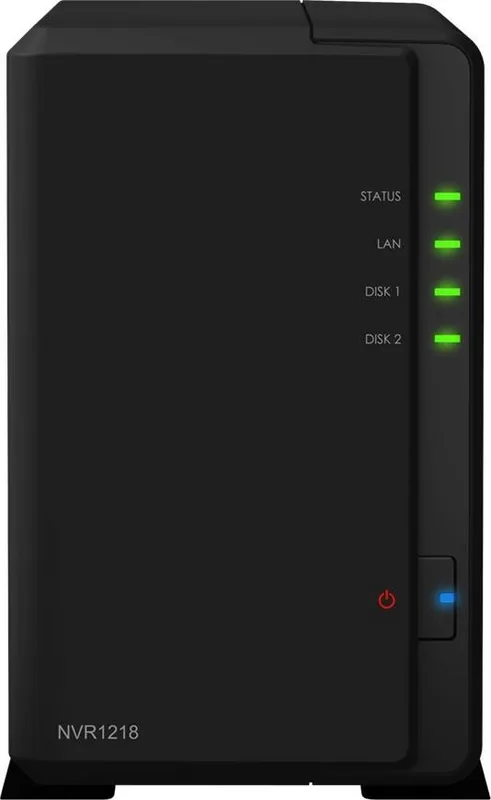
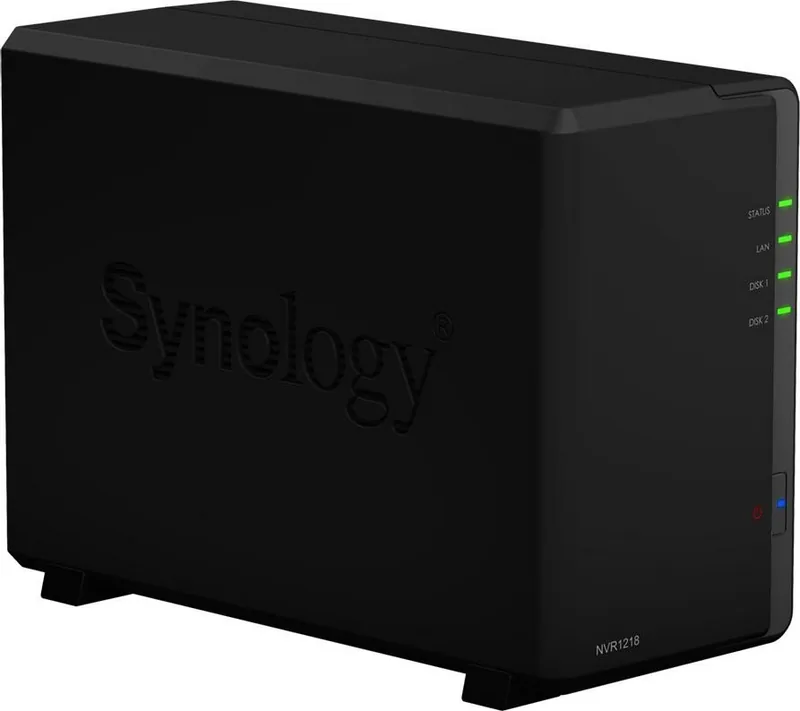
Synology NVR1218 Manual
PDF manual · 17 Pages
English



Quick check
Incorrect answer, please try again.
Chat with your Synology NVR1218 manual using AI
Get instant AI answers from your Synology NVR1218 manual
Ask anything about the Synology NVR1218. Answers come from this manual, with the pages they are based on.
Ask a Question
Do you recommend NVR1218?
Yes No
Klaus Weber
6 months ago
Is the system ready to use immediately, or do I need to buy specific hard drives beforehand?

Manual.ly
6 months ago
We recommend purchasing compatible hard drives immediately to ensure immediate functionality. Users report excellent performance when storage is installed from the start. Regarding setup, avoid using numeric characters in your administrator username. If you encounter initial setup errors, a reset and reinstall typically resolves the issue effectively.
Frequently Asked Questions
Use USB dongle for offline or Web Assistant online. Follow prompts. Admin account setup required.
Is this answer helpful?
3.5 inch SATA. Use same size for RAID. Backup data before install.
Is this answer helpful?
Yes, use DX517 expansion unit. Increases max cap to 70 TB.
Is this answer helpful?
Windows 7, 10. Mac OS X 10.11 and higher.
Is this answer helpful?
Hold reset button until tones. Restores defaults.
Is this answer helpful?
Limited warranty from Synology. Check EULA.
Is this answer helpful?
1920 x 1080 at 60 Hz output.
Is this answer helpful?
Advantages and Disadvantages
Advantages

- Easy firmware installation via USB dongle or Web Assistant for offline or online setup
- Surveillance Station included for intuitive user experience and network video display
- Supports RAID 0, 1, 5 and 6 with expansion unit for data redundancy and capacity
- Compact 165 x 100 x 225.5 mm size suitable for various mounting locations
- Supports up to 70 TB storage capacity with DX517 expansion unit connected
Disadvantages

- Limited to two internal drive bays restricting standalone storage expansion options
- No 4K video output support as resolution maxes out at 1920 x 1080
- Requires internet connection when using Web Assistant for firmware downloads
- Compatible USB devices are limited to drives, mice, keyboards, and UPS units
- Browser support is restricted to specific versions of Internet Explorer and Safari
Product Specification
Channels
4 (max. 12)
Compression
MJPEG, MPEG-4, H.264, H.265, MxPEG, PCM, ADPCM, G711, G726, AMR, AAC
Hard Drive
2x 3.5" SATA 6 Gb/s
Drive
N/A
Interfaces
1x HDMI, 1x USB 3.0 (Host), 2x USB 2.0 (Host), 1x eSATA (Host), 1x Serial, 3.5mm Audio-In, 3.5mm Audio-Out
Features
App controlled (Android, iOS), CIFS, NFS, FTP, WebDAV, SSH, VPN
Manufacturer Warranty
3 Years
Product Description
Product Overview
Experience advanced surveillance with the Synology NVR1218 [4CH] Network Video Recorder.
This unit merges Network Attached Storage with PC-free configuration for local display of network video recordings via Surveillance Station.
Before installation check pack contents to ensure all listed parts are received including main unit, power cable, and USB dongle.
Read safety notices carefully to prevent injury or damage to device.
Protect unit from direct sun and liquids.
Do not place on unstable surfaces.
Hardware setup involves installing hard drives.
You need screwdriver and at least one 3.5-inch drive compatible with Synology.
Warning data on drive will be deleted so back up important data first.
Slide drive into caddy and secure with screws.
Repeat for second drive if available.
Ensure drives are same size for RAID volume efficiency.
Reattach casing and mount screws on rear panel.
Setup Process
Connect power adapter and LAN cable to router.
Press power button to start NVR.
It will be online and visible to network computers.
Install firmware using USB Dongle or Web Assistant.
USB method allows offline installation without PC.
Use HDMI monitor and USB mouse for initial configuration.
Select language and follow onscreen prompts.
Or use Web Assistant via browser.
Enter address fin.synology.com or nvr:5000.
Program detects NVR in local network.
Ensure internet connection is active for software download.
After installation configure admin account and enjoy interface.
Note that if Surveillance Station installation is incomplete.
access DSM to install it manually.
The firmware contains the NVR operating system and Surveillance Station package.
Ensure that you have a stable voltage supply.
The fan cools the system effectively during operation.
Check LED indicators to verify network and disk status.
If installation fails consult technical support services.
Specifications
Recorder supports up to two internal 3.5-inch SATA drives with maximum capacity of 20 TB.
Expand to 70 TB with DX517 unit connected.
Ports include USB 3.0, USB 2.0, eSATA, and HDMI.
Audio in and out supported alongside COM port for POS devices.
Resolution reaches 1920 x 1080 at 60 degree C output.
LAN port is 1GbE RJ45 connection.
Dimensions are 165 x 100 x 225.5 mm physically.
Weight 0.9 kg for portable mounting.
Clients include Windows 7, 10 and Mac OS X.
Browsers are Internet Explorer and Safari supported.
Storage types include ext4 and NTFS for storage.
RAID types range from Basic to RAID 6 with expansion.
Environmental requirements cover 0 to 40 degree C temperature range.
Reset button restores default settings for IP and password.
LED lights indicate status for power, network, and disks clearly.
Safety warnings regarding voltage and temperature fluctuations are important.
End User License Agreement governs software use policies.
Synology provides limited warranty for product assurance.
Contact support if issues persist with service request.
This information supports Synology NVR1218 [4CH] Network Video Recorder Manual setup process Security is crucial so follow all guidelines to protect investments.
Search for 67,706 Manuals online


Type-in Brand or Model
Sven Koch
7 months ago
Does this NVR system require specific hard drives, and is setup straightforward?
Manual.ly
7 months ago
Yes, we recommend purchasing compatible hard drives immediately. The system runs excellently. Users noted initial setup difficulties if the administrator username contained numbers; a reset and reinstall resolved this. The interface provides easy access to file servers and surveillance controls. It is compatible with POE cameras and uses PIR motion detection effectively. Users reported minimal false alarms after the first week of testing. Please ensure drive compatibility for optimal NAS performance.