
Synology M2D18 Manual
PDF manual · 14 Pages
English



Quick check
Incorrect answer, please try again.
Chat with your Synology M2D18 manual using AI
Get instant AI answers from your Synology M2D18 manual
Ask anything about the Synology M2D18. Answers come from this manual, with the pages they are based on.
Ask a Question
Do you recommend M2D18?
Yes NoFrequently Asked Questions
It is an SSD cache adapter that adds two M.2 SSD slots to a compatible Synology NAS. It helps improve storage responsiveness by accelerating access to frequently used data.
Is this answer helpful?
Yes, the adapter supports both NVMe and SATA SSDs, but actual support can vary by Synology NAS model. Always check compatibility before installation.
Is this answer helpful?
The M2D18 has two M.2 M-Key connectors, so it can hold up to two SSDs at the same time for cache use or other supported configurations.
Is this answer helpful?
It supports M.2 2280, 2260, and 2242 form factors. The included heatsink is designed specifically for M.2 2280 SSDs.
Is this answer helpful?
Installation is manageable for users familiar with NAS hardware. It requires powering down the device, opening the chassis, mounting the SSDs, and securing the adapter card properly.
Is this answer helpful?
Not every Synology NAS supports every SSD type or adapter configuration. Checking compatibility helps avoid installation issues and ensures the card functions correctly in your system.
Is this answer helpful?
Advantages and Disadvantages
Advantages

- Dual M.2 slots allow flexible SSD cache setups for improved NAS responsiveness.
- Supports NVMe and SATA SSDs, giving users more upgrade choices.
- Included heatsinks and brackets help manage heat during sustained use.
- PCIe x8 expansion offers a stable path to faster storage performance.
- Designed for Synology systems, which helps simplify integration and support.
Disadvantages

- Compatibility depends on the specific Synology NAS model.
- Heatsink support is limited to M.2 2280 SSDs.
- Installation requires shutting down the NAS and opening the chassis.
- PCIe 2.0 is older than newer expansion standards.
- Users need to check SSD type and form factor carefully before buying.
Product Specification
Type
Expansion Card
Product Description
Synology M2D18 SSD Cache Adapter: A Practical Upgrade for Faster NAS Storage
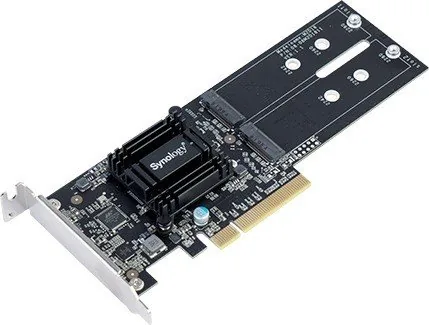
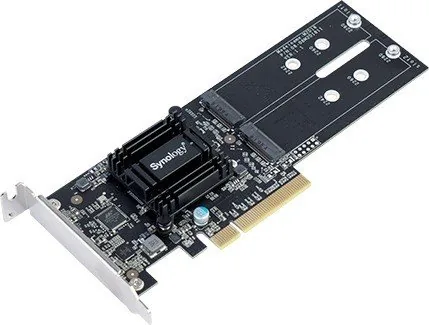
The Synology M2D18 SSD Cache Adapter, PCIe 2.0 x8, 2x M.2 Manual highlights a compact add-on designed to push compatible Synology NAS systems into a faster storage tier. Rather than replacing your existing drives, this adapter lets you add two M.2 SSDs and use them for cache acceleration, helping frequently accessed data load more efficiently.
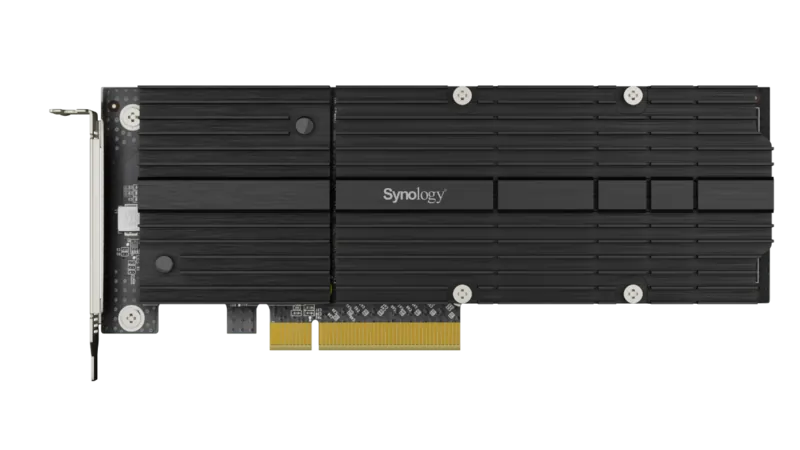
What makes the M2D18 appealing is its balance of simplicity and flexibility. It supports two M.2 M-Key slots, accepts NVMe and SATA SSDs, and works with popular form factors such as 2280, 2260, and 2242. That means users can choose SSDs that match their performance goals and budget. The included heatsinks and brackets also show that Synology designed this card with thermal management in mind, which is especially important when SSDs are working hard in a cache role.
From a blog-worthy perspective, this adapter is a smart option for users who want better responsiveness from a NAS without moving to a full storage overhaul. It is particularly useful for business file sharing, virtual machine workloads, or busy home labs where repeated reads and writes can benefit from caching. Since the card uses a PCIe 2.0 x8 interface, it is built for dependable expansion rather than flashy specs, and that makes it a reliable fit for supported NAS environments.
Installation is straightforward for anyone comfortable opening a NAS chassis and handling hardware carefully. The process includes inserting the SSDs, attaching heatsinks, securing the adapter, and confirming the card is fully seated in the expansion slot. Synology also emphasizes compatibility checks, so confirming support for your NAS model before purchase is essential.
In everyday use, the M2D18 stands out as a well-rounded cache adapter for users who value stability, cooling, and ease of integration. It may not be the newest expansion option, but it remains a practical way to make a Synology system feel faster and more responsive.
Notes
- Best suited for compatible Synology NAS models.
- Heatsinks are intended for M.2 2280 SSDs.
- Always verify SSD and NAS compatibility before installation.
Search for 67,706 Manuals online


Type-in Brand or Model