
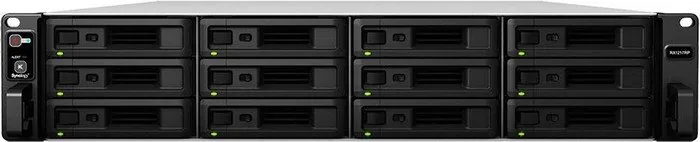
Synology FlashStation / RackStation Expansion Units Manual
PDF manual · 20 Pages
English



Quick check
Incorrect answer, please try again.
Chat with your Synology FlashStation / RackStation Expansion Units manual using AI
Get instant AI answers from your Synology FlashStation / RackStation Expansion Units manual
Ask anything about the Synology FlashStation / RackStation Expansion Units. Answers come from this manual, with the pages they are based on.
Ask a Question
Do you recommend FlashStation / RackStation Expansion Units?
Yes NoFrequently Asked Questions
The RX6022sas supports up to sixty 3.5-inch SAS drives. It is designed to work exclusively with Synology NAS systems that provide SAS connectivity.
Is this answer helpful?
Yes, the unit supports daisy-chaining. You can connect up to four RX6022sas units to a compatible Synology NAS using the provided MiniSAS HD cables.
Is this answer helpful?
Open the rear cover, locate the malfunctioning fan by its indicator, lift it out, and slide in a replacement fan ensuring proper alignment before closing the cover.
Is this answer helpful?
If you accidentally remove the cable, wait at least 30 seconds per connected unit before plugging it back in to allow the NAS to recover the data path properly.
Is this answer helpful?
No, the limited warranty is not transferable and applies only to the original customer who purchased the product from an authorized distributor.
Is this answer helpful?
Advantages and Disadvantages
Advantages

- Massive storage capacity with support for 60 SAS drives
- Redundant power supply enhances system reliability
- Hot-swappable components allow for easy maintenance
- Scalable design supports daisy-chaining multiple units
Disadvantages

- Heavy weight makes handling difficult without assistance
- Requires specific Synology NAS models for compatibility
- Long wait times may occur when reconnecting cables after removal
- Initial setup requires careful planning for cable routing
Product Specification
Hard Drive
N/A
USB Writing Mode
Left
Product Description
Synology RX6022sas Expansion Unit: Scalable Storage Solutions
The Synology RX6022sas is a high-capacity expansion unit designed to seamlessly integrate with Synology RackStation and FlashStation NAS systems. This hardware solution allows organizations to significantly increase their storage capacity without purchasing an entirely new server. By supporting up to sixty 3.5-inch SAS drives, the RX6022sas provides a robust foundation for data-intensive applications requiring vast amounts of reliable storage.
Designed for enterprise environments, this unit features a redundant power supply system and advanced cooling mechanisms to ensure continuous operation. The front panel includes clear LED indicators for power, drive status, alerts, and system health, making monitoring effortless. The rear panel houses dual SAS ports that enable daisy-chaining multiple units to a single Synology NAS, facilitating scalable growth as data needs expand.
Installation is straightforward with included rail kits for rack mounting and pre-installed components ready for drive insertion. Users can easily replace fans or power supply units in case of failure, minimizing downtime. The unit supports multipath I/O for enhanced stability and performance, ensuring that data access remains consistent even under heavy loads. Whether you are managing a small business database or a large corporate archive, the RX6022sas offers the flexibility and reliability required for modern data management.
Key Features
- Supports up to 60 SAS drives for massive scalability
- Redundant power supply ensures high availability
- Easy maintenance with hot-swappable fans and PSUs
- Seamless integration with Synology HD6500 series
Important Notes
Always back up your data before installing new drives, as the system will format them upon installation. Ensure proper ventilation around the unit to maintain optimal operating temperatures.
Search for 67,706 Manuals online


Type-in Brand or Model