
Synology DiskStation XS+ / XS Series Manual
PDF manual · 58 Pages
English



Quick check
Incorrect answer, please try again.
Chat with your Synology DiskStation XS+ / XS Series manual using AI
Get instant AI answers from your Synology DiskStation XS+ / XS Series manual
Ask anything about the Synology DiskStation XS+ / XS Series. Answers come from this manual, with the pages they are based on.
Ask a Question
Do you recommend DiskStation XS+ / XS Series?
Yes NoFrequently Asked Questions
It supports up to 12 internal 3.5-inch or 2.5-inch SATA III or SATA II drives. Compatible expansion units can provide additional capacity beyond the internal bays.
Is this answer helpful?
Supported RAID types include Basic, JBOD, RAID 0, RAID 1, RAID 5, RAID 6, and RAID 10. Using drives of matching capacity is recommended for efficient volume utilization.
Is this answer helpful?
Yes. The system has four built-in Gigabit LAN ports and a PCIe x8 expansion slot for a compatible Gigabit or 10GbE network card.
Is this answer helpful?
Connect the NAS and a computer to the same local network, then open find.synology.com or synologynas:5000 in a supported browser. Web Assistant detects the system and guides DSM installation.
Is this answer helpful?
Yes. The enclosure supports RAM module installation after safely shutting down the system, disconnecting cables, removing the side cover, and correctly seating the module.
Is this answer helpful?
A warning tone and alert status can indicate fan failure. Shut down and disconnect the NAS, remove the failed fan module, then install and secure a compatible replacement module.
Is this answer helpful?
Advantages and Disadvantages
Advantages

- Twelve internal SATA bays support high-capacity centralized storage and multiple RAID options.
- Four Gigabit LAN ports and a PCIe x8 slot allow flexible network expansion, including compatible 10GbE cards.
- Compatible expansion units can extend storage capacity as requirements grow.
- DSM provides browser-based setup and administration through Web Assistant.
- Serviceable design supports RAM upgrades, network card installation, and fan replacement.
Disadvantages

- Drives are not included, and previously used drives may be reformatted during setup.
- 10GbE connectivity requires a separately purchased compatible PCIe network card.
- Expansion capacity requires compatible optional expansion units.
- The 9.8 kg chassis and 12-bay design need a stable, ventilated installation location.
- RAID improves availability but does not replace independent data backups.
Product Specification
Hard Drive
N/A
USB Writing Mode
Link
Product Description
Synology DiskStation XS+ / XS Series - Read, Download & Print Free
The Synology DiskStation XS+ / XS Series is designed for organizations and advanced users who need expandable, centralized storage with flexible network and data protection options. The DS3617xsII model highlighted here combines a 12-bay desktop chassis with Synology DiskStation Manager (DSM), providing a practical foundation for shared storage, backups, virtualization workloads, and business file services.
Built for Scalable Storage
With support for up to twelve 3.5-inch or 2.5-inch SATA drives, the system offers substantial capacity for growing data collections. It supports common RAID configurations including Basic, JBOD, RAID 0, RAID 1, RAID 5, RAID 6, and RAID 10. Matching drive sizes are recommended to make the best use of available capacity and simplify volume planning.
The platform can also connect to compatible expansion units, extending storage beyond the internal bays. This makes the XS Series suitable for teams that expect storage requirements to increase over time rather than remain fixed at deployment.
Flexible Connectivity and Management
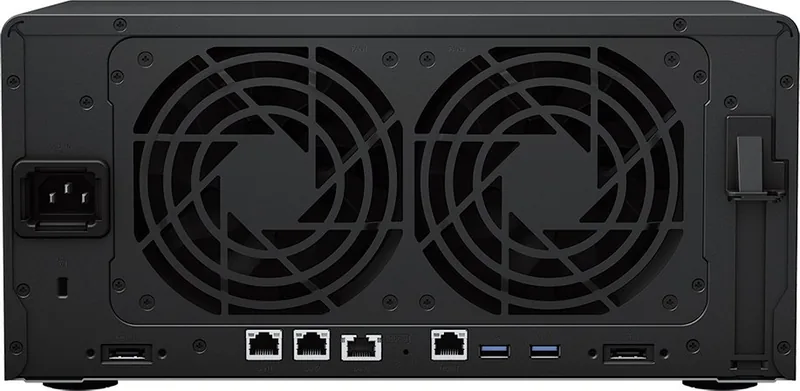
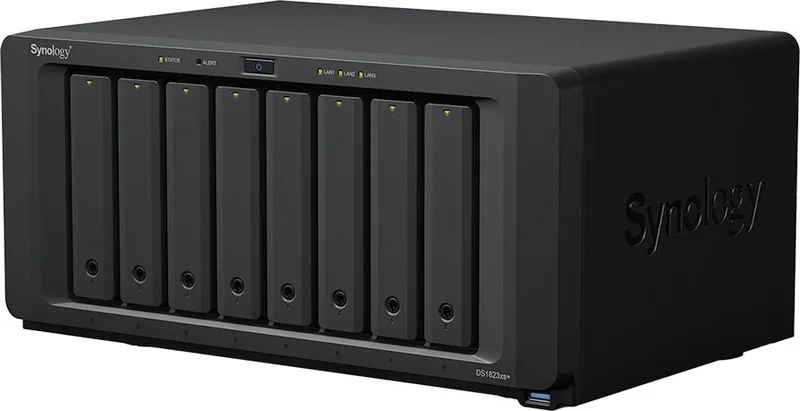
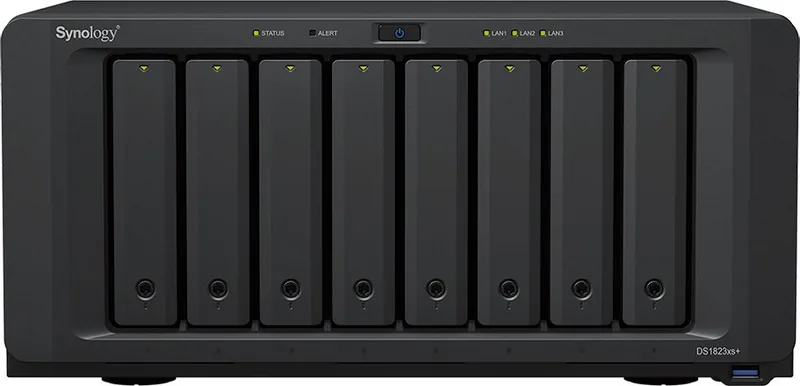
Four Gigabit LAN ports provide connectivity for networked clients, while a PCIe x8 expansion slot can accommodate a compatible Gigabit or 10GbE network card. Two USB 3.0 ports support external devices, and expansion ports enable added storage hardware. Front status, alert, LAN, and drive LEDs offer quick visibility into system, network, and disk activity.
DSM is installed through Synology Web Assistant from a computer on the same local network. Once configured, DSM provides browser-based administration for storage, user access, network settings, and system monitoring. Supported internal file systems include Btrfs and ext4, while several external formats are recognized for broader device compatibility.
Serviceable Design
The enclosure is designed to support hardware maintenance and upgrades. Users can install compatible SATA drives, add memory, fit a supported network adapter, and replace a failed system fan module. Drive trays can be locked to help prevent unintended removal. Before installing previously used disks, ensure important data is backed up because initialization can erase existing contents.
Notes
- Keep the unit in a stable, dry, well-ventilated location.
- Use compatible drives and expansion hardware for reliable operation.
- Maintain independent backups, since RAID is not a substitute for backup.
- Check current compatibility and specifications before purchasing upgrades.
Search for 67,706 Manuals online


Type-in Brand or Model