
Synology DiskStation XS+ / XS Series Manual
PDF manual · 54 Pages
English



Quick check
Incorrect answer, please try again.
Chat with your Synology DiskStation XS+ / XS Series manual using AI
Get instant AI answers from your Synology DiskStation XS+ / XS Series manual
Ask anything about the Synology DiskStation XS+ / XS Series. Answers come from this manual, with the pages they are based on.
Ask a Question
Do you recommend DiskStation XS+ / XS Series?
Yes NoFrequently Asked Questions
The DS3622xs+ supports up to 48 GB of total memory when using three 16 GB modules alongside the default 16 GB configuration.
Is this answer helpful?
You can physically install third-party memory, but doing so will void the Synology product warranty and technical support eligibility.
Is this answer helpful?
Press and hold the reset button until you hear one beep to restore default IP and password settings for the admin account.
Is this answer helpful?
Internally, the system supports Btrfs and ext4 file systems for optimal data management and snapshot capabilities.
Is this answer helpful?
Yes, the DS3622xs+ includes Wake on LAN functionality to allow remote powering on of the device over the network.
Is this answer helpful?
Advantages and Disadvantages
Advantages

- High-performance 12-bay design ideal for growing business data needs
- Dual 10GbE ports provide fast network speeds for large file transfers
- Supports multiple RAID configurations including Synology RAID F1 for enhanced data safety
Disadvantages

- Higher initial cost compared to consumer-grade NAS units
- Requires careful handling during RAM and drive installation to avoid damage
- Non-Synology memory modules may void the product warranty coverage
Product Specification
Hard Drive
N/A
USB Writing Style
Link
Product Description
Synology DiskStation XS+ / XS Serie - Read, Download & Print Free
The Synology DiskStation DS3622xs+ stands as a powerhouse in the world of network-attached storage, designed specifically for small to medium-sized businesses requiring robust data management and high availability. This unit represents the pinnacle of the XS series, offering an impressive 12-bay configuration that supports both 2.5-inch and 3.5-inch SATA drives. Whether you are managing critical business applications or running complex virtualization environments, this NAS provides the scalability and performance needed to keep your operations running smoothly.
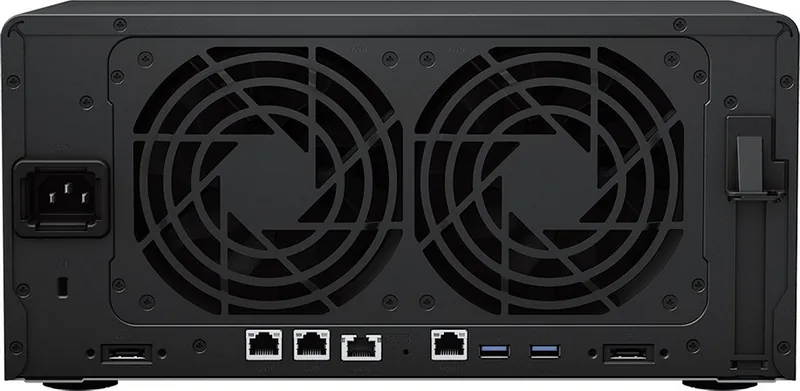
At the heart of the DS3622xs+ is its advanced hardware architecture, featuring dual 10GbE ports and a dedicated out-of-band management port for remote administration even when the system is offline. The chassis is built with durability in mind, housing a powerful cooling system with redundant fans and a 550W SFX power supply unit to ensure continuous uptime. Users can easily expand capabilities by installing PCIe add-in cards, allowing for faster network connectivity or additional USB ports as business needs evolve.
Setting up the system is intuitive thanks to the built-in Web Assistant, which guides users through the installation of DiskStation Manager (DSM), Synology's user-friendly operating system. Once installed, DSM offers a comprehensive suite of tools for file sharing, backup solutions, and application hosting. The device supports various RAID types including RAID 5, RAID 6, and the proprietary Synology RAID F1, ensuring data integrity and protection against drive failures. With support for Btrfs and ext4 file systems, along with scheduled power on/off features, the DS3622xs+ delivers flexibility and energy efficiency tailored for modern enterprise demands.
Search for 67,706 Manuals online


Type-in Brand or Model