
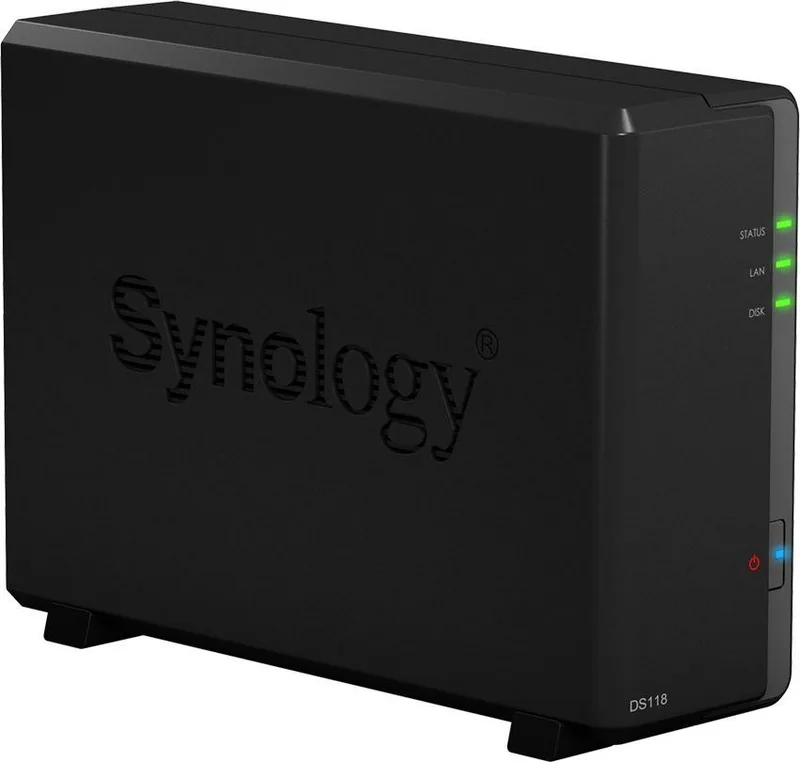
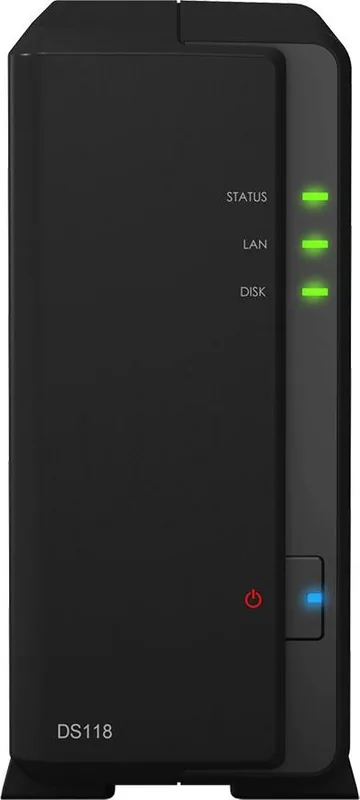
Synology DiskStation Value Series Manual
PDF manual · 41 Pages
English



Quick check
Incorrect answer, please try again.
Chat with your Synology DiskStation Value Series manual using AI
Get instant AI answers from your Synology DiskStation Value Series manual
Ask anything about the Synology DiskStation Value Series. Answers come from this manual, with the pages they are based on.
Ask a Question
Do you recommend DiskStation Value Series?
Yes NoFrequently Asked Questions
Use the Web Assistant. Connect the device to the network, open a browser, find the nas at 5000, and follow onscreen steps.
Is this answer helpful?
Yes, turn off power, unplug cables, remove top cover, unscrew the fan, and install the replacement carefully.
Is this answer helpful?
Supports 3.5 and 2.5 inch SATA drives. Check the compatibility list to ensure stability and performance.
Is this answer helpful?
Hold the reset button until the beep sounds. This resets network settings and password to defaults.
Is this answer helpful?
No, the warranty covers hardware replacement only. Create backups to protect your data from hardware failure.
Is this answer helpful?
The system may fail to start correctly. Ensure UPS connection or save work before powering down unexpectedly.
Is this answer helpful?
Yes, create a shared folder and designate it for Mac backups to enable automatic synchronization and versioning.
Is this answer helpful?
Advantages and Disadvantages
Advantages

- Web Assistant simplifies DSM installation for beginners.
- LED indicators provide visual system health status.
- Compact design fits easily in limited spaces.
- Fan replacement supported for long term maintenance.
- USB 3.2 ports enable fast data transfer speeds.
Disadvantages

- Single drive bay limits redundancy options.
- 1GB RAM insufficient for heavy multitasking.
- Only one LAN port restricts network flexibility.
- No hotswap support without powering down.
- Warranty covers hardware but not data recovery.
Product Description
Synology DiskStation Value Series Overview
The Synology DiskStation Value Series provides a robust solution for users needing reliable data storage. This device fits well in home or small office environments where space is limited but performance matters. Setting up the system is designed to be straightforward for beginners. One essential resource for guidance is the Synology DiskStation Value Series Manual. It details every step clearly. The hardware comes with a compact chassis that houses a single drive bay. It supports both standard three and a half inch and 2.5 inch drives. Connectivity options include a gigabit ethernet port and USB ports. These allow network sharing and external backups. The status indicators on the front panel help users monitor health easily. LED lights show power and disk activity without logging into the software. Security is built into the firmware to protect against unauthorized access. Users can set accounts and manage permissions for different family members or staff. The operating system supports various network protocols for file sharing. Installation procedures require basic tools like a screwdriver. Safety notes warn against static discharge during hardware changes. If the fan fails, replacement instructions are included in the guide. Power management features allow sleep modes to save energy. System updates keep security patches current. Troubleshooting sections handle common network or startup issues. Warranty coverage applies for one year from the purchase date. Returns require original packaging for a full refund. Support teams assist with complex configuration tasks. Cloud integration options extend functionality beyond the local network. Remote access is possible through secure connections. This series focuses on value without sacrificing core NAS features. Data redundancy options vary by configuration. RAID support depends on the number of installed drives. Single drive setups lack redundancy unless external backups are used. Snapshots protect against accidental deletion of files. Time machine compatibility exists for Apple devices. Windows users can connect via SMB protocols. Linux systems integrate smoothly with NFS. Mobile apps control the device from anywhere. Notifications alert admins to disk failures. Power supply units support global voltage standards. Environmental factors like temperature affect longevity. Ventilation requires clear spaces around vents. Dust accumulation hinders cooling efficiency. Regular cleaning maintains optimal performance. Legal terms govern the software license agreement. Restrictions prevent reverse engineering the code. Export controls limit international software distribution. Compliance certifications ensure electrical safety standards. Chemical regulations meet environmental protection goals. Battery disposal follows local waste management laws. Recycling programs encourage sustainable practices. Overall this product balances cost with functionality effectively. Users should back up data regularly to protect against loss. The reset button restores factory settings if problems persist. Technical support availability varies by region. Shipping rates apply for service center returns. The product manual provides troubleshooting for power issues. Ensure proper ventilation to prevent overheating. Avoid touching circuit boards directly with hands to prevent electrostatic damage.
Important Notes
Always ground yourself before opening the case. Use only approved power adapters.
Search for 67,706 Manuals online


Type-in Brand or Model