
Synology DiskStation Expansion Units Manual
PDF manual · 28 Pages
English



Quick check
Incorrect answer, please try again.
Chat with your Synology DiskStation Expansion Units manual using AI
Get instant AI answers from your Synology DiskStation Expansion Units manual
Ask anything about the Synology DiskStation Expansion Units. Answers come from this manual, with the pages they are based on.
Ask a Question
Do you recommend DiskStation Expansion Units?
Yes NoFrequently Asked Questions
The DX1222 adds up to twelve SATA drive bays to a compatible Synology NAS. It is intended for expanding storage capacity for backups, shared files, media collections, and other NAS workloads.
Is this answer helpful?
The unit supports up to twelve 3.5-inch or 2.5-inch SATA hard drives and solid-state drives. Check Synology compatibility information before selecting drives for a production storage configuration.
Is this answer helpful?
It connects through the supplied Mini-SAS HD expansion cable between the expansion ports on the DX1222 and a compatible Synology NAS. The unit powers on and off with the connected NAS.
Is this answer helpful?
No. The expansion cable should not be removed while the host NAS is powered on. Doing so may interrupt storage access and can lead to data loss.
Is this answer helpful?
Drives previously used directly in a Synology NAS may not be readable after being installed in the expansion unit, and the reverse is also true. Back up data before moving or installing drives.
Is this answer helpful?
Sign in to DSM on the host NAS and open Control Panel, then External Devices. You can also review the link LED on the enclosure and use Storage Manager to manage available capacity.
Is this answer helpful?
Advantages and Disadvantages
Advantages

- Twelve SATA drive bays provide substantial expansion capacity for compatible Synology NAS systems.
- Supports both 3.5-inch and 2.5-inch SATA HDDs and SSDs for flexible storage planning.
- DSM allows users to create new storage or expand an existing volume where supported.
- Status, alert, link, and drive LEDs make connection and hardware issues easier to identify.
- Replaceable fans, drive trays, power supply, and expansion cable support long-term maintenance.
Disadvantages

- Requires a compatible Synology NAS and can connect to only one host NAS at a time.
- Disconnecting the expansion cable while the host NAS is running can cause data loss.
- Drives moved directly between a NAS and expansion unit may not be readable.
- Existing data on installed drives can be erased during setup, so backups are essential.
- Some DSM package data can only be stored on the unit when it is used to extend a volume.
Product Specification
Hard drive
N/A
USB writing mode
Link
Product Description
Synology DiskStation Expansion Units - Read, Download & Print Free
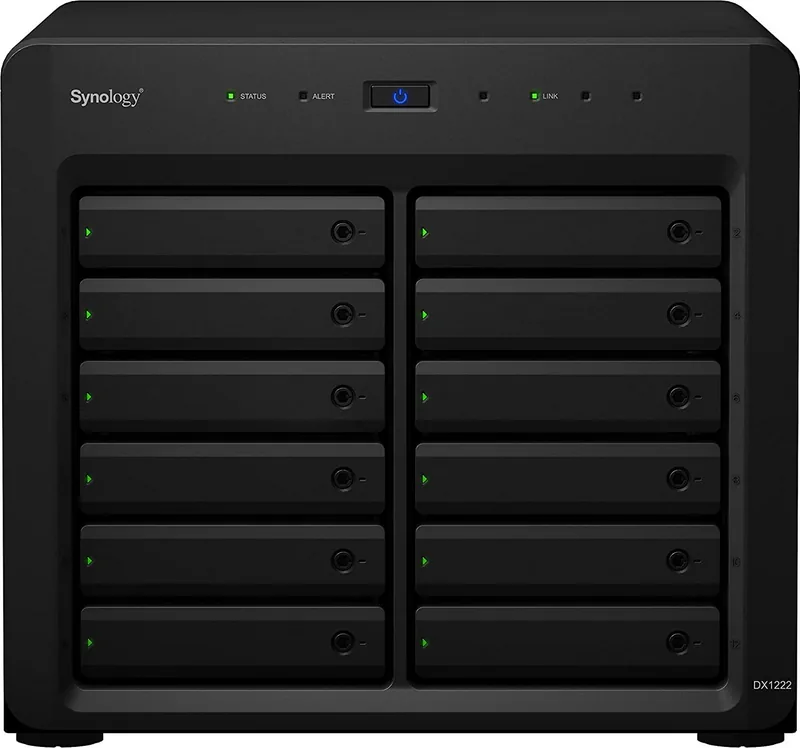
The Synology DX1222 is a high-capacity expansion unit designed for users who need to grow compatible Synology NAS storage without replacing their existing system. Built with twelve drive bays, it supports both 3.5-inch and 2.5-inch SATA hard drives or SSDs, giving businesses, creators, and home lab users flexible room for larger archives, backups, media libraries, and shared data.
Expand Storage With Practical Flexibility
Synology DiskStation Expansion Units connect to a compatible Synology NAS through a Mini-SAS HD expansion cable. Once connected, the DX1222 follows the power state of the host NAS, helping streamline everyday operation. Storage can be managed through DiskStation Manager, where users can create a new volume on the unit or extend an existing volume when supported by their configuration.
Twelve numbered, lockable drive trays simplify drive organization and help secure installed disks. For the best RAID capacity efficiency, matching drive sizes are recommended. The unit accommodates 3.5-inch drives without screws, while 2.5-inch drives can be fitted with the included mounting screws. This makes the DX1222 suitable for storage plans that balance capacity, performance, and future expansion.
Monitoring and Maintenance Features
Clear front-panel indicators provide at-a-glance information about system power, overall status, NAS connectivity, individual drive activity, and alerts. A flashing alert light can indicate issues such as fan failure, high temperature, or volume errors, enabling users to investigate problems promptly in DSM.
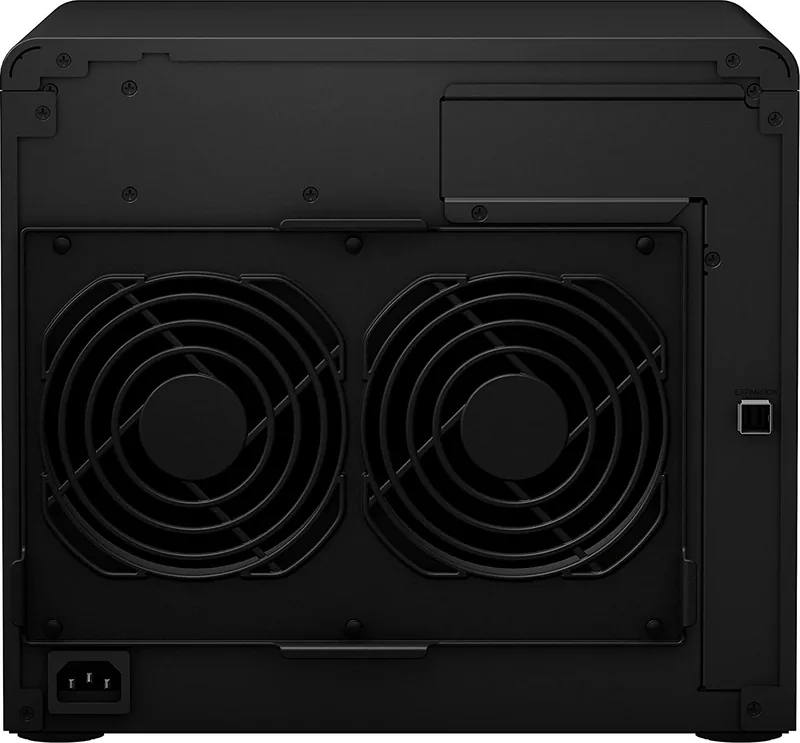
The enclosure uses dual 120 mm system fans to support cooling during continuous operation. The fans are replaceable, which can help extend serviceability over time. Compatible replacement items include drive trays, fan modules, power supplies, and Mini-SAS HD cables.
Important Setup Considerations
The DX1222 must be connected to only one Synology NAS at a time. The expansion cable should never be disconnected while the host NAS is powered on, as this can result in data loss. Drives that were previously used directly inside a NAS may not be readable when moved into the expansion unit, and the reverse also applies.
Before installation, back up any existing drive data because disks may be reformatted during storage setup. Place the enclosure in a stable, dry, well-ventilated location away from direct sunlight, liquids, abrupt temperature changes, and restricted airflow.
Notes
- Supports up to 12 SATA HDDs or SSDs.
- Operating temperature range is 0 to 40 C.
- Use DSM Storage Manager to create or expand storage.
- Confirm NAS compatibility before purchasing or installing drives.
Search for 67,706 Manuals online


Type-in Brand or Model