
Synology DiskStation DS218j Manual
PDF manual · 17 Pages
English



Quick check
Incorrect answer, please try again.
Chat with your Synology DiskStation DS218j manual using AI
Get instant AI answers from your Synology DiskStation DS218j manual
Ask anything about the Synology DiskStation DS218j. Answers come from this manual, with the pages they are based on.
Ask a Question
Do you recommend DiskStation DS218j?
Yes NoFrequently Asked Questions
You can install up to two hard drives in the available drive bays.
Is this answer helpful?
It runs DiskStation Manager which is a browser-based operating system.
Is this answer helpful?
Yes it is highly suitable for automated backups of all connected devices.
Is this answer helpful?
Yes but RAID efficiency will be limited to the size of the smallest drive.
Is this answer helpful?
Hold the reset button until you hear specific alarm tones for different states.
Is this answer helpful?
Basic file sharing works well but complex media transcoding requires more power.
Is this answer helpful?
Warranty terms depend on the product category and specific regional regulations.
Is this answer helpful?
Advantages and Disadvantages
Advantages

- Compact design fits easily on small desks and home entertainment centers.
- DiskStation Manager offers an intuitive web interface for easy setup.
- Supports multiple RAID configurations to protect against data loss.
- Low power consumption ensures it runs 24/7 without high electricity bills.
- Includes USB 3.0 ports for convenient external backup connectivity.
Disadvantages

- Only has a single Gigabit Ethernet port limit network speeds.
- Processing power is not high enough for heavy video transcoding.
- Limited to two internal hard drive bays for storage expansion.
- Fan noise may be noticeable in quiet personal office environments.
- Does not support SSD cache for improving read and write speeds.
Product Specification
Hard Drive
Warning! Various configurations possible
Internal
2x 3.5", SATA 6Gb/s
External
1x Gb LAN
Additional Ports
2x USB-A 3.0 (Host)
RAID Level
0/1/JBOD
CPU
Marvell Armada 385, 2x 1.30GHz
RAM
512MB DDR3
Fan
1x 3.62 in, 18dB(A)
Power Consumption
17.48W (Active), 7.03W (Idle)
Dimensions
3.94x6.50x8.88 in (WxHxD)
Weight
1.94 lbs
Features
iSCSI, 256-bit AES Encryption, iTunes Server, DLNA Server, FTP Server, BitTorrent Client, WebDAV
Warranty
24 Months (Valid for the storage system - for storage expansions, separate warranty periods may apply.)
USB Notation
Link
Product Description
Synology DiskStation DS218j Comprehensive Guide and Review
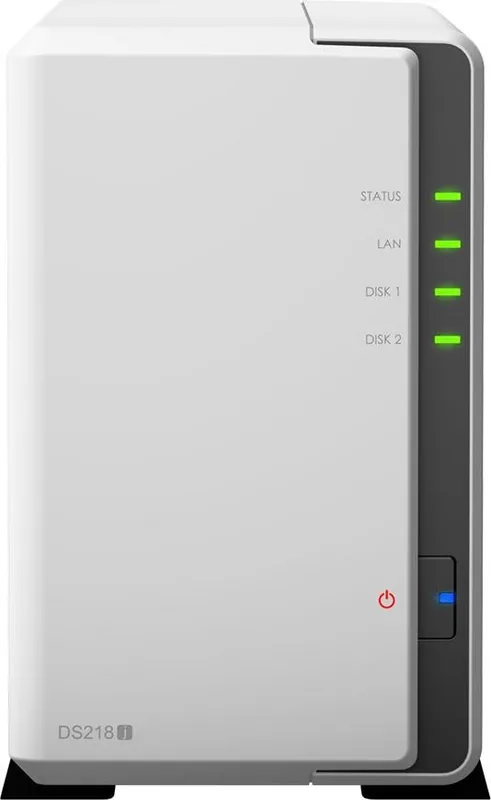
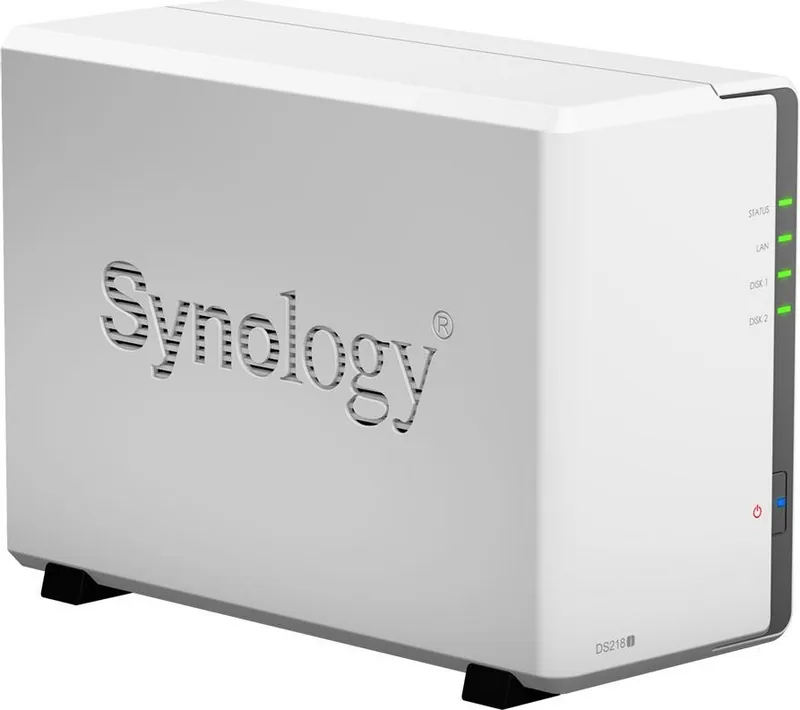
Welcome to the Synology DiskStation DS218j, a compact and efficient network attached storage solution designed specifically for home users and small office networks. This device transforms your existing hard drives into a secure private cloud server for your digital life. It serves as a centralized hub for storing files, protecting documents, and streaming media within your local environment. The setup process is designed to be user-friendly even for beginners who may not have extensive technical experience.
Hardware Installation and Structure
The unit features two internal drive bays that support both 3.5 inch and 2.5 inch SATA hard drives or solid state drives. Installation is straightforward with included screws and a specific mounting bracket for stability. You must power down the main unit and connect the external power adapter before turning on the system to ensure safety. The chassis is designed with a lightweight but durable plastic shell that keeps the footprint minimal on any desk or shelf. Ventilation holes allow the internal fan to regulate temperature effectively during continuous operation.
Software Capabilities and Interface
DiskStation Manager provides an intuitive web interface that runs in any modern browser without additional software installation. You can manage files, photos, contacts, and multimedia content from any computer or mobile device connected to the network. The system supports various RAID configurations including RAID 0, RAID 1, and Synology Hybrid RAID to protect your data from partial drive failure scenarios. USB 3.0 ports located on the rear allow for quick external backups or printer sharing capabilities.
Important Notes
Operating conditions should remain between 5 and 40 degrees Celsius to ensure longevity. Do not expose the unit to direct sunlight or extreme humidity fluctuations. Always maintain independent backups because no single system is immune to data loss.
Energy Efficiency and Performance
This model is built for low power consumption making it ideal for a 24/7 operation without adding excessive heat or noise to your living environment. You can configure scheduled power on and off times within the settings to save electricity during periods of inactivity. While the processor is capable of handling file serving tasks efficiently it may struggle with demanding video transcoding tasks compared to higher tier models.
Connectivity and Network Setup
Connectivity primarily relies on a single Gigabit Ethernet port which ensures reliable file transfer speeds over your local home network. This setup allows multiple devices to access shared folders simultaneously without significant latency. You can also access data remotely from outside your home network with appropriate configuration and port forwarding.
Conclusion and Final Thoughts
Whether you need to back up family photos, video recordings, or important work documents, this NAS provides a robust foundation for data security. It simplifies data management and centralizes your digital assets securely against accidental deletion or hardware failure.
Search for 67,706 Manuals online


Type-in Brand or Model