
Synology DiskStation DS1621xs+ Manual
PDF manual · 30 Pages
English



Quick check
Incorrect answer, please try again.
Chat with your Synology DiskStation DS1621xs+ manual using AI
Get instant AI answers from your Synology DiskStation DS1621xs+ manual
Ask anything about the Synology DiskStation DS1621xs+. Answers come from this manual, with the pages they are based on.
Ask a Question
Do you recommend DiskStation DS1621xs+?
Yes NoFrequently Asked Questions
The DS1621xs+ supports up to 96TB with six internal drives. With two DX517 expansion units, total capacity reaches 256TB.
Is this answer helpful?
Yes, you can upgrade using DDR4 ECC Unbuffered SODIMMs. However, using non-Synology memory will void the warranty.
Is this answer helpful?
Use the built-in Web Assistant by visiting find.synology.com or synologynas:5000 in a browser to download and install DSM automatically.
Is this answer helpful?
Yes, it supports Basic, JBOD, RAID 0, 1, 5, 6, 10, and Synology RAID F1 for flexible data protection and performance options.
Is this answer helpful?
The system emits a beep sound. You can replace the fan by removing the rear panel screws and swapping the unit carefully.
Is this answer helpful?
No, the warranty covers hardware defects only. Synology does not guarantee data security or offer data rescue services during repairs.
Is this answer helpful?
Advantages and Disadvantages
Advantages

- Supports dual 10GbE and dual 1GbE ports for versatile networking
- Scalable storage up to 256TB with DX517 expansion units
- Dedicated M.2 NVMe slots enable fast SSD caching
- Intuitive DiskStation Manager OS simplifies administration
- PCIe Gen3 x8 slot allows for custom hardware expansion
Disadvantages

- No internal hard drives included in the package
- Non-Synology memory modules void the product warranty
- Requires separate purchase for SSD caching drives
- Higher price point compared to consumer-grade NAS units
- Fan replacement requires disassembly of rear panel
Product Specification
Hard Drive
Warning! Various configurations possible
Internal
6x 2.5"/3.5", SATA 6Gb/s, Hot-Swap
External
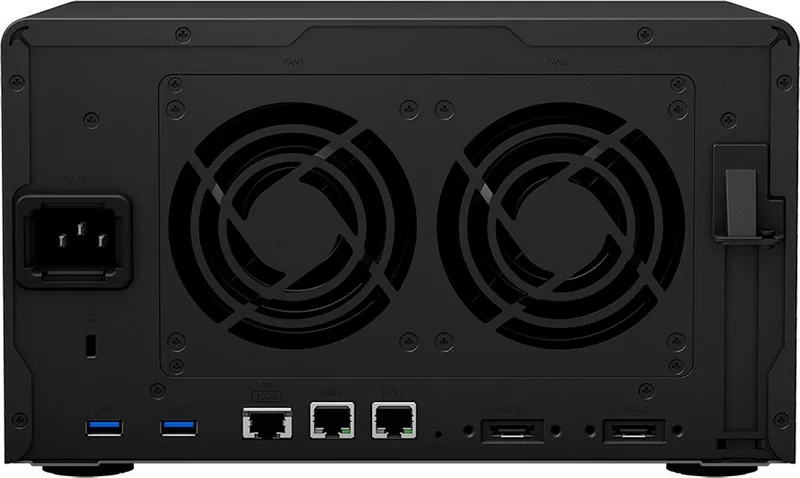
1x 10GBase-T, 2x Gb LAN
Additional Ports
3x USB-A 3.0 (Host), 2x eSATA (Host), 1x PCIe 3.0 x8, 2x M.2/M-Key (NVMe/PCIe, 2280)
RAID Level
0/1/5/6/10/JBOD (via expansions)
CPU
Intel Xeon D-1527, 4C/8T, 2.20-2.70GHz, 6MB+1MB Cache, 35W TDP, Codename "Broadwell-DE" (Broadwell, Intel 14nm)
RAM
8GB DDR4 ECC SO-DIMM (1x 8GB, 1 Slot free, max. 32GB)
Fan
2x 92mm, 25.2dB(A)
Power Consumption
62.85W (Operation), 34.26W (Idle)
Dimensions
11.1x6.5x9.6 inches (WxDxH)
Weight
11.68 lbs
Features
iSCSI, DLNA Client, BitTorrent Client, FTP Server, iTunes Server, WebDAV, 256-bit AES Encryption, SSD Cache/TRIM Support, Theft Protection (Kensington Lock)
Warranty
60 Months (Valid for storage system - different warranty periods may apply to storage expansions.)
USB Writing
Link
Product Description
Elevate Your Data Storage with the Synology DiskStation DS1621xs+
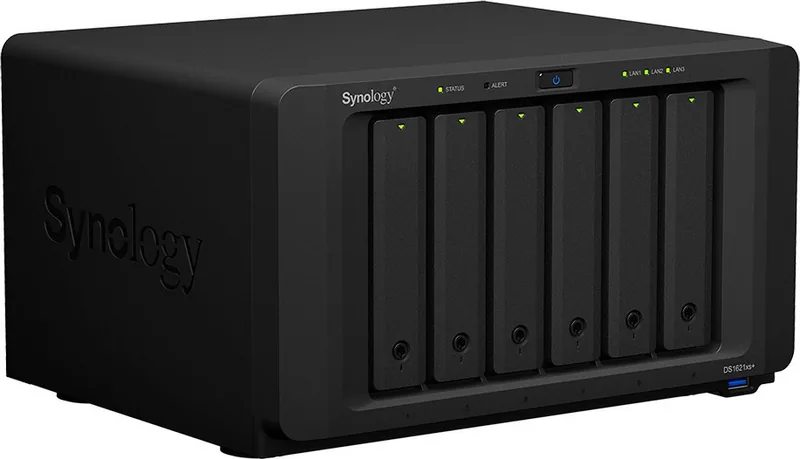
The Synology DiskStation DS1621xs+ represents a significant leap forward in network-attached storage solutions, designed specifically for small to medium businesses and power users who demand high performance and reliability. This robust unit serves as the central hub for your digital assets, offering seamless file sharing, backup, and multimedia streaming capabilities across your entire network.
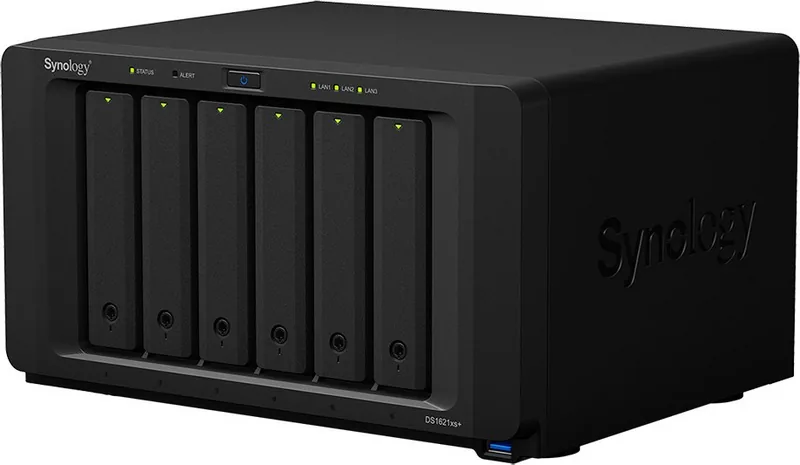
At the heart of the DS1621xs+ lies a powerful architecture capable of handling demanding workloads. It features six drive bays that support both 3.5-inch and 2.5-inch SATA drives, allowing for massive storage expansion up to 96 terabytes internally. For those requiring even more capacity, the system supports two DX517 expansion units, pushing total potential storage to an impressive 256 terabytes. The inclusion of two M.2 NVMe SSD slots enables users to create a fast SSD cache, significantly accelerating read and write speeds for frequently accessed data.
Connectivity is where this device truly shines. Equipped with one 10 Gigabit Ethernet port and two 1 Gigabit ports, it ensures rapid data transfer rates essential for modern workflows. The PCIe Gen3 x8 slot offers further flexibility, allowing you to install additional network cards or other expansion modules to customize the NAS for specific business needs. Whether you are managing large video files or running virtual machines, the hardware specifications provide the necessary bandwidth and processing power.
Setting up the DS1621xs+ is straightforward thanks to the intuitive Web Assistant tool built into the system. Once connected to your network, this utility guides you through downloading and installing DiskStation Manager (DSM), Synology's user-friendly operating system. The DSM interface provides a centralized dashboard for managing users, permissions, applications, and security settings without requiring deep technical expertise. Safety features like hibernation modes and scheduled power on/off help optimize energy consumption while keeping your data secure.
For those looking to extend the lifespan and performance of their setup, the DS1621xs+ supports memory upgrades via DDR4 ECC Unbuffered SODIMMs. Adding extra RAM improves multitasking capabilities and enhances the performance of resource-intensive applications like database servers or media transcoding services. The system also includes comprehensive troubleshooting guides and LED indicators that provide real-time status updates on drive health, network activity, and system alerts.
Key Features Summary
- High-speed 10GbE connectivity for fast data transfers
- Support for up to 256TB with external expansion units
- Flexible M.2 NVMe SSD caching options
- Intuitive DSM operating system for easy management
- Expandable memory and PCIe slot for customization
Important Notes
Always ensure that all drives are properly seated before powering on the device. Regular backups are crucial since warranty coverage does not include data recovery services. When upgrading components, use only compatible Synology-approved parts to maintain warranty validity.
Search for 67,706 Manuals online


Type-in Brand or Model