
Synology BeeStation Manual
PDF manual · 51 Pages
English



Quick check
Incorrect answer, please try again.
Chat with your Synology BeeStation manual using AI
Get instant AI answers from your Synology BeeStation manual
Ask anything about the Synology BeeStation. Answers come from this manual, with the pages they are based on.
Ask a Question
Do you recommend BeeStation?
Yes NoFrequently Asked Questions
Scan the QR code in the quick guide or visit the setup URL. Connect power and network cables. Press the button until the LED lights up. Enter serial number if prompted. Name the device to finish.
Is this answer helpful?
White constant means drive is ready. Blinking indicates boot or shutdown cycle. Orange solid means reset or deletion process. Orange blinking signals drive error. Off means completely powered down.
Is this answer helpful?
Yes. Download the BeeFiles or BeePhotos app. Scan the QR code. Log in with your Synology account. Select your device to browse folders and upload media instantly.
Is this answer helpful?
Insert USB drive into any port. Open backup tool in web portal. Select source folder on drive and destination on device. Configure conflict rules and start process automatically.
Is this answer helpful?
Yes. Use BeePhotos to create albums. Set conditions for auto-addition. Share links privately. Cast to TV via AirPlay or Chromecast for group viewing sessions.
Is this answer helpful?
You can invite up to eight people to use your storage space. Each gets a separate folder. Their files remain private unless you share specific albums manually.
Is this answer helpful?
Go to settings in portal. Click unlink option. Enter the displayed security code to sever connection. Note that data remains stored until factory reset is performed manually.
Is this answer helpful?
Advantages and Disadvantages
Advantages

- Simple wireless or wired setup reduces complexity for non-tech users.
- Dual USB ports allow connecting multiple external devices at once efficiently.
- Automatic cloud syncing keeps files up to date everywhere without manual effort.
- Built-in photo apps support direct TV casting for instant entertainment viewing.
- Multi-user support allows secure sharing within small families or teams.
Disadvantages

- Gigabit LAN limits speed compared to faster enterprise network standards today.
- No internal expansion slot restricts future storage growth options after purchase.
- Requires stable internet connection for full feature activation and cloud sync.
- Proprietary format requires specific software for best overall performance levels.
- Warranty coverage varies significantly by region of original purchase location.
Product Specification
Hard Drive
1x 4TB HDD
External
1x Gigabit Ethernet
Additional Ports
1x USB-C 3.0 (Host), 1x USB-A 3.0 (Host)
RAID Level
N/A
CPU
Realtek RTD1619B, 4x 1.70GHz (ARM Cortex-A55)
RAM
1GB DDR4
Power Consumption
7.85W (Active), 1.65W (Idle)
Dimensions
2.46x5.83x7.73in (WxHxD)
Weight
1.81 lbs
Warranty
3 Years
USB Reference
Link
Product Description
Exploring the Synology BeeStation 4TB Experience
Simplified Personal Data Management
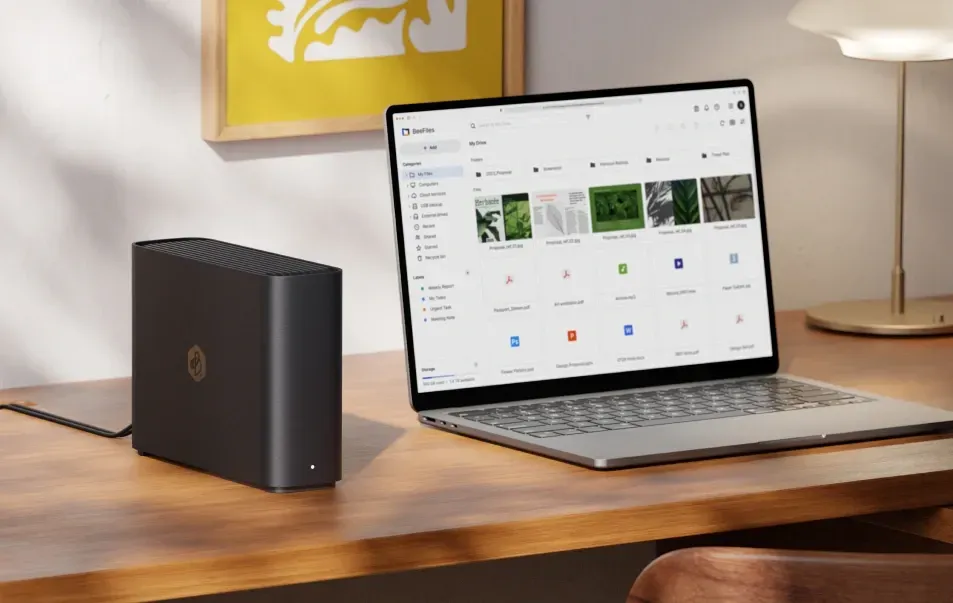
Managing personal files and photos does not have to be complicated. The Synology BeeStation 4TB provides an elegant solution for storing your digital life in one central location. This compact device connects to your home network using a standard Gigabit Ethernet cable. Once connected, the hardware becomes accessible through various interfaces designed for ease of use. Whether you prefer working on a computer, smartphone, or tablet, the system supports multi-platform access seamlessly.
Seamless Setup and Connectivity
Getting started involves minimal effort. You simply plug in the power adapter and the network cable. The onboard status LEDs guide you through the initialization phase. A solid white light indicates the drive is ready for use. During the initial configuration, you scan a QR code or enter a URL to activate the device. You may need to input a serial number depending on how you begin the process. After naming the unit, the BeeStation becomes operational and ready to store your data securely.
Advanced Features and Capabilities
Beyond basic storage, the device offers powerful synchronization tools. Users can link their existing cloud accounts such as Google Drive or Microsoft OneDrive. Changes made in these cloud services are mirrored onto the BeeStation automatically. There is also support for backing up files directly from USB thumb drives or external hard disks. When connected, the system prompts you to initiate a backup immediately. This prevents accidental loss of important media or work documents.
User Interaction and Sharing
Up to eight individuals can be invited to access the storage space simultaneously. Each person maintains their own private area within the system. Photo organization is handled via dedicated mobile applications. You can create shared albums and view pictures on television screens using casting features like AirPlay or Chromecast. System updates occur automatically to maintain security standards. The hardware utilizes a Realtek processor and includes dual USB ports for flexible connectivity options.
Hardware Specifications
The physical dimensions measure approximately forty-eight millimeters in height and one hundred ninety-six millimeters in depth. Weight is around eight hundred twenty grams making it portable. Operating temperature ranges from zero to thirty-five degrees Celsius. Humidity must stay between five and ninety-five percent relative. These factors ensure longevity and prevent overheating during peak usage periods. Failure to follow these guidelines voids parts of the warranty agreement provided.
Important Considerations
Always keep the device in a well ventilated area. Avoid exposure to moisture or extreme temperatures. Ensure the power supply meets local electrical regulations before plugging in. Clean surfaces with a damp cloth only. Regularly back up your settings to recover configurations if needed. For further details, consult the Synology BeeStation 4TB, 1x Gb LAN Manual.
Search for 67,706 Manuals online


Type-in Brand or Model