
Synology BeeDrive Manual
PDF manual · 39 Pages
English



Quick check
Incorrect answer, please try again.
Chat with your Synology BeeDrive manual using AI
Get instant AI answers from your Synology BeeDrive manual
Ask anything about the Synology BeeDrive. Answers come from this manual, with the pages they are based on.
Ask a Question
Do you recommend BeeDrive?
Yes NoFrequently Asked Questions
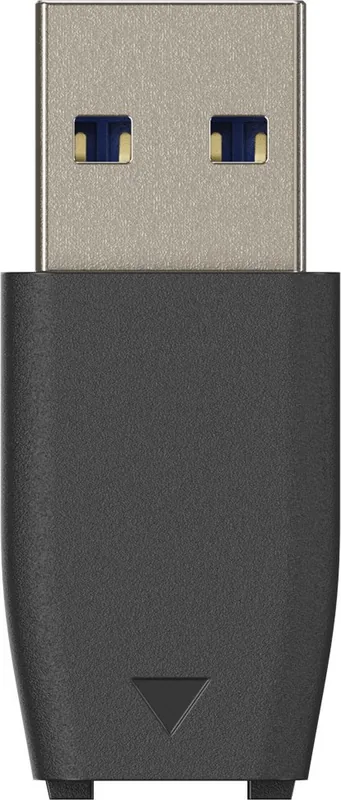
You can use the included USB-C to USB-C cable for direct connection. If you have a legacy USB-A port, use the included adapter with the USB-C cable to bridge the connection. The device will be recognized immediately.
Is this answer helpful?
The drive supports Windows 10 version 1809 and higher, Windows 11, iOS 15 or higher, and Android 10 or higher. You will need to install the specific desktop application for Windows or Mac compatibility.
Is this answer helpful?
Yes, deleted files are kept in an archive folder within the software interface. You can restore them to their original location or choose to permanently delete them. This protects you from accidental deletion errors.
Is this answer helpful?
Yes, the system retains up to five previous versions of documents. You can access these versions through advanced settings in the desktop software application to recover earlier states of your data.
Is this answer helpful?
Download the companion mobile app and link your device to the hub. Enable automatic photo backup settings within the app to secure your camera roll. Ensure both devices are on the same local network.
Is this answer helpful?
The BeeDrop feature allows wireless transfers within the local network environment. You can select files on your mobile device and send them directly to the hub connected to your computer network.
Is this answer helpful?
A standard one year warranty is included. You can purchase extended warranty options for additional coverage. The warranty covers hardware defects but does not cover data loss on the device.
Is this answer helpful?
Advantages and Disadvantages
Advantages

- High transfer speeds up to 1050 MB/s via USB 3.2 Gen 2 for efficient data movement
- Automatic computer folder backup prevents data loss effectively without user intervention
- Mobile app allows easy photo backup and file transfers via BeeDrop functionality
- File versioning keeps up to five previous file versions for easy recovery
- Compact and lightweight design makes portability convenient for mobile users
Disadvantages

- No coverage for data loss under warranty terms provided by the manufacturer
- Requires specific external software for full desktop functionality and features
- Drive must be formatted to exFAT for compatibility across different systems
- Warranty excludes damage from liquid, misuse, or extreme environmental factors
- Extended warranty options add additional cost for long term protection coverage
Product Specification
External Connection
1x USB-C 3.1
RAID Level
N/A
Fan
N/A
Dimensions
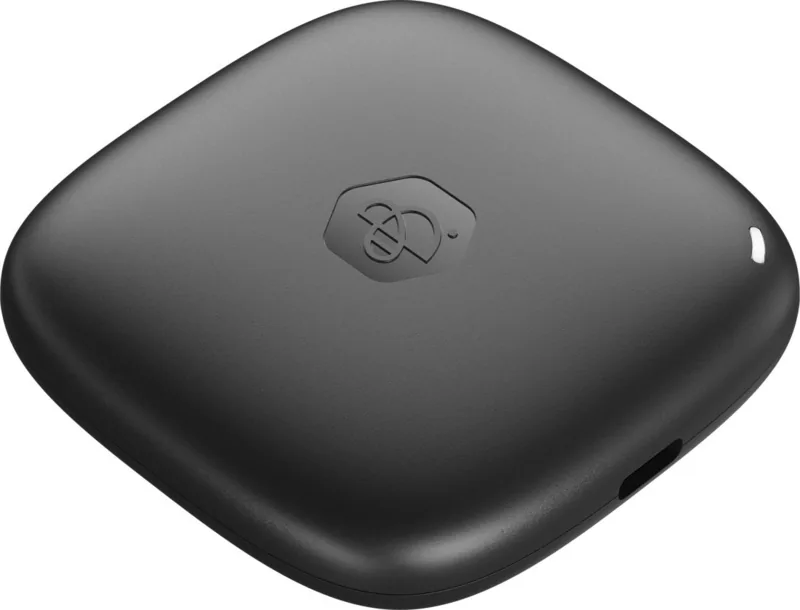
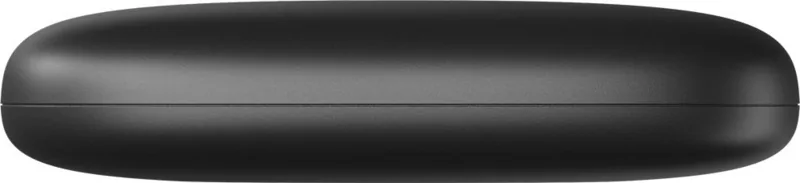
2.56x2.56x0.59 in
Weight
1.52 oz
Color
Black
Features
USB Cable (USB-C), USB Adapter (USB-A), App Support (Android/iOS/iPadOS/Windows/MacOS), One-Touch Backup
Manufacturer Warranty
3 years
Product Description
Secure Your Digital Life Today
Managing digital memories and work data requires a reliable and efficient solution. The Synology BeeDrive Personal Backup Hub offers a streamlined approach to data safety for home users. Designed for individuals who value simplicity without sacrificing high performance, this device ensures your valuable data is protected against accidental loss. Its sleek and compact form factor fits easily on any work desk while delivering substantial capacity options tailored to modern storage needs.
HighSpeed Data Transfer
Performance is crucial when moving large amounts of data between computers and the storage unit. Featuring a USB 3.2 Gen 2 interface, this hub supports transfer rates reaching up to 1050 MB/s. This high speed ensures that backing up extensive photo libraries and video data happens quickly. Users can connect directly via USB-C or utilize the included adapter for legacy USB-A ports. The dedicated LED indicators provide immediate visual feedback on system status and activity, keeping you informed without constantly checking the interface.
Comprehensive Software Suite
The ecosystem extends beyond simple external storage functionality. The dedicated desktop application facilitates automated folder backups without requiring constant user intervention. Once configured, any changes made on your computer are immediately mirrored to the hub. File versioning capabilities retain up to five previous versions of documents, protecting against corruption or unwanted edits. Mobile users benefit from the companion app which secures photos automatically. BeeDrop functionality allows direct transfers of data from mobile devices to the hub within the local network environment efficiently.
Specifications and Compatibility
This compact drive operates efficiently within specific environmental operating temperatures. Supported operating systems include Windows 10 and 11, iOS 15 or higher, and Android 10. The initial setup requires formatting to exFAT to ensure cross-platform compatibility between different devices. Security warnings emphasize keeping the device away from moisture and extreme heat to prevent hardware failure. Regular checking ensures drive health through the software dashboard.
Important Warranty Considerations
Understanding the terms of use is essential for maximizing utility and protecting your investment. Referencing the Synology BeeDrive Personal Backup Hub Manual helps users navigate configuration settings effectively regarding safety and operation. Whether securing personal photos or sensitive business data, peace of mind comes from knowing your data has a safe home location. The robust warranty policy covers hardware defects, though users remain responsible for creating their own independent data archives to prevent significant loss.
File Recovery and Versioning
Accidental deletion is a common fear for many users. The system automatically keeps deleted data in an archive folder within the software interface. You can restore this data to its original location or choose to permanently delete it if no longer needed. Keeping previous versions is also possible through advanced settings within the application. This layer of security is vital when working on time-sensitive projects.
Search for 67,706 Manuals online


Type-in Brand or Model