
Supermicro SuperWorkstation 7049GP-TRT Manual
PDF manual · 133 Pages
English



Quick check
Incorrect answer, please try again.
Chat with your Supermicro SuperWorkstation 7049GP-TRT manual using AI
Get instant AI answers from your Supermicro SuperWorkstation 7049GP-TRT manual
Ask anything about the Supermicro SuperWorkstation 7049GP-TRT. Answers come from this manual, with the pages they are based on.
SuperWorkstation 7049GP-TRT Maintenance Schedule
Check fan status via LED indicators or IPMI. Replace any failed fan immediately with the same model.
Ensure the system is in a clean, dust-free area. Remove dust to prevent overheating and component damage.
Replace the CR2032 battery only when necessary to retain system information. Handle used batteries carefully.
Free maintenance reminders
Timed to your purchase date. Always free, unsubscribe anytime.
Ask a Question
Do you recommend SuperWorkstation 7049GP-TRT?
Yes NoFrequently Asked Questions
It is best suited for GPU-accelerated computing, professional rendering, simulation, scientific workloads, and other tasks that benefit from strong CPU, memory, and expansion capacity.
Is this answer helpful?
The platform supports up to 2TB of DDR4 ECC memory using 16 DIMM slots, including RDIMM, LRDIMM, 3DS LRDIMM, and NV-DIMM options.
Is this answer helpful?
Yes. The chassis and motherboard provide extensive PCIe expansion, making it suitable for multi-GPU configurations and other high-bandwidth add-in cards.
Is this answer helpful?
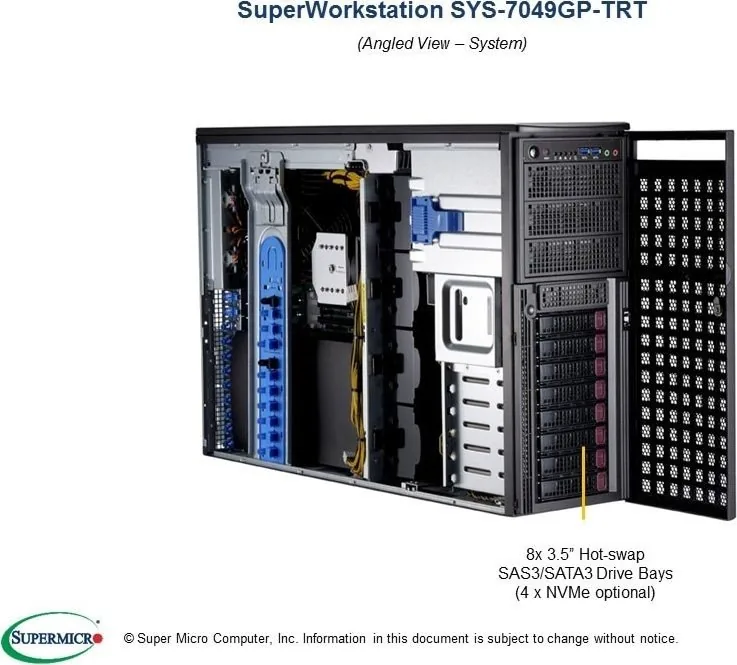
It includes eight hot-swap 3.5-inch drive bays and also supports SATA and NVMe-related connections depending on the installed configuration.
Is this answer helpful?
Yes. The system supports IPMI and includes a dedicated IPMI LAN port, which helps administrators monitor and manage the workstation remotely.
Is this answer helpful?
The system is intended for professional integrators and experienced technicians. The hardware layout and safety requirements make careful handling important.
Is this answer helpful?
Advantages and Disadvantages
Advantages

- Dual-socket Xeon support delivers strong multi-threaded performance for demanding workloads.
- Up to 2TB DDR4 ECC memory helps with large datasets and memory-heavy applications.
- Eight hot-swap drive bays improve storage flexibility and maintenance convenience.
- Redundant 2200W power supply adds resilience for continuous operation.
- IPMI and SuperDoctor 5 support remote monitoring and system management.
Disadvantages

- 4U chassis is large and better suited to rack or equipment-room deployment.
- Installation and maintenance are recommended for experienced technicians only.
- High-power hardware and GPU focus may increase cooling and power demands.
- Advanced BIOS and hardware options can be complex for casual users.
Product Specification
Type
Tower
Chipset
Intel C621
Socket
2x Intel 3647 (spread Layout)
CPU
no
RAM
16x DDR3, hexa PC4-21300L/DDR4-2666, max. N/A (UDIMM), 512GB (RDIMM), 1TB (LRDIMM), 2TB (LRDIMM-3DS)
Storage
10x SATA 6Gb/s, 1x M.2/M-Key (PCIe 3.0 x4, 22110)
External bays
3x 5.25", 8x 3.5" (Hot-Swap)
Internal bays
N/A
Graphics
ASPEED AST2500 - Onboard
GPU ports
1x VGA
Rear ports
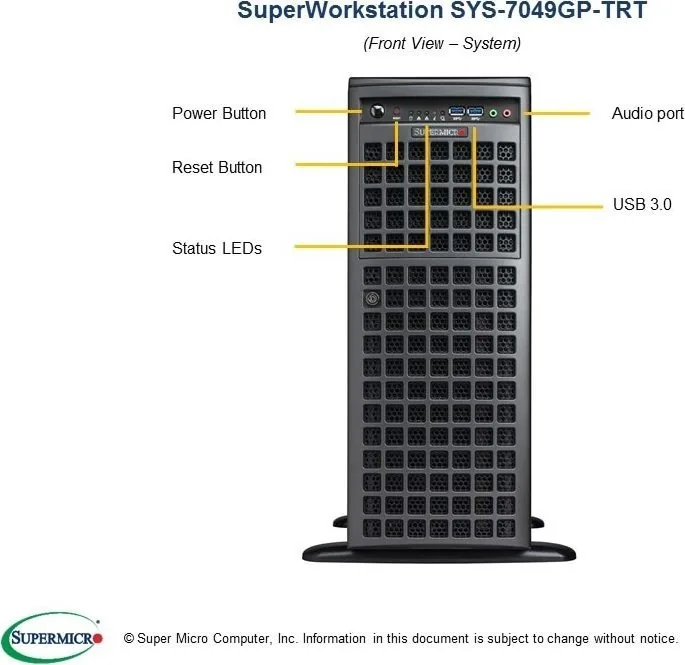
2x USB-A 3.0 (5Gb/s), 2x USB-A 2.0 (480Mb/s), 2x RJ-45 10Gb LAN (Intel X550), 1x serial, 1x Management port (RJ-45), 1x AC-In (Power connector)
Expansion slots
2x PCIe 3.0 x16, 1x PCIe 3.0 x8 (x4)
Wireless
N/A
Card reader
N/A
Power supply
internal, 1x AC-In (2000W), redundant
VESA mount
N/A
Dimensions (WxHxD)
7.01x18.19x26.50in
Volume
14.61gal
Special features
IPMI 2.0
USB notation
Link
Product Description
Supermicro GPU SuperWorkstation 7049GP-TRT: A Workstation Built for Heavy Lifting
The Supermicro GPU SuperWorkstation 7049GP-TRT is designed for users who need serious compute density, dependable cooling, and flexible expansion in one 4U platform. Built around the X11DPG-QT motherboard and the SC-747BTS-R2K20BP chassis, it brings together dual-socket Intel Xeon Scalable processor support, enterprise memory capacity, and workstation-class graphics readiness in a single enclosure.
At its core, this system is made for demanding tasks such as GPU-accelerated workloads, content creation, simulation, and advanced data processing. With support for up to 2TB of DDR4 ECC memory across 16 slots, it offers the headroom needed for memory-intensive jobs. The platform also includes extensive PCI Express expansion, making it a strong fit for multi-GPU builds and specialized add-in cards.
Storage and serviceability are also clear priorities. Eight hot-swap 3.5-inch drive bays provide easy access for drive replacement and expansion, while the chassis layout is built to support practical maintenance. The redundant 2200W power supply adds resilience, and the cooling design includes multiple chassis fans plus support for additional rear fans when passive GPUs are used. That combination helps keep performance stable under sustained load.
For system administrators, the management tools are a major advantage. Integrated IPMI support, a dedicated management LAN port, and SuperDoctor 5 monitoring make remote oversight much easier. UEFI BIOS options further extend control over boot behavior, CPU tuning, power handling, and memory settings, which is useful when fine-tuning the machine for production environments.
The Supermicro GPU SuperWorkstation 7049GP-TRT Manual reflects a platform that expects careful installation and experienced handling. It emphasizes proper ESD precautions, correct CPU and heatsink assembly, and responsible maintenance practices. That makes the system especially appealing to professional integrators who value performance, reliability, and structured service procedures.
Why it stands out
This workstation is not trying to be small or simple. It is built to be expandable, serviceable, and ready for serious workloads where uptime matters. If your project needs dense PCIe options, large memory capacity, redundant power, and enterprise-grade control, this model delivers a compelling foundation.
Notes
- Best suited for professional deployment and experienced technicians.
- Strong fit for GPU-heavy computing and advanced workstation tasks.
- Remote management and monitoring features add real operational value.
- Keyword focus: Supermicro GPU SuperWorkstation 7049GP-TRT Manual.
Search for 67,706 Manuals online


Type-in Brand or Model