
STMicroelectronics Nucleo-64 STM32L432KCU6 Manual
PDF manual · 54 Pages
English


Quick check
Incorrect answer, please try again.
Chat with your STMicroelectronics Nucleo-64 STM32L432KCU6 manual using AI
Get instant AI answers from your STMicroelectronics Nucleo-64 STM32L432KCU6 manual
Ask anything about the STMicroelectronics Nucleo-64 STM32L432KCU6. Answers come from this manual, with the pages they are based on.
Ask a Question
Do you recommend Nucleo-64 STM32L432KCU6?
Yes NoFrequently Asked Questions
It is best suited for fast prototyping, firmware learning, and embedded development where you want an easy start but still need flexible hardware access.
Is this answer helpful?
No. The board includes an integrated ST-LINK/V2-1 debugger/programmer, so you can program and debug without buying a separate probe.
Is this answer helpful?
Yes. The board supports Arduino Uno Rev3-style connectivity, making it compatible with many shields and add-on modules.
Is this answer helpful?
It works with ST’s HAL library, packaged examples, mbed resources, and several popular IDEs such as IAR, Keil, and GCC-based tools.
Is this answer helpful?
It can be powered by USB or by external inputs such as VIN, E5V, or 3.3V, depending on the configuration and project requirements.
Is this answer helpful?
They control power routing, debug mode, clock selection, and peripheral connections. Correct settings are essential for reliable operation.
Is this answer helpful?
Advantages and Disadvantages
Advantages

- Integrated ST-LINK/V2-1 simplifies debugging and programming.
- Arduino Uno Rev3 and Morpho headers expand hardware compatibility.
- Multiple power paths support USB and external project setups.
- HAL examples and IDE support help accelerate development.
Disadvantages

- Jumper and solder-bridge settings can be confusing for beginners.
- Some advanced configurations require careful hardware changes.
- Power limits must be respected when using shields or extensions.
- Exact pin behavior can vary by board variant and setup.
Product Specification
Format
Entry Level, Enhanced Features
Platform
Uno, Nucleo-64
Manufacturer
STMicroelectronics
Type
Mainboard
MCU
ST STM32F302R8T6, 72MHz, 2.0-3.6V
Memory
64kB Flash (2kB for Bootloader), 16kB SRAM
Host Interface
USB 2.0 (Mini-USB), 5.0V
Operating Voltage
3.3/5.0V (7.0-12.0V max.)
Digital I/O Pins
51 total, 7 with PWM
Analog I/O Pins
15 (input, 12bit ADC), 3x I2C, 3x Comparator
UART/USART
3x USART
Additional SoC
N/A
Dimensions
2.76x1.77x3.23in (WxHxD)
Special Features
Reset Button, User Button, RTC, Operational Amplifier, CAN Bus 2.0B, Morpho extension pin headers
Package Contents
1x Mainboard
Product Description
ST Nucleo-64 STM32L432KCU6: Compact Power for Fast Prototyping
The ST Nucleo-64 STM32L432KCU6 is built for makers, students, and engineers who want a practical way to move from an idea to a working prototype. It combines a capable STM32 microcontroller platform with a layout that feels familiar, flexible, and ready for experimentation. The result is a board that can support simple demos, deeper firmware work, and early product validation without adding unnecessary complexity.
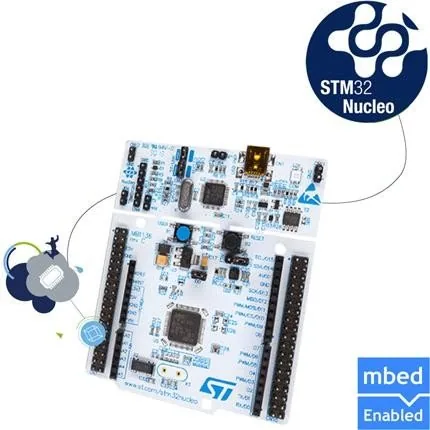
What makes this board especially appealing is how much functionality is already built in. The integrated ST-LINK/V2-1 debugger/programmer removes the need for an external probe, while USB connectivity keeps setup straightforward. Developers can work with common tools, explore the HAL library, and use packaged examples to speed up the first steps. The board also supports mbed resources, giving it a strong starting point for modern embedded workflows.
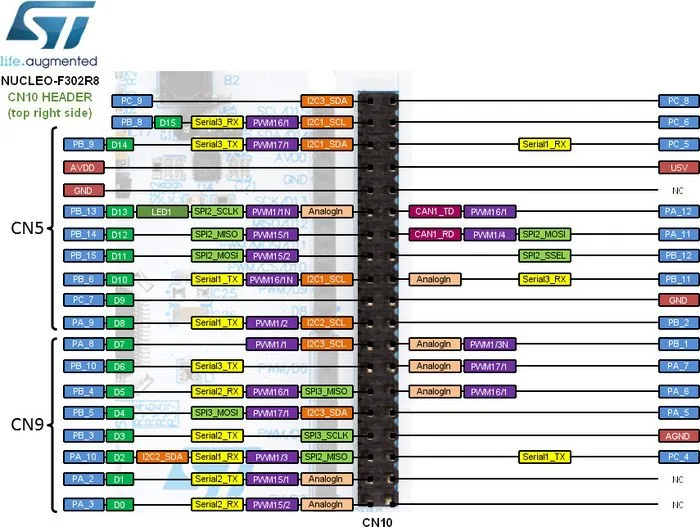
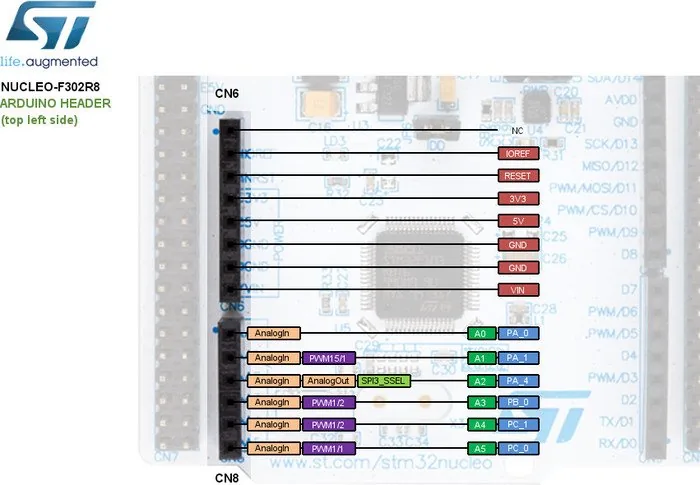
The expansion options are another major advantage. Arduino Uno Rev3 compatibility helps the board fit into a wide ecosystem of shields and accessories, while the STMicroelectronics Morpho headers provide broader access to the microcontroller pins. That balance makes the board useful both as a beginner-friendly platform and as a serious lab tool for more custom hardware work. Whether you are testing sensors, driving outputs, or building a connected controller, the layout supports a wide range of ideas.
Power management is equally practical. The board can run from USB or external sources such as VIN, E5V, or 3.3V, depending on the setup. On-board LEDs, push buttons, oscillator options, and solder bridge configurations give users a hands-on way to tailor behavior for debugging or deployment. In a blog review of the ST Nucleo-64 STM32L432KCU6 Manual, this flexibility stands out as one of the strongest reasons to choose the platform.
If you need a compact STM32 board that blends convenience with depth, the ST Nucleo-64 STM32L432KCU6 offers a smart middle ground. It is approachable enough for fast learning, yet detailed enough to support real embedded development.
Notes
- Check jumper and solder-bridge settings before powering the board.
- Use USB for quick start, or external power when your project needs more current.
- Arduino and Morpho connectors make expansion easy across many project styles.
Search for 67,706 Manuals online


Type-in Brand or Model