
StarTech VGA2HDU Manual
PDF manual · 2 Pages
English



Quick check
Incorrect answer, please try again.
Chat with your StarTech VGA2HDU manual using AI
Get instant AI answers from your StarTech VGA2HDU manual
Ask anything about the StarTech VGA2HDU. Answers come from this manual, with the pages they are based on.
Ask a Question
Do you recommend VGA2HDU?
Yes NoFrequently Asked Questions
It converts a VGA signal from an older source device into HDMI for use with modern monitors, TVs, and projectors. It is designed for simple VGA-to-HDMI connectivity rather than more complex multimedia switching.
Is this answer helpful?
USB power is recommended for the best performance. The adapter may work without it in some cases, but the manual warns that skipping USB power can cause video signal loss or unstable output.
Is this answer helpful?
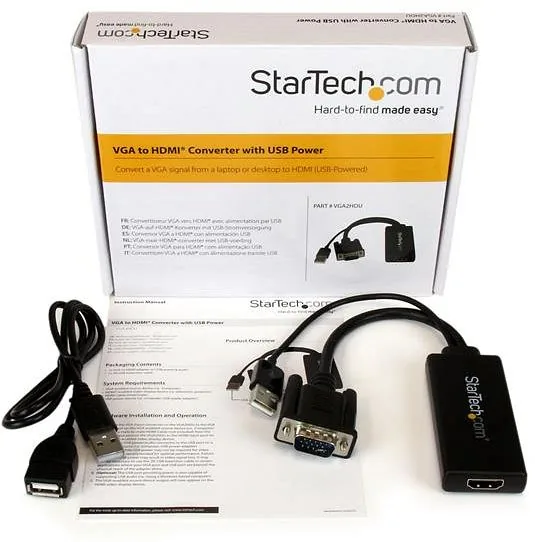
No. You need to supply a male-to-male HDMI cable separately. The included items focus on the adapter itself, USB support, and a short USB extension cable.
Is this answer helpful?
Yes, the USB connection can also support audio in certain setups, especially with Windows-based computers. This makes it more versatile than a basic video-only converter.
Is this answer helpful?
It works with VGA-enabled source devices such as computers and HDMI-enabled displays such as televisions or projectors. You also need a USB power source to get the most reliable operation.
Is this answer helpful?
StarTech offers lifetime technical support along with a two-year warranty. The warranty covers defects in materials and workmanship under normal use, subject to the company’s terms.
Is this answer helpful?
Advantages and Disadvantages
Advantages

- Converts VGA output to HDMI displays with minimal setup.
- Includes USB power support for improved signal stability.
- Supports audio through USB in compatible Windows setups.
- Comes with a 2 ft USB extension cable for easier placement.
- Backed by lifetime technical support and a 2-year warranty.
Disadvantages

- HDMI cable is not included and must be purchased separately.
- USB power is recommended, so it may not work reliably without it.
- It only solves VGA-to-HDMI conversion, not the reverse.
- Audio support may depend on the connected system and use case.
Product Specification
Type
Adapter Cable
Connector
VGA, USB-A 2.0
Socket
HDMI
USB Notation
Link
Product Description
StarTech HDMI/VGA Adapter Manual: A Practical Bridge Between Old and New Displays
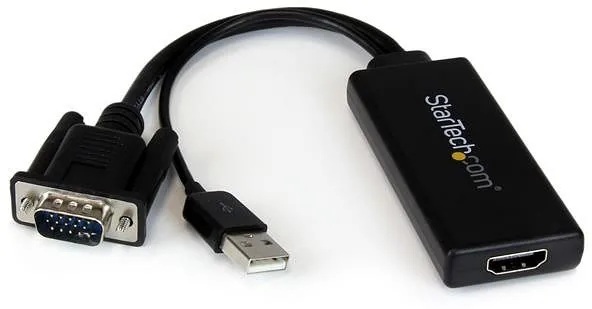
The StarTech HDMI/VGA Adapter is built for one simple job: helping a VGA-equipped computer connect to a modern HDMI display. In a world where many monitors, TVs, and projectors now rely on HDMI, this compact converter gives older systems a reliable way to stay useful. The StarTech HDMI/VGA Adapter Manual highlights a straightforward design, easy setup, and a focus on dependable everyday performance.
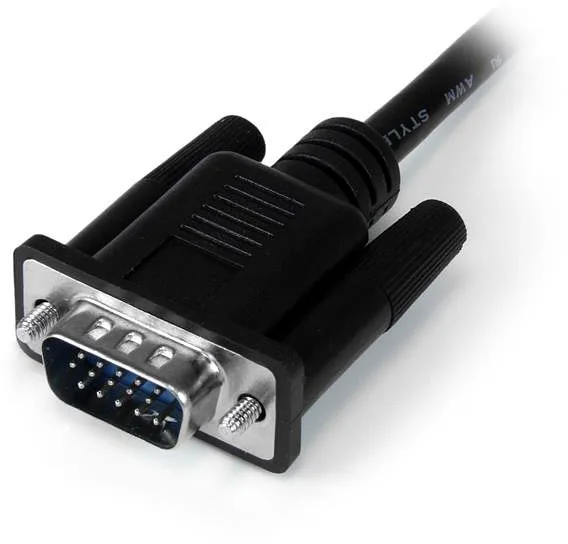
At its core, this adapter accepts a VGA signal from a source device and converts it for output over HDMI. That makes it a helpful solution for office setups, classrooms, meeting rooms, or home workstations where legacy hardware still needs to connect to newer screens. The package also includes USB power support and audio handling, giving the adapter more flexibility than a basic video-only converter.
Installation is refreshingly simple. You connect the VGA input to the source device, attach a male-to-male HDMI cable to the display, and then provide USB power from a computer or USB adapter. The manual notes that USB power is recommended for the best results, since skipping it may lead to video loss. In some situations, the included 2-foot USB extension cable can make the connection easier when ports are spaced apart.
Another useful detail is audio support through the USB connection, which can be especially convenient in Windows-based environments. While the adapter is mainly about video conversion, this added capability helps reduce cable clutter and improves the overall usefulness of the setup. It is a small product, but it solves a common compatibility problem without demanding complicated configuration.
Notes
- HDMI cable is not included, so users should have one ready.
- USB power is strongly recommended for stable operation.
- The adapter is best suited for VGA-to-HDMI conversion only.
- StarTech backs the product with lifetime technical support and a two-year warranty.
Overall, this adapter is a practical choice for anyone who needs to keep VGA hardware working with HDMI displays. It blends convenience, compatibility, and support in a compact accessory that fits well into both professional and personal setups.
Search for 67,706 Manuals online


Type-in Brand or Model