
StarTech USBDUP12 Manual
PDF manual · 20 Pages
English



Quick check
Incorrect answer, please try again.
Chat with your StarTech USBDUP12 manual using AI
Get instant AI answers from your StarTech USBDUP12 manual
Ask anything about the StarTech USBDUP12. Answers come from this manual, with the pages they are based on.
Ask a Question
Do you recommend USBDUP12?
Yes NoFrequently Asked Questions
It copies one USB flash drive to two target drives without using a computer. It is designed for fast, standalone duplication and includes verification and maintenance tools.
Is this answer helpful?
Yes. It can compare copied data, check capacity, measure speed, format drives, test media quality, and perform several erase options for drive preparation.
Is this answer helpful?
It supports synchronous and asynchronous copying. The system selects the mode based on source size and buffer behavior, or you can adjust the asynchronous setting in the menu.
Is this answer helpful?
Yes. You can use Compare or Copy + Compare to check copied data after the duplication process finishes, helping confirm that the target matches the source.
Is this answer helpful?
It is designed for USB flash drives, and it can also work with other external storage through compatible readers, docks, or enclosures depending on the setup.
Is this answer helpful?
Formatting and erase functions can delete data, and some options also remove the file system. These functions should be used carefully because data loss is likely.
Is this answer helpful?
Yes. The menu-based design, LCD prompts, and clear button controls make the workflow manageable, even when using advanced functions like media checks or secure erase.
Is this answer helpful?
Advantages and Disadvantages
Advantages

- Standalone operation means no computer is required for copying.
- Copies to two target drives at once, improving workflow efficiency.
- Includes compare, speed test, and media check tools for validation.
- Supports formatting and secure erase functions for drive preparation.
Disadvantages

- Best results depend on matching source and destination capacities.
- Some utility functions can erase data, so caution is required.
- The interface is simple, but many settings may take time to learn.
- Primarily designed for USB flash media, so compatibility can vary.
Product Specification
Type
Copy Station
Usage
stationary
Connectivity
N/A
Media
3x USB-A 2.0
Copy Function
USB-A (2x simultaneous)
Dimensions
5.12x0.98x4.72in (WxHxD)
Weight
1.21 lb
Special Features
autonomous operation, Display, Buffer memory 64MB
Manufacturer Warranty
two years
Product Description
StarTech USB Flash Duplicator 1:2: Fast, Standalone Flash Drive Cloning
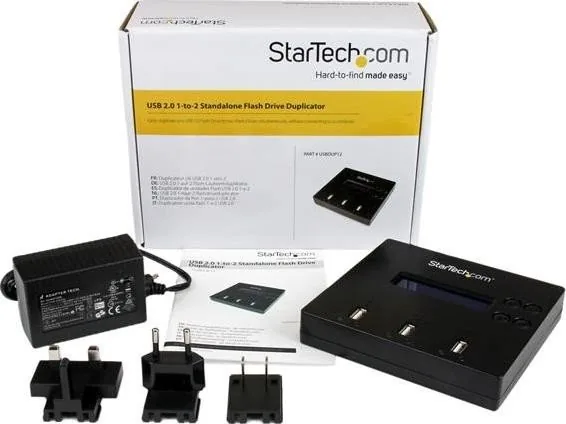
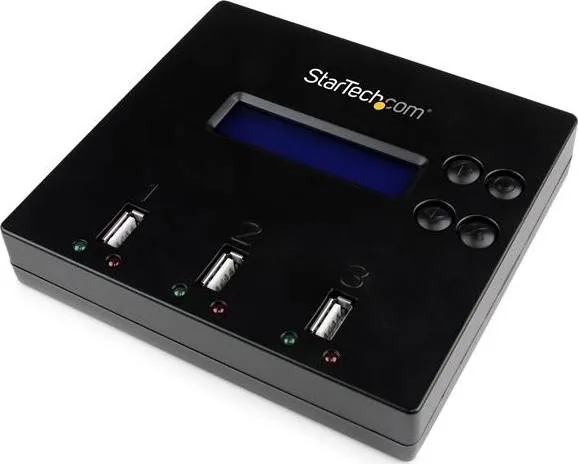
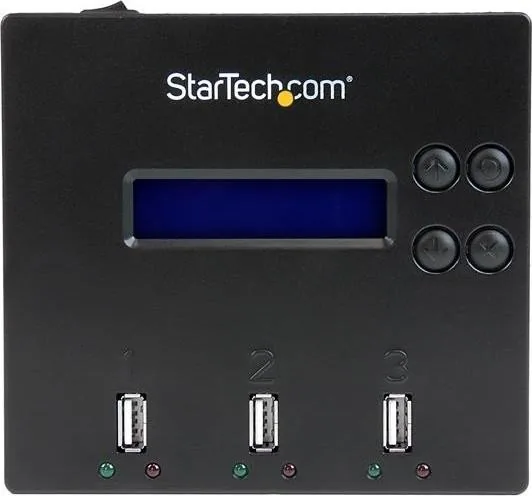
The StarTech USB Flash Duplicator 1:2 is built for one job and does it well: copying a USB flash drive to two destinations without relying on a computer. For offices, labs, IT teams, and anyone who regularly prepares multiple drives, that simple standalone design can save time and reduce hassle. Instead of juggling software, drivers, or extra cables, you get a compact duplicator with an LCD screen, clear status LEDs, and a straightforward button layout.
A Practical Tool for Everyday Duplication
This unit supports both synchronous and asynchronous copying, so it can adapt to different workloads. If the source content fits within the internal buffer, it can begin an asynchronous workflow for faster turnaround. If the source is larger, it switches to synchronous mode automatically. That flexibility makes it useful for both small file sets and larger drive images. According to the StarTech USB Flash Duplicator 1:2 Manual, the system also supports Copy, Compare, Copy + Compare, Capacity Check, formatting, speed testing, media checks, and secure erase options.
More Than Just Copying
What sets this duplicator apart is its utility. It can verify copied data, measure read and write performance, and check flash media quality before it goes into service. It also includes formatting options such as FAT and FAT32, along with quick erase, full erase, and DoD erase for more complete data removal. For teams that care about reliability, these tools are a major advantage because they help confirm that the drives are ready before distribution.
Flexible for Different Media Needs
Although it is designed primarily for USB flash drives, the duplicator can also work with external storage through compatible adapters and enclosures. That makes it a surprisingly versatile device for small-scale duplication tasks. Its lightweight body, monochrome LCD, and simple four-button control scheme keep the experience practical rather than intimidating. The 1:2 design is ideal when you need two exact copies quickly, whether for software deployment, content sharing, or backup preparation.
Notes
- Best results come from using destination drives with matching or larger capacity.
- The copy area can be set for data only or for the whole media.
- Secure erase and formatting functions may remove data permanently.
- The built-in interface is simple, but the available settings are extensive.
- Ideal for recurring duplication jobs where consistency matters.
Search for 67,706 Manuals online


Type-in Brand or Model