
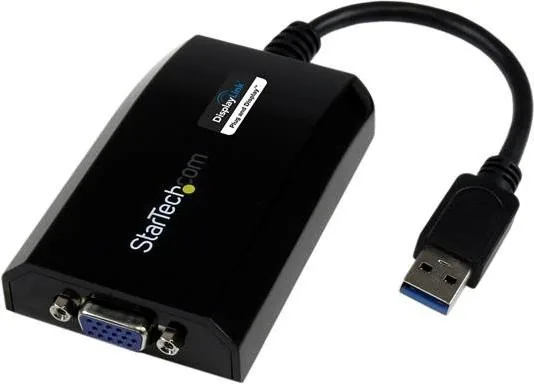
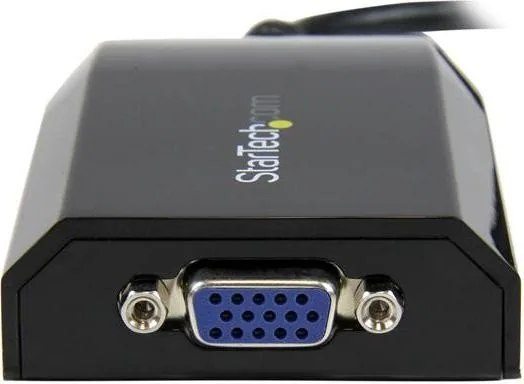
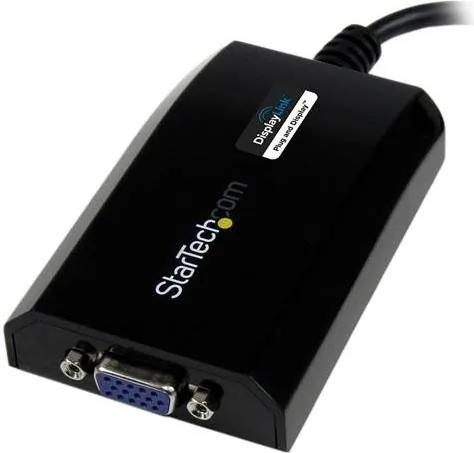
StarTech USB32VGAPRO Manual
PDF manual · 15 Pages
English



Quick check
Incorrect answer, please try again.
Chat with your StarTech USB32VGAPRO manual using AI
Get instant AI answers from your StarTech USB32VGAPRO manual
Ask anything about the StarTech USB32VGAPRO. Answers come from this manual, with the pages they are based on.
Ask a Question
Do you recommend USB32VGAPRO?
Yes NoFrequently Asked Questions
It converts an available USB 3.0 port into a VGA video output, letting you connect an extra monitor, projector, or TV without installing a new graphics card.
Is this answer helpful?
Yes. The setup instructions stress installing the driver and software before connecting the adapter to the computer. This helps avoid detection and display issues during first use.
Is this answer helpful?
Yes. The adapter supports Windows and Mac OSX, with DisplayLink-based software for display setup, configuration, and monitor positioning on both platforms.
Is this answer helpful?
You can use extended mode to add more desktop space or mirrored mode to show the same image on both screens. This makes it useful for productivity and presentations.
Is this answer helpful?
The adapter supports resolutions up to 1920x1200 and 1080p, with additional widescreen and standard modes available depending on the connected display and system setup.
Is this answer helpful?
Yes, multiple USB video adapters can be installed, but the exact limit depends on the platform and system conditions. The instructions note a maximum of five external display adapters in some cases.
Is this answer helpful?
Advantages and Disadvantages
Advantages

- Turns one USB 3.0 port into a VGA display output for quick monitor expansion.
- Supports extended and mirrored display modes for flexible workflows.
- High-resolution output up to 1920x1200/1080p fits most office and presentation needs.
- Works with Windows and Mac systems through DisplayLink software.
Disadvantages

- Driver installation is required before plugging in the adapter.
- VGA limits it to older display technology rather than modern digital-only outputs.
- Performance depends on USB bandwidth and system capabilities.
- Multiple-adapter setups may require extra configuration and reboots.
Product Specification
Input
USB-A 2.0
Output
VGA
Resolution
max. 1920x1200@60Hz
Manufacturer Warranty
two Years
Product Description
StarTech USB32VGAPRO USB 3.0 to VGA Adapter Manual: A Practical Multi-Monitor Upgrade
The StarTech USB32VGAPRO USB 3.0 to VGA Adapter is designed for users who want a simple way to add an extra display without replacing their existing graphics hardware. In the spirit of the StarTech USB32VGAPRO USB 3.0 to VGA Adapter Manual, this product focuses on straightforward setup, broad compatibility, and dependable everyday performance for workstations, laptops, and desktop systems.
A compact solution for more screen space
By turning an available USB 3.0 port into a VGA video output, this adapter gives older and newer computers a fast path to multi-monitor productivity. It supports high resolutions up to 1920x1200 and 1080p, making it well suited for office tasks, presentations, spreadsheets, and general desktop expansion. Using a USB 3.0 connection means the adapter can deliver smoother results, while still remaining backward compatible with USB 2.0 systems.
One of its biggest strengths is flexibility. You can use the adapter in extended mode to create a larger workspace, or mirror mode to duplicate the same content on another screen. That makes it useful in meeting rooms, shared environments, or any setup where the same image needs to appear on more than one display. For users who work across multiple apps, the extended desktop option can make a noticeable difference in comfort and efficiency.
Installation and daily use
The setup process is clear, but one important detail stands out: install the drivers before connecting the adapter. Windows users are directed to complete the software installation first, then plug in the device and attach the VGA monitor. Mac users follow a similar flow, using the included DisplayLink software and restarting before connecting the adapter.
The adapter also supports configuration tools that let users adjust screen resolution, position, rotation, and primary display settings. This makes it easier to match the adapter to different workflows, whether the goal is a portrait-oriented display, a second main screen, or a simple cloned presentation output.
Notes
- Best performance comes from USB 3.0, though USB 2.0 is supported.
- Up to five external display adapters can be used on one computer in some setups.
- Ideal for users who need an affordable VGA expansion option with software-driven display control.
Summary
The USB32VGAPRO is a practical external video adapter that blends ease of use with solid multi-monitor support. It is especially appealing for users who need to connect a VGA display quickly and want a dependable way to expand or duplicate their screen setup without complex hardware changes.
Search for 67,706 Manuals online


Type-in Brand or Model