
StarTech USB32VGAEH Manual
PDF manual · 13 Pages
English



Quick check
Incorrect answer, please try again.
Chat with your StarTech USB32VGAEH manual using AI
Get instant AI answers from your StarTech USB32VGAEH manual
Ask anything about the StarTech USB32VGAEH. Answers come from this manual, with the pages they are based on.
Ask a Question
Do you recommend USB32VGAEH?
Yes NoFrequently Asked Questions
The adapter supports resolutions up to 1920x1200 (widescreen and standard modes), including common options like 1920x1080, 1680x1050, 1600x900 and various lower resolutions.
Is this answer helpful?
Yes. Install the latest drivers from StarTech.com or the included CD before plugging in the adapter. After installation, reboot the computer, then connect the adapter and VGA display to complete setup.
Is this answer helpful?
Yes, the adapter is backward compatible with USB 2.0, but bandwidth and video performance will be reduced compared to USB 3.0 (SuperSpeed). The onboard hub will also operate at USB 2.0 speeds in that case.
Is this answer helpful?
You can connect up to five USB32VGAEH adapters to a single PC. However, overall performance depends on the host system’s CPU and RAM, so ensure your system meets recommended specifications for smooth operation.
Is this answer helpful?
No. VGA is a video-only analog output, so the adapter does not transmit digital audio. Use a separate audio connection if sound is required.
Is this answer helpful?
This adapter supports Windows 7 and Windows 8 (32/64-bit). For best results, download and install the latest drivers from StarTech.com to ensure compatibility.
Is this answer helpful?
The product is backed by a two-year warranty and StarTech.com offers free lifetime technical support along with online downloads and resources for drivers and troubleshooting.
Is this answer helpful?
Advantages and Disadvantages
Advantages

- Adds VGA output via USB 3.0 with up to 1920x1200 resolution for mirror or extended displays.
- Built-in 1-port USB 3.0 pass-through hub returns a USB port lost to the adapter.
- Supports multiple adapters (up to five) to expand multi-monitor setups without internal cards.
- Compact and portable external graphics solution ideal for laptops and Ultrabooks.
- Backed by a two-year warranty and StarTech.com's lifetime technical support and driver downloads.
Disadvantages

- Performance depends on host USB speed; reduced bandwidth and potential lag on USB 2.0.
- Requires driver installation and occasional reboots during setup.
- Limited to VGA output (no digital audio) and may not suit modern HDMI/DisplayPort-only displays.
- Maximum effective displays subject to CPU/RAM constraints; quad-core and 4GB+ recommended.
- Hub port shares host bandwidth; connected devices will be limited to host port capabilities.
Product Specification
Input
USB 3.0
Output
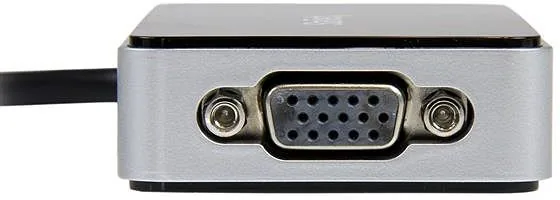
1x VGA, 1x USB 3.0
Resolution
max. 1920x1200
Product Description
StarTech USB 3.0 to VGA Adapter with 1-Port USB Hub (USB32VGAEH) Manual
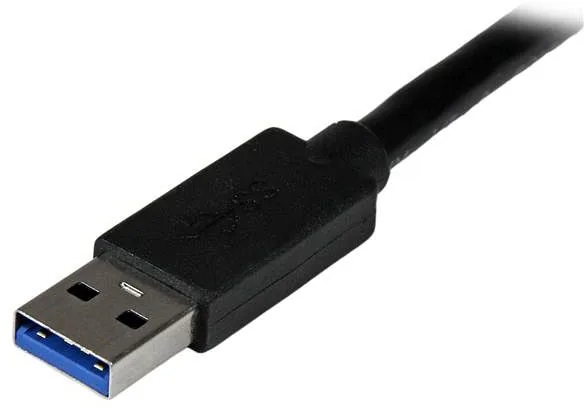
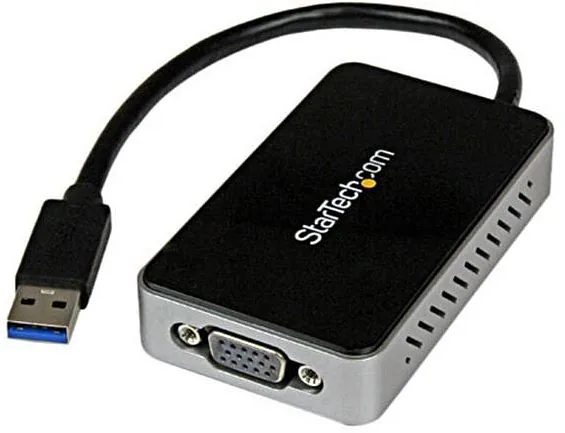
The StarTech USB 3.0 to VGA Adapter with 1-Port USB Hub (USB32VGAEH) turns an available USB 3.0 port into a high-resolution VGA output while returning a single USB port via its built-in pass-through hub. Designed for notebooks, Ultrabooks, and desktops, this compact adapter functions as an external graphics card, enabling mirror or extended displays up to 1920x1200. Optimal performance is achieved over USB 3.0 (SuperSpeed 5 Gbps), with backward compatibility to USB 2.0 for convenience across a variety of systems.
Installation is straightforward: install drivers first (from StarTech.com or the included CD), reboot, then connect the adapter and VGA display. The bundled software adds a system tray control for quick access to display settings and an optional Multi-Display Control Panel offering hotkeys to move active windows between screens. The device supports multiple adapters on a single PC (up to five) for expanded multi-monitor setups, and its single onboard USB 3.0 female port restores the USB connectivity consumed by the adapter.
Hardware and driver requirements are modest but specific: a USB-enabled system with a USB 3.0 or 2.0 port, quad-core CPU (2.4GHz or higher recommended), 4GB+ RAM, and Windows 7/8 (32/64-bit) support. The package includes the adapter, a driver CD, and a manual. StarTech backs the product with a two-year warranty and lifetime technical support, and provides online downloads and resources for drivers and troubleshooting.
Whether you need a simple way to add a projector or an extra monitor for productivity, this adapter is a practical, portable solution. It caters to users who want reliable video output without opening their system or installing an internal card, especially useful for laptops with limited ports.
Notes
- Best performance via USB 3.0; USB 2.0 will work but with reduced bandwidth.
- Hub port on the adapter will operate at host port speeds (USB 2.0 if connected there).
- Maximum of five adapters supported on one PC; ensure sufficient CPU/RAM for smooth performance.
- Download the latest drivers from StarTech.com for optimal compatibility.
Search for 67,706 Manuals online


Type-in Brand or Model