

StarTech USB2G4LEXT2 Manual
PDF manual · 2 Pages
English



Quick check
Incorrect answer, please try again.
Chat with your StarTech USB2G4LEXT2 manual using AI
Get instant AI answers from your StarTech USB2G4LEXT2 manual
Ask anything about the StarTech USB2G4LEXT2. Answers come from this manual, with the pages they are based on.
Ask a Question
Do you recommend USB2G4LEXT2?
Yes NoFrequently Asked Questions
The extender supports up to 40 meters (131 ft) over Cat5 or Cat5e cable and up to 50 meters (165 ft) when using Cat6 cable. Use properly terminated RJ45 cable and avoid routing through network switches or routers for best results.
Is this answer helpful?
The Local Extender is powered from the host via the included Mini-USB to USB-A cable. The Remote Extender requires the supplied universal power adapter to provide stable current to connected USB peripherals and must be plugged into an AC outlet.
Is this answer helpful?
No. The extension must use a direct, properly terminated Cat5/5e/6 cable between Local and Remote units. Patching through switches, routers, or other network equipment can prevent proper operation and is not supported.
Is this answer helpful?
Most low- to moderate-power USB 2.0 devices like keyboards, mice, printers, and scanners will work reliably. Bandwidth-sensitive devices (e.g., some high-resolution webcams) may be limited by USB 2.0 throughput. Very high-power devices might require their own external power.
Is this answer helpful?
USB extension functionality can fail if the host enters Sleep, Standby, Hibernate, or power-save modes. To prevent this, configure your computer’s power settings to disable these modes or ensure the system remains awake while using the extender.
Is this answer helpful?
Yes. The device is covered by a two-year warranty for defects in materials and workmanship. StarTech also offers lifetime technical support and online resources including documentation, downloads, and troubleshooting at www.startech.com/support.
Is this answer helpful?
Advantages and Disadvantages
Advantages

- Extends USB 2.0 up to 40m on Cat5/5e and 50m on Cat6 for flexible device placement.
- Provides four USB-A ports at the remote end, supporting multiple peripherals simultaneously.
- Includes universal power adapter and necessary cables for quick setup.
- LED indicators show power and link status for simple troubleshooting.
- Direct cabling avoids network equipment, reducing latency and interference risks.
Disadvantages

- Requires direct RJ45 cabling between units; cannot be patched through switches or routers.
- Host sleep or power-saving modes can disrupt the USB extension functionality.
- USB 2.0 bandwidth limits may not suit high-throughput devices like some webcams.
- High-power USB devices may need their own power source despite remote unit power.
- Maximum distances depend on cable category; Cat6 required for full 50m reach.
Product Specification
Type
USB Extender via RJ-45 (164.04 ft)
Connectors
1x USB 2.0 Mini-B (Female, 480Mb/s, Transmitter), 4x USB-A 2.0 (Female, 480Mb/s, Receiver)
Color
black
Note
Network cable not included!
USB Notation
Link
Product Description
StarTech USB2G4LEXT2 USB Extender via RJ-45 USB 2.0 Active up to 50m Manual
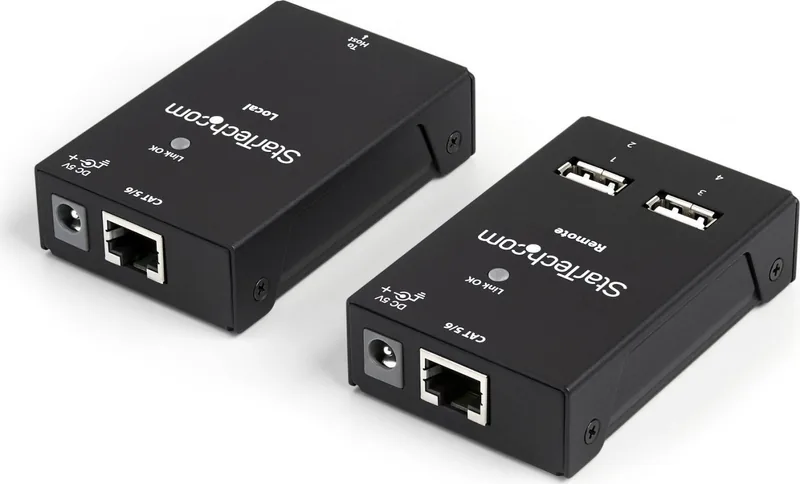
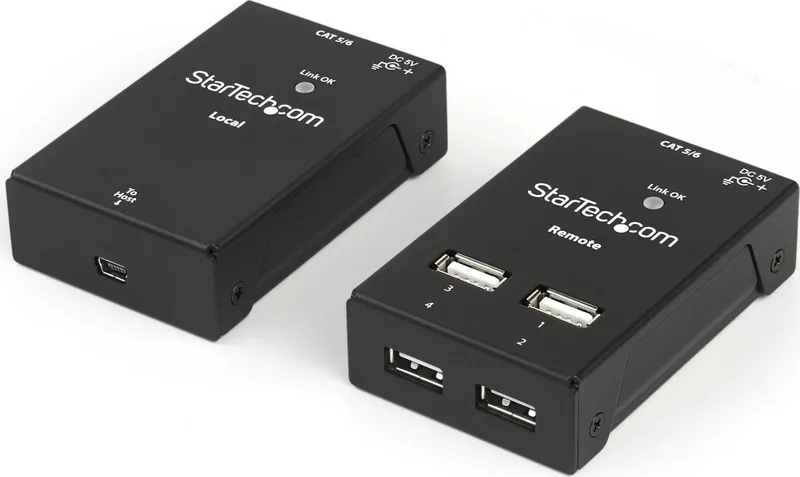
The StarTech USB2G4LEXT2 is a compact active USB 2.0 extension solution designed to bridge USB peripherals to a host computer over standard Ethernet cabling. Composed of a Local Extender that connects to your computer and a Remote Extender that provides four USB-A ports for devices, this kit enables reliable USB connections at distances up to 40 meters over Cat5/Cat5e and up to 50 meters over Cat6. The Local unit is host-powered via the included Mini-USB-to-USB-A cable, while the Remote unit is powered by the supplied universal power adapter to maintain stable peripheral operation.
Key features and usage
The package includes the Local and Remote extenders, an RJ45 Ethernet cable, a mini-USB cable for the host connection, rubber feet, and a universal power adapter with regional plugs. Installation is straightforward: connect the Local unit to the host via the mini-USB cable, run a direct RJ45-terminated Cat5 or higher cable between Local and Remote (do not patch through switches/routers), and plug peripherals into the Remote unit’s four USB-A ports. LED indicators on each unit show power and link status, helping diagnose connectivity quickly.
This solution is ideal for scenarios where USB devices need placement away from a host computer—such as printers, keyboards, scanners, or presentation equipment—without relying on network switches. Note that host sleep or power-saving modes can disrupt extension functionality, so configuring the host to remain active is recommended for uninterrupted operation.
Practical considerations
For maximum distance and performance, use Cat6 cabling to reach the 50m limit. Avoid routing the extension cable through network equipment to prevent signal issues. The Remote unit’s external power ensures adequate current for multiple USB peripherals; however, high-power devices may still require their own power source. The product carries regulatory compliance statements and includes a two-year warranty backed by StarTech’s lifetime technical support resources.
Notes
- Use direct, properly terminated Cat5/5e/6 cabling; do not patch through switches or routers.
- Prevent the host computer from entering sleep or power-save modes to maintain USB connectivity.
- The Remote unit should be connected to a reliable AC outlet to power multiple peripherals.
Search for 67,706 Manuals online


Type-in Brand or Model