
StarTech USB21000S2 Manual
PDF manual · 9 Pages
English



Quick check
Incorrect answer, please try again.
Chat with your StarTech USB21000S2 manual using AI
Get instant AI answers from your StarTech USB21000S2 manual
Ask anything about the StarTech USB21000S2. Answers come from this manual, with the pages they are based on.
Ask a Question
Do you recommend USB21000S2?
Yes NoVideo Manual
StarTech USB 3.0 to Gigabit LAN adapter review
Frequently Asked Questions
The adapter supports 10/100/1000 Mbps, but actual throughput depends on the host USB controller and system. Over USB 2.0, real-world gigabit speeds may be limited by USB bandwidth. For consistent gigabit performance, use a USB 3.0-capable adapter and host.
Is this answer helpful?
Supported systems include Windows XP through Windows 8 (32/64-bit), Mac OS 10.6–10.8, and various Linux distributions. For newer OS versions or updates, download the latest drivers from StarTech's website to ensure compatibility.
Is this answer helpful?
Insert the included driver CD and run the Setup file for your OS, follow the installation wizard, then reboot. On macOS, run the provided .pkg installer and reboot. Alternatively, visit StarTech.com/downloads to get the latest drivers and installation instructions.
Is this answer helpful?
Verify drivers are installed and the OS lists the device under Network Adapters. Try a different USB port, check the Ethernet cable and router/switch, and confirm the link LED lights. If issues persist, download updated drivers from StarTech and consult their support resources.
Is this answer helpful?
Yes, the adapter supports Jumbo Frames, VLAN tagging, Auto-MDIX, full-duplex operation, and Wake-on-LAN, enabling compatibility with advanced network configurations when supported by the host OS and network.
Is this answer helpful?
StarTech provides lifetime technical support through their website and a two-year limited warranty covering defects in materials and workmanship from the date of purchase. The warranty covers parts and labor; it excludes damage from misuse or normal wear.
Is this answer helpful?
Advantages and Disadvantages
Advantages

- Adds a full RJ-45 Ethernet port to USB-only systems for wired connectivity.
- Supports 10/100/1000 Mbps with features like Jumbo Frames, VLAN tagging, and Wake-on-LAN.
- Broad OS compatibility: Windows, macOS, and Linux supported.
- Compact, lightweight design makes it portable for laptops and travel use.
- Lifetime technical support from StarTech and a two-year limited warranty.
Disadvantages

- Uses USB 2.0 host interface which can bottleneck real-world gigabit throughput.
- Driver installation may be required from CD or StarTech website for some OS versions.
- Plastic enclosure may be less durable than metal-bodied adapters.
- Limited to a single Ethernet port — not suitable when multiple wired connections are needed.
- Official OS support list may not include very recent operating system releases.
Product Specification
Type
LAN adapter
Design
1x external wired (connection cable not detachable)
Interface
1x USB-A 2.0 (plug via cable, 480Mbps)
Connection
1x RJ-45
Transmission
1x RJ-45 (10/100/1000Base-T)
Power supply
Power supply only via interface
Chipset
Microchip SMSC LAN7500 (LAN adapter, RJ-45)
Dimensions
1.18x0.79x10.63in (WxHxD)
Weight
0.09 lb
Compatibility
universal
Special features
VLAN
Manufacturer's warranty
two years
USB notation
Link
Product Description
StarTech LAN adapter, RJ-45, USB-A 2.0 (plug) Manual
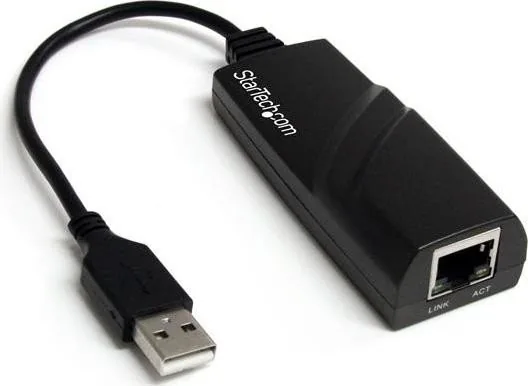
The StarTech USB 2.0 to Gigabit Ethernet adapter is a compact, portable solution that adds a single RJ-45 network port to any USB-enabled computer. Designed for desktops and laptops, it supports 10/100/1000 Mbps link speeds while remaining backward compatible with older USB 1.x systems. Built around the SMSC LAN7500 chipset, the adapter offers essential networking features such as Jumbo Frames, VLAN tagging, Auto-MDIX, full-duplex operation, and Wake-on-LAN, making it suitable for both home and business environments.
Installation is straightforward: install drivers from the included CD (or download the latest from StarTech), reboot, then plug the adapter into an available USB-A port and connect an Ethernet cable. The adapter auto-detects and configures itself once drivers are present; LED indicators show link and activity status. It supports multiple operating systems, including Windows (XP through Windows 8), Mac OS 10.6–10.8, and Linux.
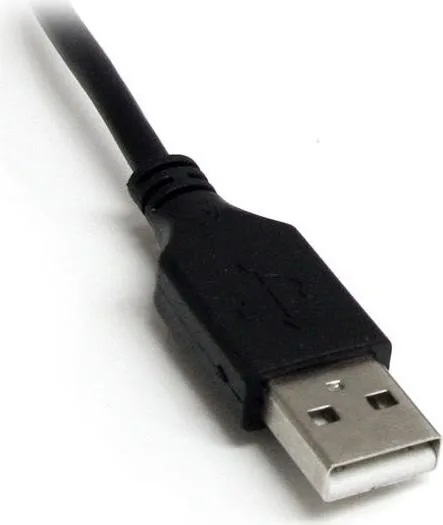
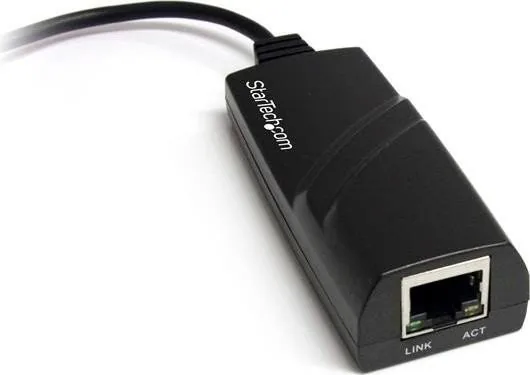
The adapter’s plastic enclosure houses a single USB-A 2.0 male connector and an RJ45 female port. Despite its USB 2.0 interface, it can handle gigabit Ethernet speeds where host throughput allows. Operating and storage ranges are typical for consumer networking hardware, and the unit is lightweight and pocketable for mobile use. StarTech backs the product with lifetime technical support resources online and a two-year limited warranty covering parts and labor against manufacturing defects.
Whether you need a reliable desktop replacement NIC, a convenient network port for a laptop without Ethernet, or a quick way to add wired connectivity to older systems, this StarTech adapter focuses on simplicity and broad compatibility. The included driver CD, concise installation steps for Windows and macOS, and device verification guidance help ensure a quick setup. For updated drivers and support, StarTech’s website provides downloads, documentation, and lifetime technical assistance.
Notes
- For best performance, ensure host USB controller and drivers support maximum data throughput; USB 2.0 host limitations may reduce actual gigabit performance.
- Download the latest drivers from StarTech rather than relying solely on the included CD to ensure compatibility with newer OS updates.
- LED indicators: Link (green) and Activity — useful for troubleshooting physical connection issues.
Search for 67,706 Manuals online


Type-in Brand or Model