
StarTech USB-C to Ethernet Adapter Manual
PDF manual · 2 Pages
English



Quick check
Incorrect answer, please try again.
Chat with your StarTech USB-C to Ethernet Adapter manual using AI
Get instant AI answers from your StarTech USB-C to Ethernet Adapter manual
Ask anything about the StarTech USB-C to Ethernet Adapter. Answers come from this manual, with the pages they are based on.
Ask a Question
Do you recommend USB-C to Ethernet Adapter?
Yes NoVideo Manual
Review StarTech com 3 Port USB C 3 1 Gen 2 Hub with Ethernet Adapter
Frequently Asked Questions
The adapter offers a Gigabit Ethernet port, three USB-A 3.0 (USB 3.1 Gen 1) ports, and a USB-C input for Power Delivery 2.0 up to 60W to charge a connected laptop (if the laptop’s USB-C supports PD).
Is this answer helpful?
No. The USB-C port on the adapter is dedicated to USB Power Delivery input only. It supplies power to the adapter and can pass up to 60W to a PD-capable laptop, but it does not carry data or video signals.
Is this answer helpful?
Yes, if your laptop’s USB-C port supports USB Power Delivery 2.0 and you connect a compatible USB-C PD power adapter to the adapter’s USB-C input. The adapter will pass through up to 60W of power to the laptop.
Is this answer helpful?
Most modern laptops natively support the adapter and will automatically detect and install required drivers. For the latest drivers or troubleshooting, visit StarTech’s support and downloads pages.
Is this answer helpful?
If peripherals aren’t receiving enough power, connect a USB-C PD power adapter to the adapter’s USB-C input rather than relying on bus power. Ensure the PD adapter and laptop port support the necessary power levels.
Is this answer helpful?
The left LED near the Ethernet port lights green when an RJ-45 cable is connected (link), and the right LED illuminates yellow to indicate network activity (data transfer).
Is this answer helpful?
StarTech offers lifetime technical support and a two-year warranty covering defects in materials and workmanship. Visit StarTech’s support site for documentation, downloads, and warranty details.
Is this answer helpful?
Advantages and Disadvantages
Advantages

- Adds Gigabit Ethernet and three USB 3.0 ports through a single USB-C connection.
- Supports USB Power Delivery 2.0 for up to 60W laptop charging when the host port supports PD.
- Native driver support for automatic installation on most laptops.
- Compact and travel-friendly design ideal for hybrid and mobile use.
- Link and activity LEDs provide quick visual confirmation of network status.
Disadvantages

- USB-C port on adapter is power-only and cannot transfer data or video.
- May require external USB-C PD adapter to power multiple peripherals reliably.
- Not all laptops’ USB-C ports support Power Delivery 2.0, limiting passthrough charging.
- Delivers up to 60W, which may be insufficient for some high-performance laptops.
- Relies on host support for full functionality; older systems may lack compatibility.
Product Specification
Type
LAN adapter, USB hub
Form factor
1x external wired (connection cable not detachable)
Connection
1x USB-C 3.0 (plug via cable, 5Gb/s, USB PD, 5.91in cable length)
Connectivity
1x RJ-45, 3x USB-A 3.0 (socket)
Transfer
1x RJ-45 (10/100/1000Base-T), 3x USB-A 3.0 (socket, 5Gb/s)
Power supply
Power supply also via connection, power port (1x USB-C socket USB PD 2.0, max. 60W, Passthrough 60W), external power supply possible but not included
Chipset
Realtek RTL8153 (LAN adapter, RJ-45), VIA/VLI VL100 (USB PD 2.0), VIA/VLI VL813 (USB Hub, USB 3.0)
Dimensions
3.74x0.67x1.61in (WxHxD)
Weight
0.10 lb
Housing color
black
Compatibility
universal
Special features
VLAN, Wake on LAN
Manufacturer's warranty
two years
USB notation
Link
Product Description
StarTech LAN adapter, RJ-45, USB-C 3.0 (plug) Manual
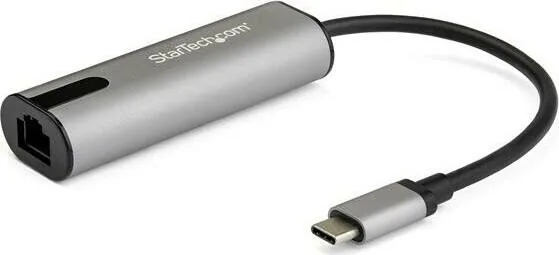
The StarTech LAN adapter combines a Gigabit Ethernet port with a 3-port USB 3.0 hub and USB-C passthrough power to give modern laptops a compact, versatile connectivity boost. Designed for professionals and travelers, the adapter plugs into a USB-C or Thunderbolt 3 port to provide reliable Ethernet connectivity, three USB-A 3.0 ports for peripherals, and up to 60W USB Power Delivery 2.0 to charge your laptop while in use.
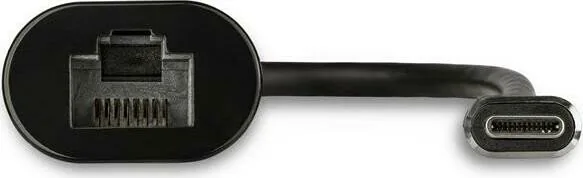
This adapter emphasizes compatibility and ease of use. It is natively supported by most laptops, so connecting it usually triggers automatic driver installation. The Ethernet port includes two LED indicators—one for link status (green) and one for activity (yellow)—so you can quickly verify network connectivity. While the USB-A ports follow the USB 3.1 Gen 1 (5Gbps) standard, the USB-C input on the adapter is dedicated to power delivery only and does not carry data or video.
Practical for hybrid work, on-site troubleshooting, or conference setups, the adapter ensures stable wired networking where Wi-Fi is unreliable. It supports bus power for basic operation, but using a USB-C PD power adapter is recommended to ensure connected devices receive sufficient power and to enable laptop charging. Note that to pass power to your laptop, the laptop’s USB-C port must support USB Power Delivery 2.0.
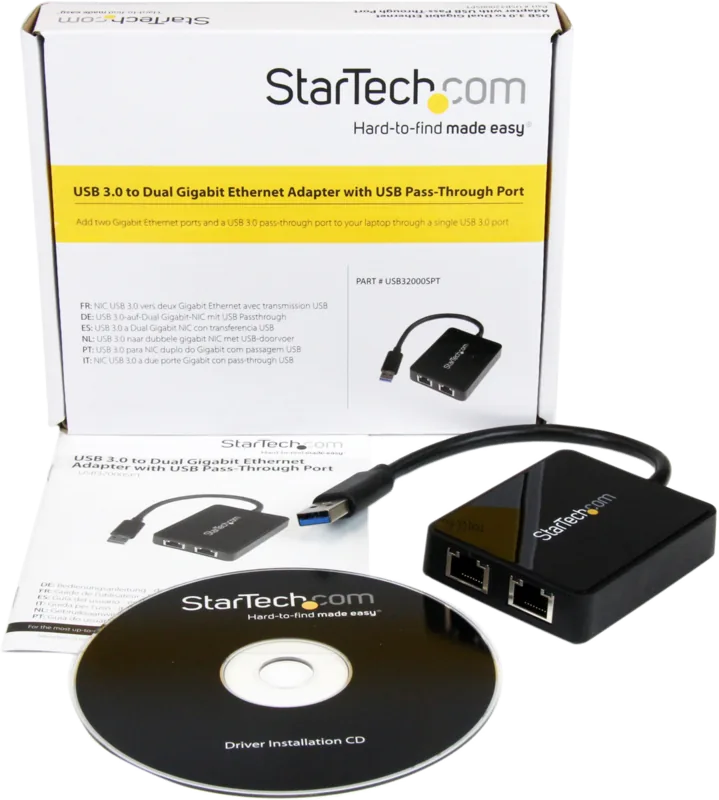
The package is simple: the USB network adapter and a quick-start guide. StarTech backs the product with lifetime technical support and a two-year warranty, while providing online downloads for the latest drivers and documentation. Regulatory compliance statements and troubleshooting tips are included to help resolve common issues, such as verifying PD support on your laptop or understanding that the adapter’s USB-C port does not transfer data.
Overall, this StarTech LAN adapter is a compact, well-supported solution for adding wired networking and multiple USB-A ports to modern laptops, with the added convenience of power delivery when your laptop supports PD 2.0.
Notes:
- USB 3.0 is used interchangeably with USB 3.1 Gen 1 (5Gbps).
- The adapter can deliver up to 60W to a connected laptop via USB PD 2.0.
- The USB-C port on the adapter is for power input only and does not handle data or video.
- Verify your laptop’s USB-C PD support to enable charging through the adapter.
Search for 67,706 Manuals online


Type-in Brand or Model