
StarTech SV831DUSBUK Manual
PDF manual · 20 Pages
English



Quick check
Incorrect answer, please try again.
Chat with your StarTech SV831DUSBUK manual using AI
Get instant AI answers from your StarTech SV831DUSBUK manual
Ask anything about the StarTech SV831DUSBUK. Answers come from this manual, with the pages they are based on.
Ask a Question
Do you recommend SV831DUSBUK?
Yes NoVideo Manual
How to Install - KVM Switches | StarTech.com
Frequently Asked Questions
A USB-compatible 3-button wired mouse, a USB 104-key wired keyboard (or a single USB combo keyboard on the keyboard port), and a VGA-enabled monitor are required for console operation.
Is this answer helpful?
You can switch using the front-panel push buttons, hotkey sequences (default: left CTRL twice then port), or the On-Screen Display (OSD) navigable with arrow and Enter keys.
Is this answer helpful?
Yes — it supports cascading. An 8-port unit can be used as a Master with Slave units; proper cascading limits and port-matching rules apply to reach larger numbers of connected systems.
Is this answer helpful?
OSD Function F3 sets a 1–4 character password to lock a specific port. To access a locked device temporarily, highlight it and enter the password. The port automatically re-locks when you switch away. Forgotten passwords are cleared via a defined front-panel reset.
Is this answer helpful?
The switch supports up to 1920x1440 and several widescreen modes (1920x1080, 1366x768, 1280x720, 854x480). OSD display position and channel display duration can be configured in the menu.
Is this answer helpful?
Yes. Use the hotkey sequence Left CTRL, Left CTRL, hold ALT, press Right CTRL to switch to the right CTRL leading hotkey, and reverse the sequence to switch back.
Is this answer helpful?
StarTech offers lifetime technical support resources online and a three-year limited warranty covering defects in materials and workmanship, excluding misuse or normal wear and tear.
Is this answer helpful?
Advantages and Disadvantages
Advantages

- Supports 8 USB VGA ports with cascading for large-scale setups (up to many dozens of systems).
- Multiple control methods: front buttons, hotkeys, and OSD for flexible workflow preferences.
- Non-volatile memory stores port names and settings across power cycles for persistent configuration.
- Sun/Mac keyboard emulation and per-port Sun marking improve cross-platform compatibility.
- Security lock per device with temporary access and reset procedure for administrative control.
Disadvantages

- VGA-only video output limits compatibility with digital-only displays (no DVI/HDMI support).
- USB-only console requirement may not suit environments with legacy PS/2 peripherals.
- Maximum resolution 1920x1440 may fall short for very high-resolution modern monitors.
- Password recovery requires a specific front-panel reset sequence that can be cumbersome.
- Cascading rules require master to have equal or more ports than slave units, limiting some topologies.
Product Specification
Ports
8
Monitor
VGA
Keyboard/Mouse
USB
Audio
N/A
LAN
N/A
Resolution
1920x1440
Product Description
StarTech SV831DUSBUK Manual: Powerful, Flexible USB VGA KVM Switching
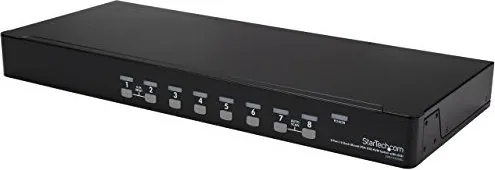
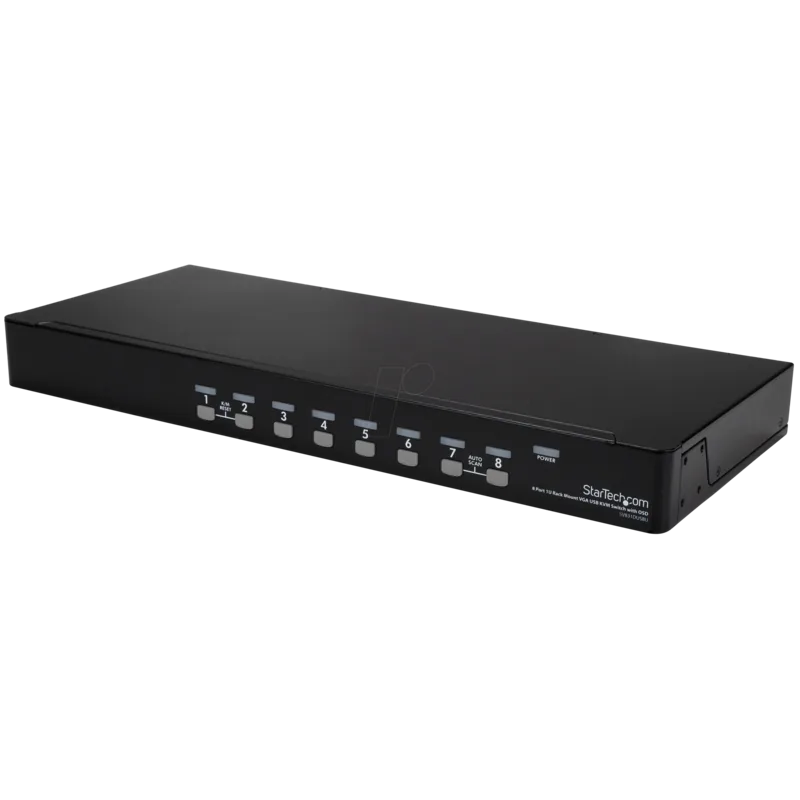
The StarTech SV831DUSBUK is an 8-port USB VGA KVM switch designed for compact, reliable management of multiple computers from a single keyboard, mouse, and monitor. Ideal for server rooms, small data centers, and multi-system workstations, this unit supports USB-only console connections and provides versatile control options—front-panel push buttons, hotkey sequences, and an On-Screen Display (OSD). With support for cascading, the SV831DUSBUK can scale to manage dozens of machines while maintaining simple, centralized access.
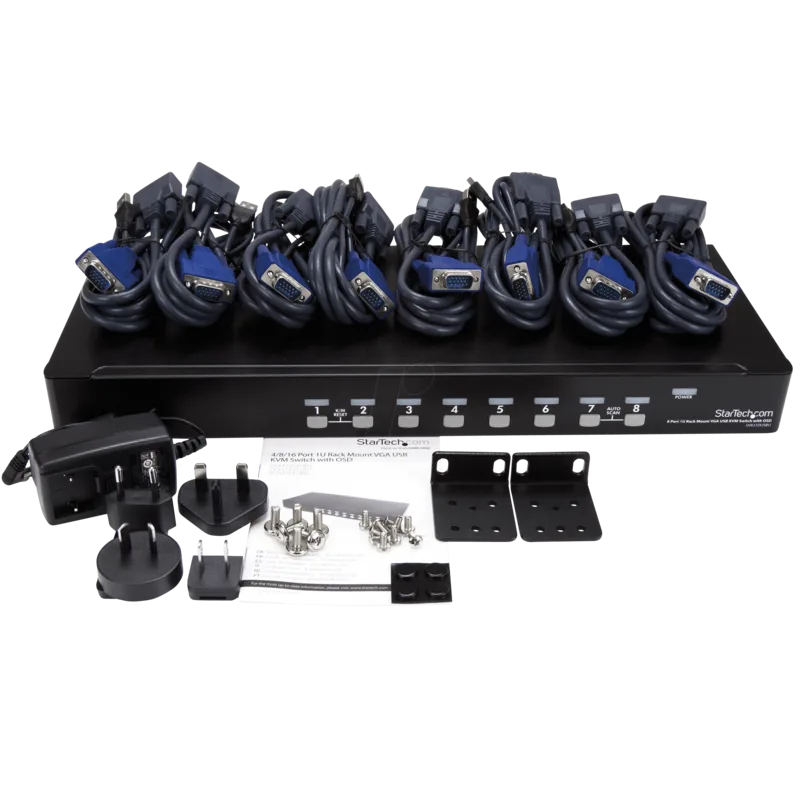
The switch includes USB VGA KVM cables for seamless connections, a universal power adapter, and optional rackmount brackets for tidy installation. It supports standard 3-button USB mice and full 104-key USB keyboards, plus a range of VGA resolutions (including common widescreen modes), and preserves configuration settings in non-volatile memory. The device supports a maximum video resolution up to 1920x1440 and handles common scan modes (Auto and Manual), allowing administrators to monitor selected systems automatically or step through active machines manually.
Key operational features include an intuitive OSD for naming and grouping ports, security locking for individual ports with temporary access via password, Sun/Mac keyboard emulation for cross-platform compatibility, and hotkey customization (including changing the leading hotkey from left to right CTRL). Cascading support enables expansion: multiple 8-port units can be combined under a single master to control many computers. LEDs and front pushbuttons provide immediate visual and tactile control, while the KVM’s K/M Reset and built-in beeper simplify troubleshooting and hotkey feedback.
Built with convenience in mind, the SV831DUSBUK offers Scan Type and Scan Rate options to tailor Auto Scan behavior, OSD positioning and display duration settings, and the ability to mark ports for Scan monitoring or Sun keyboard emulation. The switch is FCC and Industry Canada compliant, backed by StarTech’s three-year warranty and lifetime technical support resources.
Whether you need simple day-to-day switching or a scalable master/slave configuration, the SV831DUSBUK balances functionality and manageability for mixed environments that require USB and VGA connectivity.
Notes
- Supports 8 USB VGA PC ports; can act as Master in cascaded setups.
- Non-volatile memory retains port names and settings after power cycles.
- Security locks are per-device and can be cleared via a reset sequence if a password is lost.
- Supports common widescreen resolutions and DDC2B disable option.
- Includes universal power adapter and required KVM cables.
Search for 67,706 Manuals online


Type-in Brand or Model